
ImagenAI
Class EditorialManifestoPoster: def init(self, topic= TOPIC
class EditorialManifestoPoster: def __init__(self, topic="[TOPIC]", subject="[SUBJECT]"): self.format = "vertical campaign poster / cover art / billboard" self. camera = "low-angle street fashion photography" self.environment =...
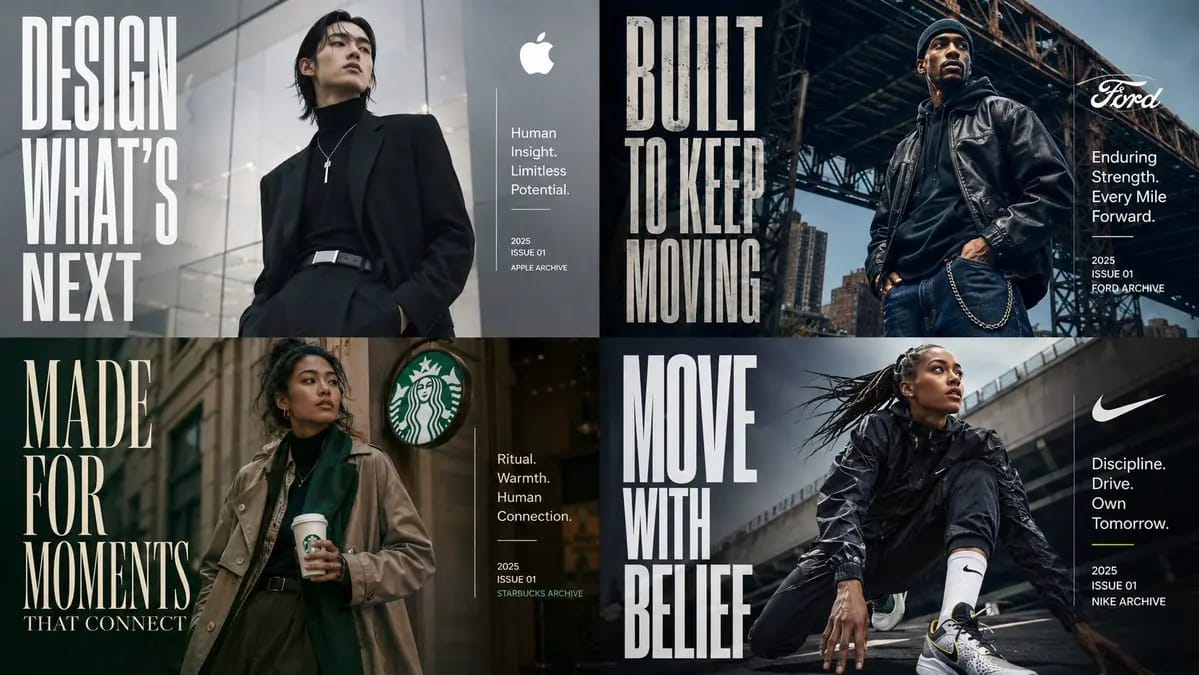
Prompt
class EditorialManifestoPoster: def __init__(self, topic="[TOPIC]", subject="[SUBJECT]"): self.format = "vertical campaign poster / cover art / billboard" self. camera = "low-angle street fashion photography" self.environment = AI_INFER("un entorno urbano, fondo arquitectónico o contexto ambiental que se ajuste a TOPIC") self.mood = AI_INFER("cinematográfico, aspiracional, orientado al futuro, premium, culturalmente relevante") def infer_brand_language(self): return { "headline_phrase": AI_INFER("frase manifiesto de 2-5 palabras derivada de TOPIC"), "subheadline": AI_INFER("descriptor breve de categoría o línea de posicionamiento"), "microcopy": AI_INFER("descriptores de apoyo pequeños, capacidades, temas o lemas"), "year_or_drop": AI_INFER("año de lanzamiento, número de edición, temporada, edición o marca de archivo") } def build_visual_hierarchy(self): return """ Coloca un sujeto principal seguro en el centro o ligeramente descentrado. Usa tipografía condensada y gigante como elemento visual estructural, no solo una etiqueta. El titular debe ocupar un gran bloque vertical a un lado de la composición. Agrega un bloque de información limpio y más pequeño en el lado opuesto para título, descriptor, micro-copia y fecha. El entorno debe apoyar al sujeto y la tipografía sin abrumarlos. """ # EXECUTE: # Renderiza TOPIC como un póster editorial premium donde el sujeto encarna físicamente el mensaje de la marca. # No uses texto fijo, estilo o detalles de moda a menos que se proporcionen.Cómo usar este prompt
- 1Copia el prompt exactamente y pégalo en tu modelo preferido o en un proyecto de Ideart.
- 2Sustituye detalles de producto, sujeto, audiencia y estilo por tu propio contexto.
- 3Genera primero un resultado base y luego remezcla la dirección más fuerte en una campaña, serie de imágenes o concepto de video.
Explorar rutas de prompts cercanas
Modelo
Categorías
Construir desde este prompt
Convierte un prompt de imagen en un proyecto creativo terminado.
Guarda el prompt, añade imágenes de referencia o notas y deja que Ideart dé forma al siguiente paso de producción desde el mismo hilo creativo.