
ImagenAI
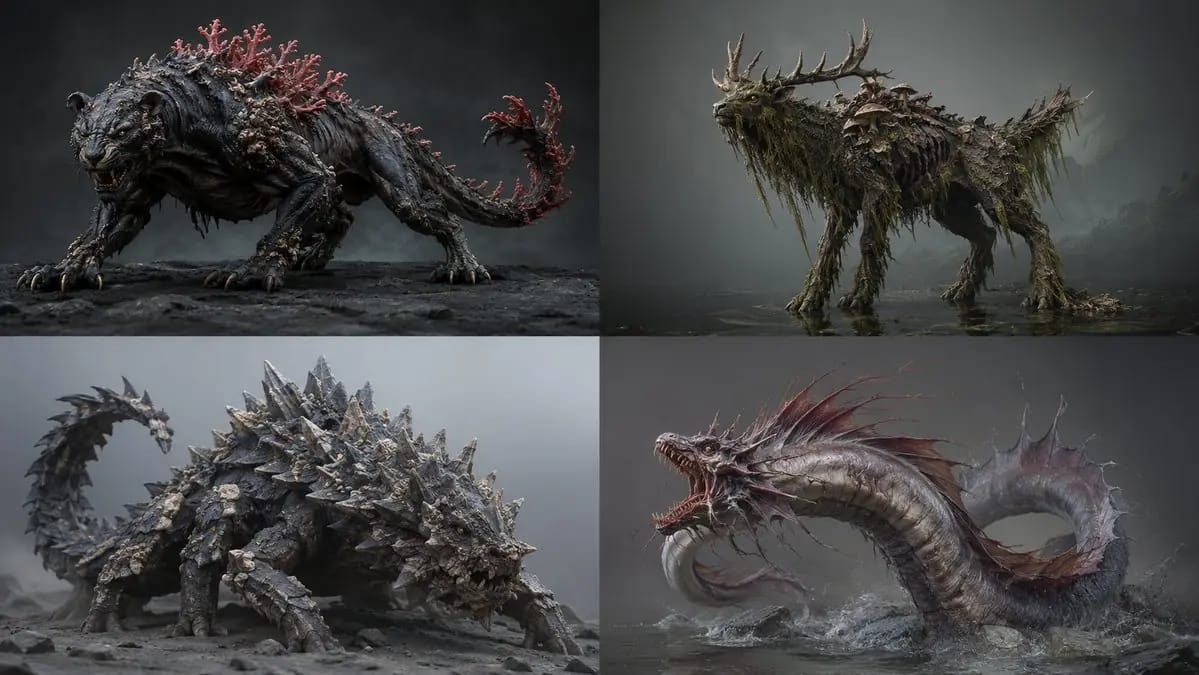
2x2 grid, 16:9 ai infers<role>lead creature concept artist
2x2 grid, 16:9 ai infers<role>lead creature concept artist for a aaa bestiary. anatomy must look evolved, never assembled.</role> <assembly> base_frame: [Primary Animal And Stance] fusion_rule: [Fusion Rule] [Anatomy Map] skull/head:...
Prompt
2x2 grid, 16:9 ai infers<role>lead creature concept artist for a aaa bestiary. anatomy must look evolved, never assembled.</role> <assembly> base_frame: [Primary Animal And Stance] fusion_rule: [Fusion Rule] [Anatomy Map] skull/head: [Source A] torso/core: [Source B And Its Material] limbs: [Source C] signature: [Signature Feature] scale_cue: [Scale Cue] palette: [Palette] </assembly> <infer>auto-complete unlisted anatomy (feet, joints, skin transitions) so it reads as one plausible organism. add subtle asymmetry and life-history wear — scars, chipped horn, patchy regrowth.</infer> <render> medium: [Medium] lighting: [Lighting] detail: hyper-real micro-texture — pores, chitin sheen, scarring. pose: [Pose] ground: [Ground] output: one creature, full body. </render>
Cómo usar este prompt
- 1Copia el prompt exactamente y pégalo en tu modelo preferido o en un proyecto de Ideart.
- 2Sustituye detalles de producto, sujeto, audiencia y estilo por tu propio contexto.
- 3Genera primero un resultado base y luego remezcla la dirección más fuerte en una campaña, serie de imágenes o concepto de vídeo.
Explorar rutas de prompts cercanas
Modelo
Construir desde este prompt
Convierte un prompt de imagen en un proyecto creativo terminado.
Guarda el prompt, añade imágenes de referencia o notas y deja que Ideart dé forma al siguiente paso de producción desde el mismo hilo creativo.