
ImagenAI
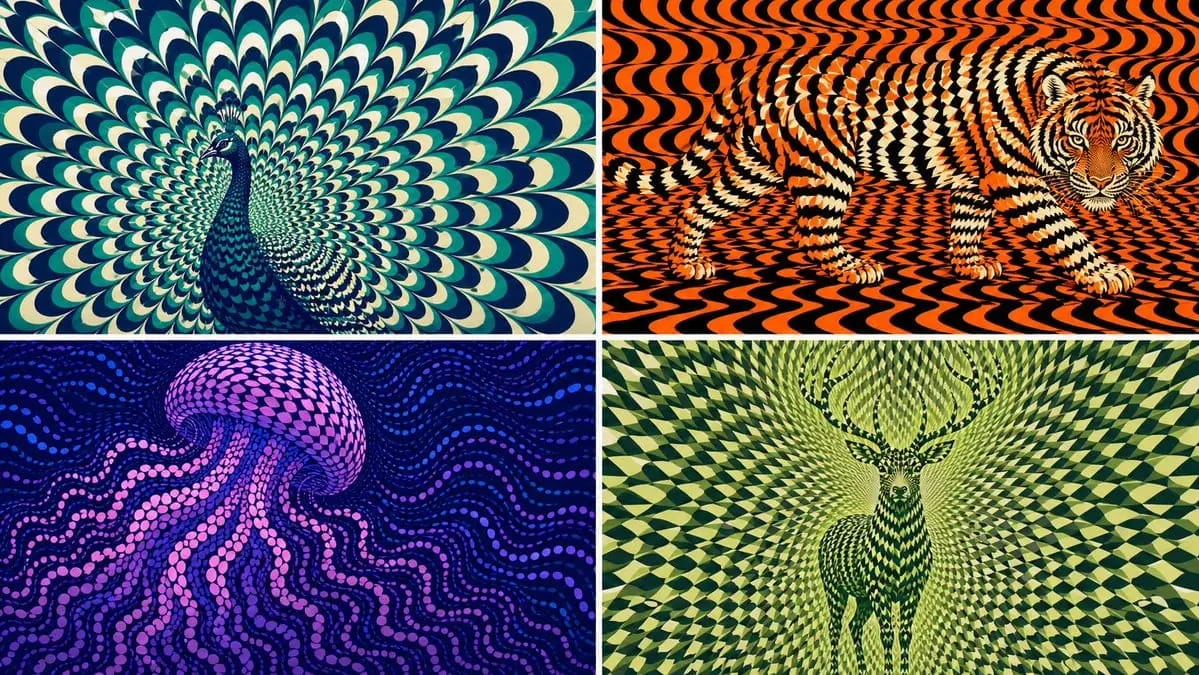
2x2 grid, 16:9 AI picks subjects class OpArtSubjectField
2x2 grid, 16:9 AI picks subjects class OpArtSubjectField: def __init__(self, subject="[Subject]", palette="[Palette]"): self. style = "high-contrast optical art, kinetic poster, graphic abstraction" self.canvas = "full-bleed pattern...
Prompt
2x2 grid, 16:9 AI picks subjects class OpArtSubjectField: def __init__(self, subject="[Subject]", palette="[Palette]"): self. style = "high-contrast optical art, kinetic poster, graphic abstraction" self.canvas = "full-bleed pattern field" self.subject = subject self.palette = AI_INFER("3-5 colors that match SUBJECT mood, habitat, symbolism, or brand energy") def infer_subject_silhouette(self): return AI_INFER( "the most recognizable silhouette, posture, outline, or profile of SUBJECT" ) def build_pattern_field(self): return """ Fill the entire canvas with hundreds or thousands of repeated units. Units may be petals, scales, tiles, crescents, stripes, waves, discs, feathers, blades, shards, or glyph-like marks. The subject is not outlined directly. The subject emerges because the repeated units change scale, direction, spacing, brightness, and color inside the subject zone. Background units continue the same visual language but flow differently. """ def illusion_rules(self): return """ From far away: SUBJECT must be readable. From close up: only repeated abstract units are visible. No hard outline, no direct drawing, no pasted silhouette. The pattern itself carries the shape. """ # EXECUTE: # Render SUBJECT as a kinetic Op Art field where repeated units form the hidden figure.Cómo usar este prompt
- 1Copia el prompt exactamente y pégalo en tu modelo preferido o en un proyecto de Ideart.
- 2Sustituye detalles de producto, sujeto, audiencia y estilo por tu propio contexto.
- 3Genera primero un resultado base y luego remezcla la dirección más fuerte en una campaña, serie de imágenes o concepto de vídeo.
Explorar rutas de prompts cercanas
Modelo
Construir desde este prompt
Convierte un prompt de imagen en un proyecto creativo terminado.
Guarda el prompt, añade imágenes de referencia o notas y deja que Ideart dé forma al siguiente paso de producción desde el mismo hilo creativo.