
ImagenGPT Image
Create a contemporary editorial collage portrait
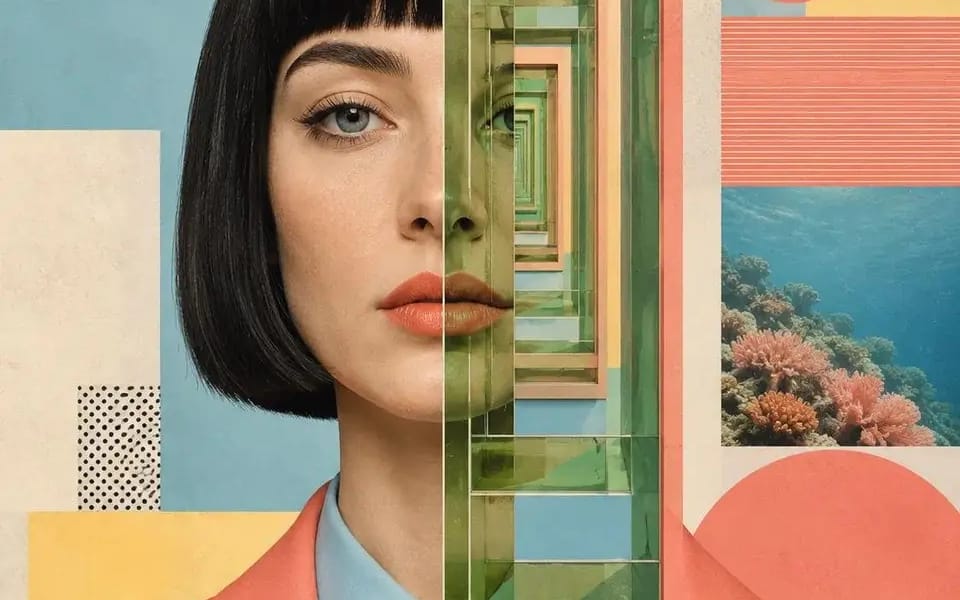
Create a contemporary editorial collage portrait that seamlessly merges fashion photography with modern geometric graphic design. Center a photorealistic waist-up portrait facing directly toward the camera with a neutral, confident...
Prompt
Create a contemporary editorial collage portrait that seamlessly merges fashion photography with modern geometric graphic design. Center a photorealistic waist-up portrait facing directly toward the camera with a neutral, confident expression. Split the composition vertically through the center of the face using a narrow graphic strip that transforms into an abstract visual journey—stacked architectural portals, tropical landscapes, geometric windows, repeating shapes, or layered surreal imagery that creates depth and visual illusion.
Surround the portrait with a carefully balanced collage of Bauhaus-inspired geometric elements including large circles, rectangles, grids, thin line patterns, color blocks, halftone dots, minimal typography, botanical imagery, vintage photography fragments, architectural forms, desert plants, fruit, ocean textures, palm trees, or abstract design motifs. Every element should feel intentionally placed like a premium magazine cover.
Use a sophisticated mid-century modern palette of soft coral, dusty salmon, muted teal, powder blue, warm cream, pastel yellow, sage green, sand beige, terracotta, and charcoal black, with subtle paper grain and matte printed texture.
The portrait should remain highly realistic while the surrounding graphics are clean, flat, and minimalist. Maintain strong negative space, perfect symmetry with slight intentional asymmetry in supporting elements, crisp edges, and premium editorial art direction.
Blend photography, surreal collage, Bauhaus geometry, Swiss graphic design, contemporary magazine layout, and luxury fashion campaign aesthetics into one cohesive composition. Fine-art print quality, ultra-detailed, cinematic lighting, matte finish, subtle vintage print texture, museum-poster aesthetic, 4:5 aspect ratio.
Cómo usar este prompt
- 1Copia el prompt exactamente y pégalo en tu modelo preferido o en un proyecto de Ideart.
- 2Sustituye detalles de producto, sujeto, audiencia y estilo por tu propio contexto.
- 3Genera primero un resultado base y luego remezcla la dirección más fuerte en una campaña, serie de imágenes o concepto de vídeo.
Explorar rutas de prompts cercanas
Modelo
Construir desde este prompt
Convierte un prompt de imagen en un proyecto creativo terminado.
Guarda el prompt, añade imágenes de referencia o notas y deja que Ideart dé forma al siguiente paso de producción desde el mismo hilo creativo.