
ImagenGPT Image 2
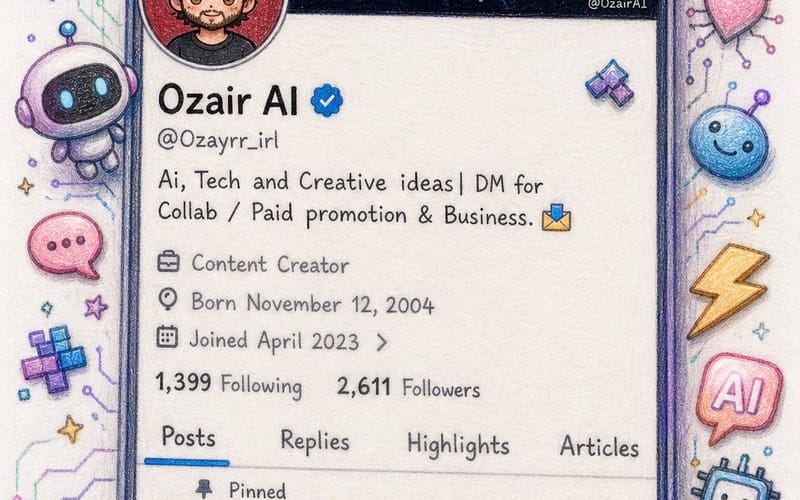
Twitter Profile Doodle Art Transformation
Converts a Twitter profile screenshot into a beautiful hand-drawn colored pencil doodle with a cute anime-style avatar.
Prompt
Create an image\nI'm sharing a screenshot of my real X (Twitter) profile. Recreate this as a beautiful hand-drawn colored pencil doodle illustration on white paper — same layout, same username {argument name="username" default="OzairAI"}, same follower counts, same pinned tweet content — but transform everything into cute doodle art style.\nStyle upgrades to add:\n— Profile picture: redraw as a chibi anime-style character with same face.\n— Banner: exactly same but drawn\n— Scatter cute AI-themed doodle stickers around the phone frame: tiny robots, circuit hearts, lightning bolts, pixel stars, glowing chat bubbles\n— Some stickers should break out of the phone border for a 3D pop-out illusion\n— Bio and tweets: keep same text but render in cute handwritten font style\n— Color palette: soft lavender, electric blue, warm gold, mint green\nVertical 9:13 format. Ultra photorealistic colored pencil texture, 8K, no extra text overlays, cinematic color grading.Cómo usar este prompt
- 1Copia el prompt exactamente y pégalo en tu modelo preferido o en un proyecto de Ideart.
- 2Sustituye detalles de producto, sujeto, audiencia y estilo por tu propio contexto.
- 3Genera primero un resultado base y luego remezcla la dirección más fuerte en una campaña, serie de imágenes o concepto de vídeo.
Explorar rutas de prompts cercanas
Modelo
Categorías
Construir desde este prompt
Convierte un prompt de imagen en un proyecto creativo terminado.
Guarda el prompt, añade imágenes de referencia o notas y deja que Ideart dé forma al siguiente paso de producción desde el mismo hilo creativo.