
ResimAI
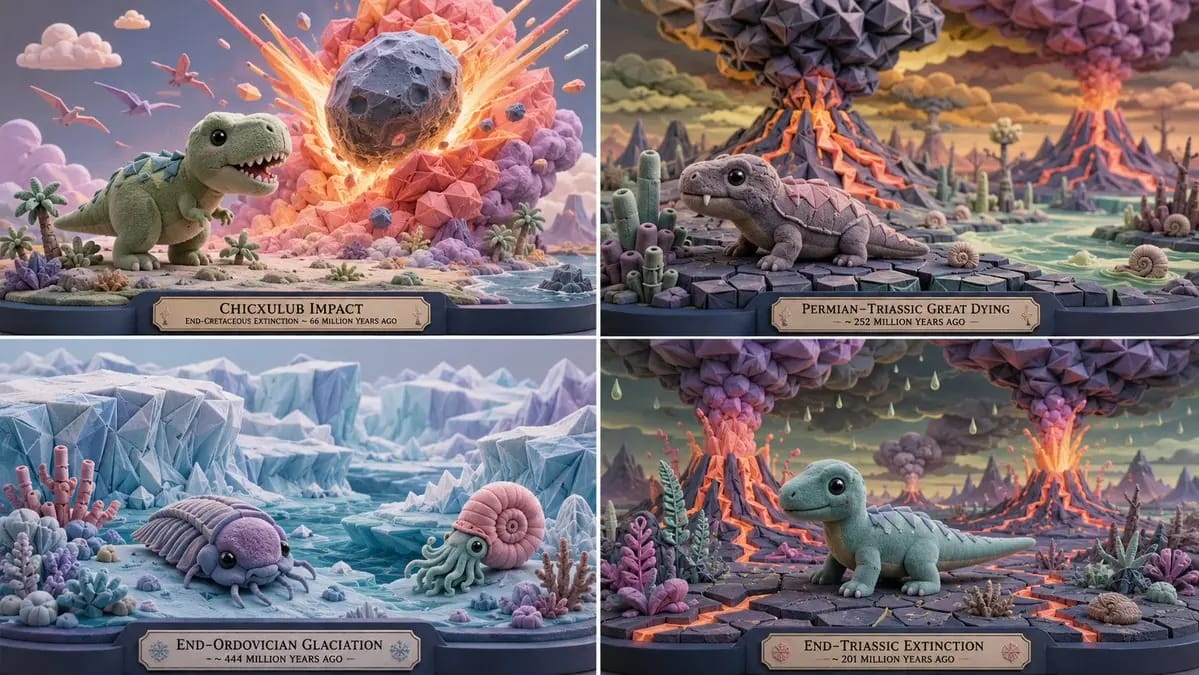
2x2 grid, 16:9, do this for 4 extinction level events
2x2 grid, 16:9, do this for 4 extinction level events: A = { subject silhouette: simplified, cute, oversized head, readable core mass } B = { flocked soft masses: rounded domes, capsules, blobs, with velvety micro-texture } C = {...
Prompt
2x2 grid, 16:9, do this for 4 extinction level events: A = { subject silhouette: simplified, cute, oversized head, readable core mass } B = { flocked soft masses: rounded domes, capsules, blobs, with velvety micro-texture } C = { origami tessellation: sharp folded modules applied to selected zones (wings, armor, hair, leaves, architecture) } SCULPTURE = (A ∩ proportion_lock) ∪ (B ∩ material_flocked) ∪ (C ∩ detail_overlay) Where: - A is derived from [Subject] but remapped: head volume increased, limbs simplified, overall silhouette remains iconic. - B covers all primary surfaces; flocked texture applied where curvature is low. - C is applied as a Boolean AND with the "origami zones" mask; only designated high-interest areas receive folded geometry. - Palette: sky blue, mint, lemon, coral, bubblegum, lavender, ivory, charcoal-blue. No gritty realism. - Output: 1 image, gallery‑lit, 8K.Bu prompt nasıl kullanılır
- 1Prompt’u aynen kopyalayın ve tercih ettiğiniz modele veya Ideart projesine yapıştırın.
- 2Ürün, konu, hedef kitle ve stil ayrıntılarını kendi bağlamınızla değiştirin.
- 3Önce bir temel sonuç üretin, ardından en güçlü yönü kampanyaya, görsel serisine veya video konseptine remixleyin.
Yakındaki prompt yollarını keşfet
Model
Kategoriler
Bu prompt’tan inşa et
Bir resim prompt’unu tamamlanmış yaratıcı projeye dönüştürün.
Prompt’u kaydedin, referans görseller veya notlar ekleyin ve Ideart’ın aynı yaratıcı akıştan sonraki üretim adımını şekillendirmesine izin verin.