
ResimAI
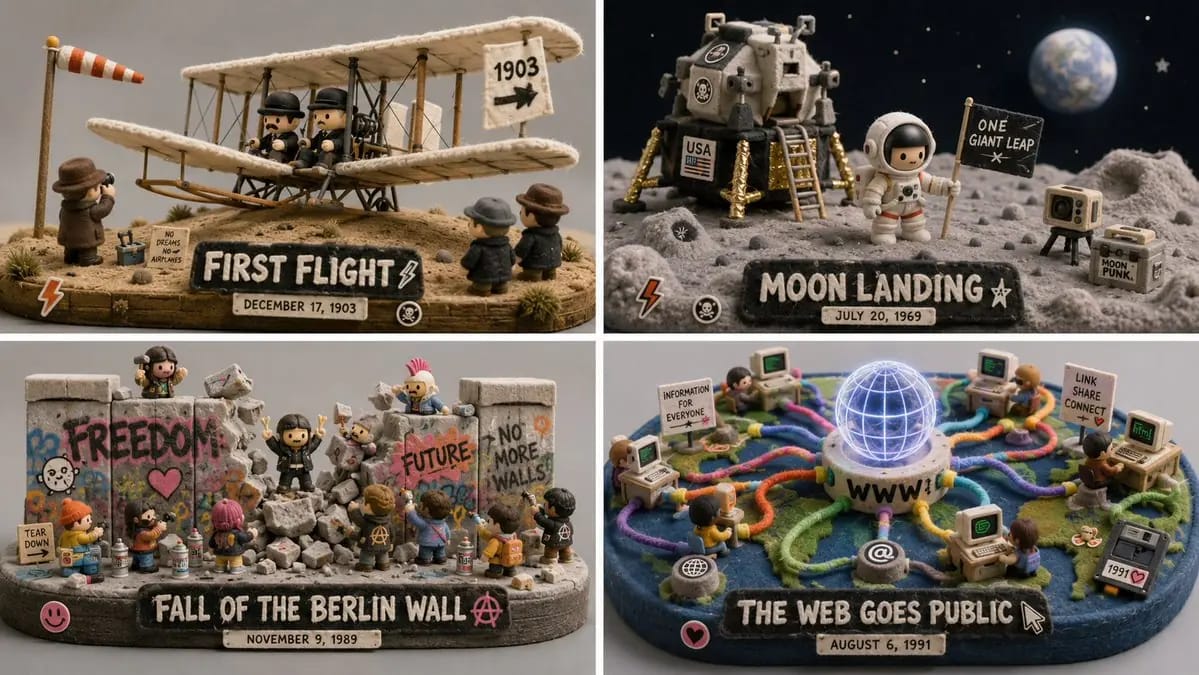
Do this for 4 unforgettable days in human history 16:9
do this for 4 unforgettable days in human history 16:9, 2x2 grid: CONCEPT ANCHOR 1: "Stylized 3D animated rebel character — expressive oversized eyes, strong attitude pose, streetwear details, colorful hair, soft cinematic toy-like...
Prompt
do this for 4 unforgettable days in human history 16:9, 2x2 grid: CONCEPT ANCHOR 1: "Stylized 3D animated rebel character — expressive oversized eyes, strong attitude pose, streetwear details, colorful hair, soft cinematic toy-like rendering" :: CONCEPT ANCHOR 2: "Fuzzy green minimalist toy-world — mossy texture, rounded trees, soft felt surfaces, tiny houses, gentle surreal creatures, quiet gray background" :: CONCEPT ANCHOR 3: "Isometric miniature scene — small props, tiny environmental storytelling, dollhouse-scale staging, clean studio lighting" INSTRUCTION: Find the exact visual center of these three concepts. Ignore the literal character, trash can, animals, and room references. Extract only the style and material logic. Render [Subject] as a soft but rebellious designer-toy diorama. STYLE RULES: - Convert the subject into a stylized 3D character, object, creature, or environment with clear attitude and expressive shape language. - Use soft felt, moss, knitted fiber, fuzzy flocking, matte clay, and vinyl-like surfaces. - Add small street or everyday details: stickers, scuffs, props, miniature objects, signs, containers, tools, or personal items inferred from the subject. - Keep the world minimal and gallery-like, with calm gray or muted pastel background. - Use bright accent colors only where they matter: hair-like forms, graffiti-like marks, symbols, accessories, tiny props. - Blend softness with rebellion: cute surface texture, but confident pose and graphic edge. - Use shallow studio lighting and clean product-shot presentation. OUTPUT: A collectible fuzzy designer-toy scene where [Subject] becomes soft, expressive, slightly punk, and highly tactile.
Bu prompt nasıl kullanılır
- 1Prompt’u aynen kopyalayın ve tercih ettiğiniz modele veya Ideart projesine yapıştırın.
- 2Ürün, konu, hedef kitle ve stil ayrıntılarını kendi bağlamınızla değiştirin.
- 3Önce bir temel sonuç üretin, ardından en güçlü yönü kampanyaya, görsel serisine veya video konseptine remixleyin.
Yakındaki prompt yollarını keşfet
Model
Bu prompt’tan inşa et
Bir resim prompt’unu tamamlanmış yaratıcı projeye dönüştürün.
Prompt’u kaydedin, referans görseller veya notlar ekleyin ve Ideart’ın aynı yaratıcı akıştan sonraki üretim adımını şekillendirmesine izin verin.