
Hình ảnhAI
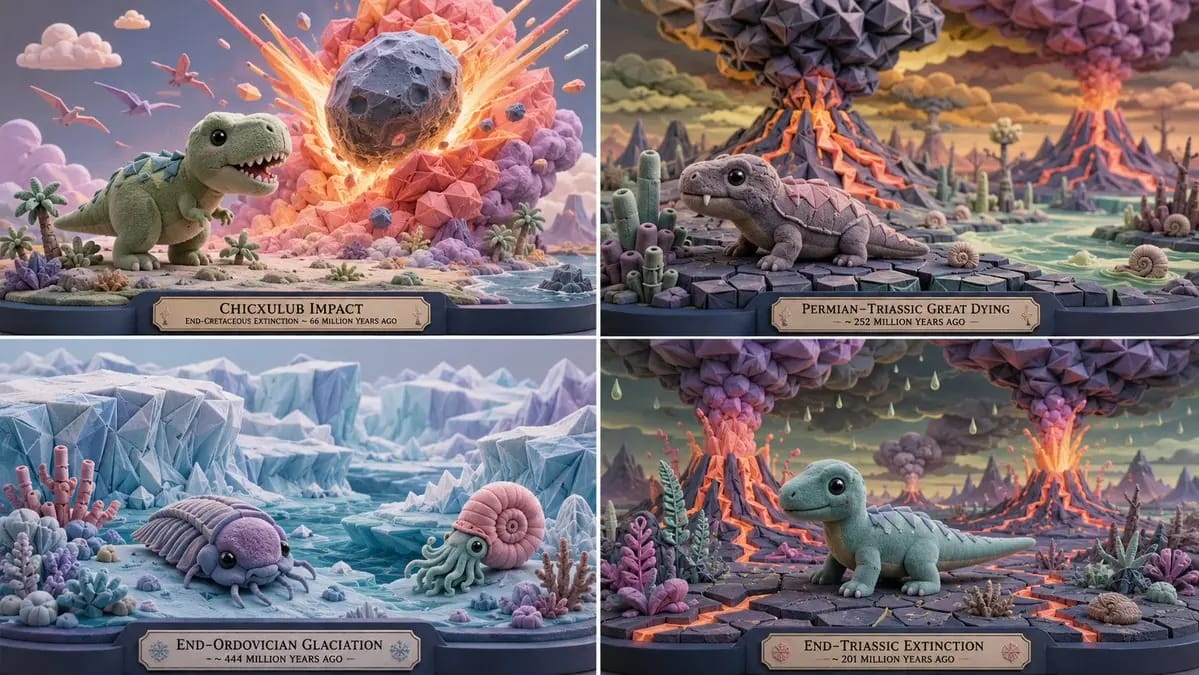
2x2 grid, 16:9, do this for 4 extinction level events
2x2 grid, 16:9, do this for 4 extinction level events: A = { subject silhouette: simplified, cute, oversized head, readable core mass } B = { flocked soft masses: rounded domes, capsules, blobs, with velvety micro-texture } C = {...
Prompt
2x2 grid, 16:9, làm điều này cho 4 sự kiện tuyệt chủng cấp độ toàn cầu: A = { silhouette chủ thể: được đơn giản hóa, dễ thương, đầu quá khổ, khối lõi dễ đọc } B = { các khối mềm flocked: vòm tròn, viên nang, khối tròn, với vi cấu trúc mượt như nhung } C = { origami tessellation: các mô-đun gấp sắc nét được áp dụng cho các vùng được chọn (cánh, giáp, tóc, lá, kiến trúc) } SCULPTURE = (A ∩ proportion_lock) ∪ (B ∩ material_flocked) ∪ (C ∩ detail_overlay) Trong đó: - A được dẫn xuất từ [Subject] nhưng được tái ánh xạ: thể tích đầu tăng, chi được đơn giản hóa, silhouette tổng thể vẫn mang tính biểu tượng. - B bao phủ tất cả các bề mặt chính; kết cấu flocked được áp dụng ở nơi độ cong thấp. - C được áp dụng như một Boolean AND với mặt nạ "origami zones"; chỉ những vùng được chỉ định có mức quan tâm cao mới nhận hình học gấp. - Bảng màu: xanh da trời, bạc hà, chanh, san hô, hồng kẹo cao su, oải hương, ngà, xanh than. Không có phong cách hiện thực gai góc. - Đầu ra: 1 hình ảnh, gallery-lit, 8K.Cách dùng prompt này
- 1Sao chép prompt nguyên văn rồi dán vào mô hình bạn chọn hoặc dự án Ideart.
- 2Thay chi tiết sản phẩm, chủ thể, đối tượng và phong cách bằng ngữ cảnh của bạn.
- 3Tạo một kết quả nền trước, rồi remix hướng mạnh nhất thành chiến dịch, bộ ảnh hoặc concept video.
Khám phá các đường dẫn prompt liên quan
Mô hình
Xây từ prompt này
Biến prompt hình ảnh thành một dự án sáng tạo hoàn chỉnh.
Lưu prompt, thêm ảnh tham chiếu hoặc ghi chú, và để Ideart định hình bước sản xuất tiếp theo trong cùng luồng sáng tạo.