
Hình ảnhGPT Image 2
Technical Product Teardown Infographic
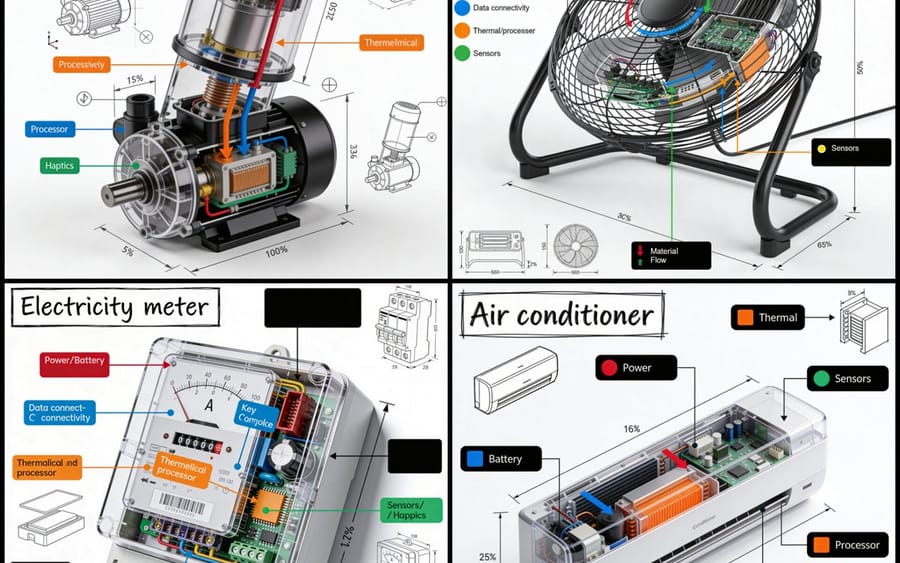
A sophisticated prompt for creating professional technical infographics that blend realistic product renders with detailed engineering annotations, perfect for manuals or educational content.
Prompt
Tạo một infographic kỹ thuật hình vuông 1080x1080 cho {argument name="object" default="OBJECT"}, được hiển thị từ góc 3D isometric 45 độ để vật thể hơi nghiêng và độ sâu, kích thước và kiến trúc bên trong của nó dễ đọc.

Kết hợp một bản render sản phẩm chân thực như ảnh với các chú thích kỹ thuật bằng mực đen chính xác trên nền trắng tinh khiết. Bao gồm các thành phần chính được dán nhãn với hộp chú thích mã màu, khu vực trong suốt hoặc cắt lớp để lộ các bộ phận bên trong, số đo chính xác và dấu tỷ lệ, ghi chú vật liệu với số lượng, và mũi tên luồng chức năng sử dụng màu đỏ cho nguồn điện hoặc pin, màu xanh dương cho dữ liệu hoặc kết nối, màu cam cho hệ thống nhiệt hoặc xử lý, và màu xanh lá cây cho cảm biến hoặc xúc giác.

Thêm các chế độ xem sơ đồ nhỏ hoặc sơ đồ mặt cắt ở bất cứ nơi nào chúng giúp giải thích vật thể. Đặt tiêu đề "{argument name="object title" default="OBJECT"}" bên trong hộp nhãn kỹ thuật vẽ tay ở góc trên bên trái.

Tạo kiểu cho tác phẩm giống như một sách hướng dẫn tháo gỡ sản phẩm chuyên nghiệp với nét vẽ kiến trúc bằng bút: phác thảo nhưng chính xác, sạch sẽ, sắc nét và mang tính giáo dục. Giữ vật thể hiển thị rõ ràng, sử dụng không gian âm cân bằng, làm cho màu đen là màu chủ đạo, và giới hạn điểm nhấn khoảng 10-15% bố cục.

Tâm trạng tổng thể: triển lãm bảo tàng sạch sẽ, sách hướng dẫn kỹ thuật cao cấp, infographic mạng xã hội siêu sắc nét, nền trắng, chi tiết sắc bén, độ rõ cao.Cách dùng prompt này
- 1Sao chép prompt nguyên văn rồi dán vào mô hình bạn chọn hoặc dự án Ideart.
- 2Thay chi tiết sản phẩm, chủ thể, đối tượng và phong cách bằng ngữ cảnh của bạn.
- 3Tạo một kết quả nền trước, rồi remix hướng mạnh nhất thành chiến dịch, bộ ảnh hoặc concept video.
Khám phá các đường dẫn prompt liên quan
Mô hình
Thể loại
Xây từ prompt này
Biến prompt hình ảnh thành một dự án sáng tạo hoàn chỉnh.
Lưu prompt, thêm ảnh tham chiếu hoặc ghi chú, và để Ideart định hình bước sản xuất tiếp theo trong cùng luồng sáng tạo.