
BildAI
2x2 grid, 16:9 AI picks subjects class OpArtSubjectField
2x2 grid, 16:9 AI picks subjects class OpArtSubjectField: def __init__(self, subject="[Subject]", palette="[Palette]"): self. style = "high-contrast optical art, kinetic poster, graphic abstraction" self.canvas = "full-bleed pattern...
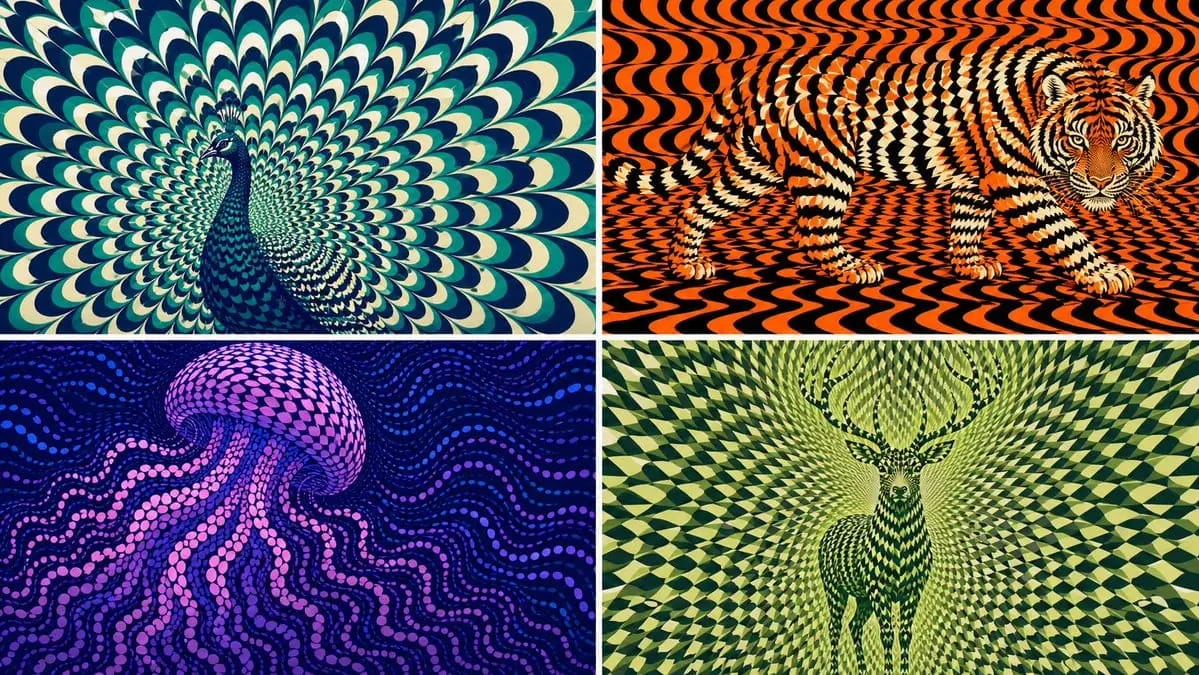
2x2 grid, 16:9 KI wählt Motive aus class OpArtSubjectField: def __init__(self, subject="[Subject]", palette="[Palette]"): self. style = "kontrastreiche Op-Art, kinetisches Poster, grafische Abstraktion" self.canvas = "vollflächiges Musterfeld" self.subject = subject self.palette = AI_INFER("3-5 Farben, die zu Stimmung, Lebensraum, Symbolik oder Markenenergie von SUBJECT passen") def infer_subject_silhouette(self): return AI_INFER( "die wiedererkennbarste Silhouette, Haltung, Umriss oder Profil von SUBJECT" ) def build_pattern_field(self): return """ Fülle die gesamte Leinwand mit Hunderten oder Tausenden wiederholter Einheiten. Einheiten können Blütenblätter, Schuppen, Kacheln, Mondsicheln, Streifen, Wellen, Scheiben, Federn, Klingen, Splitter oder glyphenartige Markierungen sein. Das Motiv wird nicht direkt umrandet. Das Motiv entsteht, weil die wiederholten Einheiten innerhalb der Motivzone Maßstab, Richtung, Abstand, Helligkeit und Farbe ändern. Hintergrundeinheiten setzen dieselbe visuelle Sprache fort, fließen aber anders. """ def illusion_rules(self): return """ Aus der Ferne: SUBJECT muss lesbar sein. Aus der Nähe: nur wiederholte abstrakte Einheiten sind sichtbar. Keine harte Umrandung, keine direkte Zeichnung, keine eingefügte Silhouette. Das Muster selbst trägt die Form. """ # EXECUTE: # Rendere SUBJECT als kinetisches Op-Art-Feld, in dem wiederholte Einheiten die verborgene Figur bilden.So verwendest du diesen Prompt
- 1Kopiere den Prompt exakt und füge ihn dann in dein bevorzugtes Modell oder Ideart-Projekt ein.
- 2Ersetze Produkt-, Motiv-, Zielgruppen- und Stildetails durch deinen eigenen Kontext.
- 3Generiere zuerst ein Basisergebnis und remixe dann die stärkste Richtung in eine Kampagne, Bildserie oder ein Videokonzept.
Nahe Prompt-Pfade erkunden
Modell
Aus diesem Prompt bauen
Verwandle einen bild-Prompt in ein fertiges Kreativprojekt.
Speichere den Prompt, füge Referenzbilder oder Notizen hinzu und lass Ideart den nächsten Produktionsschritt aus demselben kreativen Thread formen.