
BildAI
2x2 grid, do this for 4 classic unusual cars that were real
2x2 grid, do this for 4 classic unusual cars that were real: class Commercial_Ad_Campaign: def __init__(self, subject="[Subject]"): self.canvas = "16:9 Landscape Magazine Spread, high-contrast, dynamic commercial aesthetic." def...
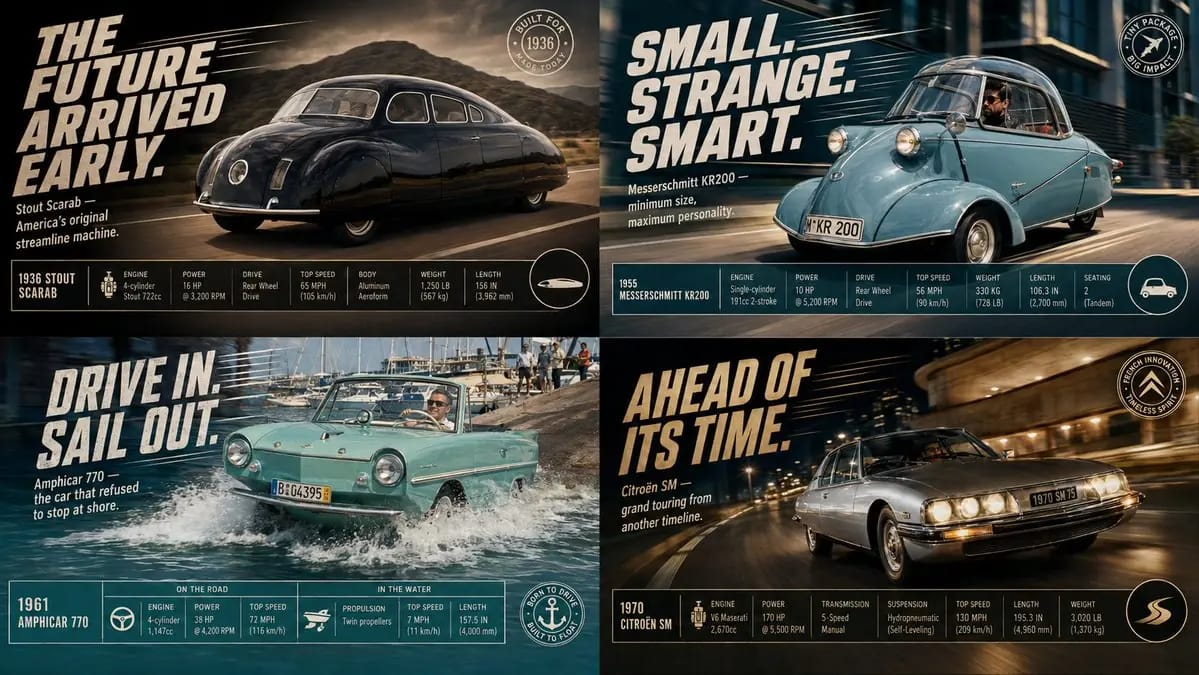
2x2 grid, do this for 4 classic unusual cars that were real: class Commercial_Ad_Campaign: def __init__(self, subject="[Subject]"): self.canvas = "16:9 Landscape Magazine Spread, high-contrast, dynamic commercial aesthetic." def shoot_action_plate(self): # AI AUTO-INFERENCE: Generate dynamic environment action = infer_dramatic_action(self.subject) # e.g., splashing water, kicking up dust, warping space return f"Background Plate: A photorealistic, high-speed action shot of {self.subject} engaged in {action}. Directional motion blur, dramatic lighting." def overlay_graphic_ui(self): # AI AUTO-INFERENCE: Generate marketing copy slogan = infer_catchphrase(self.subject) specs = infer_technical_stats(self.subject) # e.g., Speed, Power, Dimensions ui_top_left = f"Massive, slanted, italicized bold 2D typography reading '{slogan}' with dynamic speed lines behind it." ui_footer = f"A clean, rigid, multi-column data table at the bottom showing {specs} with sleek minimalist icons." ui_badge = f"A circular graphic badge in the bottom right corner." return [ui_top_left, ui_footer, ui_badge] render_advertisement(Commercial_Ad_Campaign())So verwendest du diesen Prompt
- 1Kopiere den Prompt exakt und füge ihn dann in dein bevorzugtes Modell oder Ideart-Projekt ein.
- 2Ersetze Produkt-, Motiv-, Zielgruppen- und Stildetails durch deinen eigenen Kontext.
- 3Generiere zuerst ein Basisergebnis und remixe dann die stärkste Richtung in eine Kampagne, Bildserie oder ein Videokonzept.
Nahe Prompt-Pfade erkunden
Modell
Aus diesem Prompt bauen
Verwandle einen bild-Prompt in ein fertiges Kreativprojekt.
Speichere den Prompt, füge Referenzbilder oder Notizen hinzu und lass Ideart den nächsten Produktionsschritt aus demselben kreativen Thread formen.