
BildGPT Image 2
Foto-zu-Chibi-Doodle-Transformation
Verwandelt ein echtes Foto in eine charmante, handgezeichnete Schwarz-Weiß-Doodle-Illustration mit Chibi-Charakterdesign.
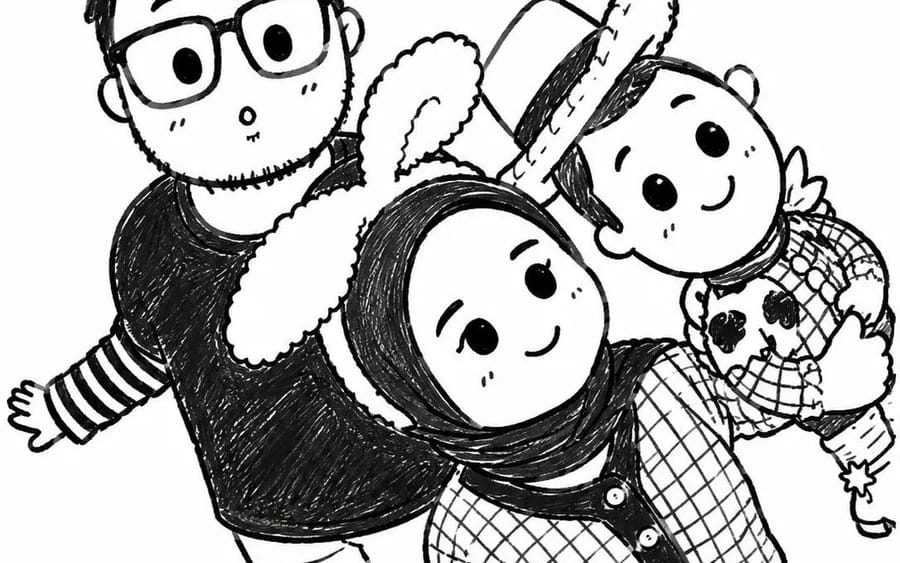
Verwandle das hochgeladene Foto in eine {argument name="style" default="niedliche, handgezeichnete Schwarz-Weiß-Doodle-Illustration"}. Behalte die exakten Personen, Posen, Ausdrücke, Kleidung und Komposition bei, während du alle in {argument name="character type" default="entzückende Chibi-Cartoon-Figuren"} mit übergroßen Köpfen, winzigen Körpern, runden Augen, einfachen Gesichtszügen und verspielten Proportionen verwandelst. Verwende klare, schwarze Tusche-Skizzenlinien auf einem schlichten weißen Hintergrund, subtile Schraffuren im Bleistiftstil, skurrile Doodle-Details, winzige Herzen, Glitzer und niedliche dekorative Elemente, die um die Figuren herum schweben. Bewahre die Interaktion der Familie/Gruppe und die fröhliche Stimmung. Minimalistische, von Manga inspirierte Linienkunst, gemütliche Scrapbook-Ästhetik, Kawaii-Charakterdesign, Kinderbuch-Illustration, charmante handskizzierte Textur, ausdrucksstarke Gesichter, einfache monochrome Farbpalette, hochdetaillierte Tuschezeichnung, niedlicher Sticker-Pack-Stil, bezaubernde und herzerwärmende Atmosphäre, Selfie-Perspektive von oben, Meisterwerk-Qualität.So verwendest du diesen Prompt
- 1Kopiere den Prompt exakt und füge ihn dann in dein bevorzugtes Modell oder Ideart-Projekt ein.
- 2Ersetze Produkt-, Motiv-, Zielgruppen- und Stildetails durch deinen eigenen Kontext.
- 3Generiere zuerst ein Basisergebnis und remixe dann die stärkste Richtung in eine Kampagne, Bildserie oder ein Videokonzept.
Nahe Prompt-Pfade erkunden
Modell
Kategorien
Aus diesem Prompt bauen
Verwandle einen bild-Prompt in ein fertiges Kreativprojekt.
Speichere den Prompt, füge Referenzbilder oder Notizen hinzu und lass Ideart den nächsten Produktionsschritt aus demselben kreativen Thread formen.