
ImageAI
2x2 grid, 16:9, do this for 4 non-copyrighted books
2x2 grid, 16:9, do this for 4 non-copyrighted books negative_subject_absence select visual_output from latent_graphic_systems where absent_subject = infer(what_the_book_refuses_to_depict from plot) and surrounding_evidence =...
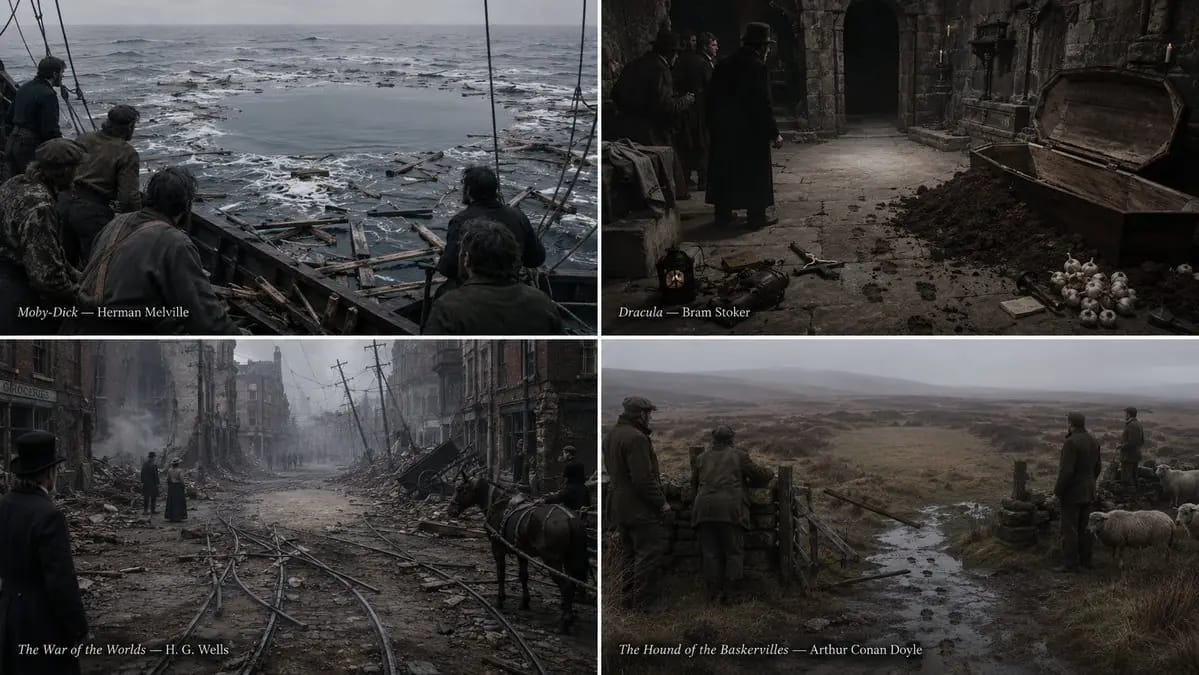
2x2 grid, 16:9, do this for 4 non-copyrighted books negative_subject_absence select visual_output from latent_graphic_systems where absent_subject = infer(what_the_book_refuses_to_depict from plot) and surrounding_evidence = infer(traces_left_behind from aftermath) and aperture_shape = infer(silhouette_of_the_withheld from context) and witness_orientation = infer(where_everything_points from composition) and style = 'documentary photograph of an aftermath, no drama, flat overcast light' and color_scheme = 'muted and true, with the absence rendered as pure untouched ground' and drawing_rule = 'the absent subject is never depicted, implied by outline, or shown in shadow; it is knowable only because every element in the frame is oriented toward the hole where it is not' order by absence_pressure desc, evidentiary_specificity desc, orientation_convergence desc, refusal_discipline desc limit 1;
Comment utiliser ce prompt
- 1Copiez le prompt tel quel, puis collez-le dans votre modèle préféré ou votre projet Ideart.
- 2Remplacez les détails de produit, sujet, audience et style par votre propre contexte.
- 3Générez d’abord un résultat de base, puis remixez la direction la plus forte en campagne, série d’images ou concept vidéo.
Explorer les chemins de prompts proches
Modèle
Catégories
Créer à partir de ce prompt
Transformez un prompt image en projet créatif terminé.
Enregistrez le prompt, ajoutez des images de référence ou des notes, et laissez Ideart façonner la prochaine étape de production dans le même fil créatif.