
ImageAI
2x2 grid, do this for 4 classic unusual cars that were real
2x2 grid, do this for 4 classic unusual cars that were real: class Commercial_Ad_Campaign: def __init__(self, subject="[Subject]"): self.canvas = "16:9 Landscape Magazine Spread, high-contrast, dynamic commercial aesthetic." def...
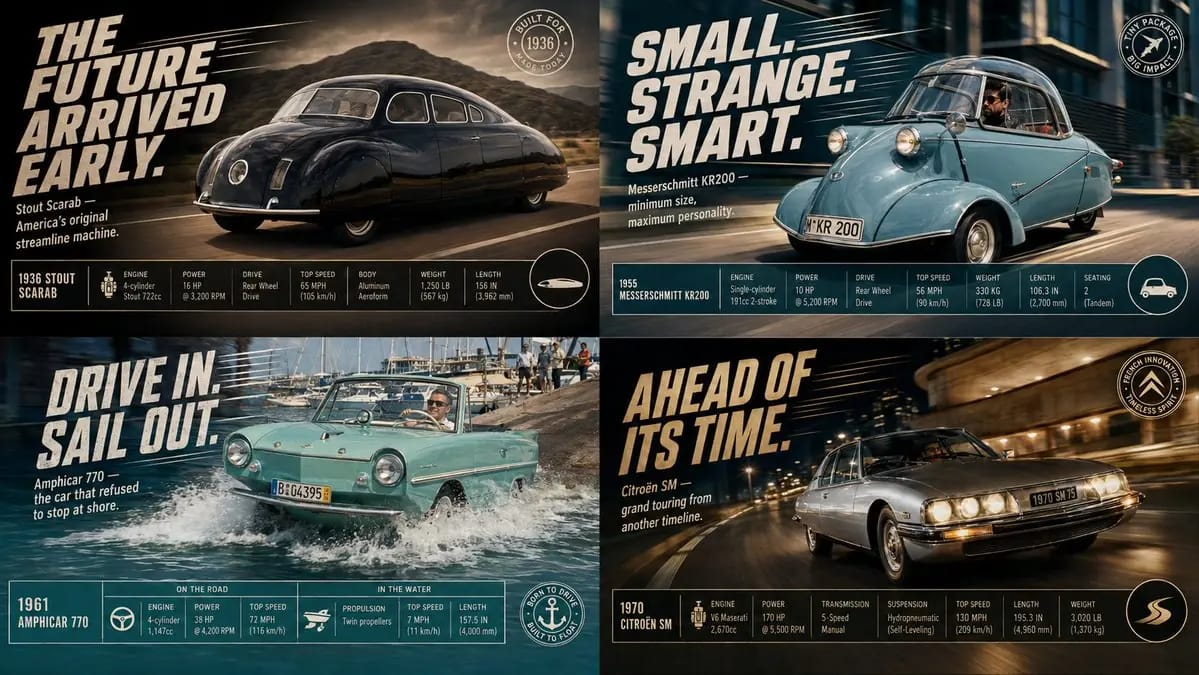
2x2 grid, do this for 4 classic unusual cars that were real: class Commercial_Ad_Campaign: def __init__(self, subject="[Subject]"): self.canvas = "16:9 Landscape Magazine Spread, high-contrast, dynamic commercial aesthetic." def shoot_action_plate(self): # AI AUTO-INFERENCE: Generate dynamic environment action = infer_dramatic_action(self.subject) # e.g., splashing water, kicking up dust, warping space return f"Background Plate: A photorealistic, high-speed action shot of {self.subject} engaged in {action}. Directional motion blur, dramatic lighting." def overlay_graphic_ui(self): # AI AUTO-INFERENCE: Generate marketing copy slogan = infer_catchphrase(self.subject) specs = infer_technical_stats(self.subject) # e.g., Speed, Power, Dimensions ui_top_left = f"Massive, slanted, italicized bold 2D typography reading '{slogan}' with dynamic speed lines behind it." ui_footer = f"A clean, rigid, multi-column data table at the bottom showing {specs} with sleek minimalist icons." ui_badge = f"A circular graphic badge in the bottom right corner." return [ui_top_left, ui_footer, ui_badge] render_advertisement(Commercial_Ad_Campaign())Comment utiliser ce prompt
- 1Copiez le prompt tel quel, puis collez-le dans votre modèle préféré ou votre projet Ideart.
- 2Remplacez les détails de produit, sujet, audience et style par votre propre contexte.
- 3Générez d’abord un résultat de base, puis remixez la direction la plus forte en campagne, série d’images ou concept vidéo.
Explorer les chemins de prompts proches
Modèle
Catégories
Créer à partir de ce prompt
Transformez un prompt image en projet créatif terminé.
Enregistrez le prompt, ajoutez des images de référence ou des notes, et laissez Ideart façonner la prochaine étape de production dans le même fil créatif.