
ImageAI
Class EditorialManifestoPoster: def init(self, topic= TOPIC
class EditorialManifestoPoster: def __init__(self, topic="[TOPIC]", subject="[SUBJECT]"): self.format = "vertical campaign poster / cover art / billboard" self. camera = "low-angle street fashion photography" self.environment =...
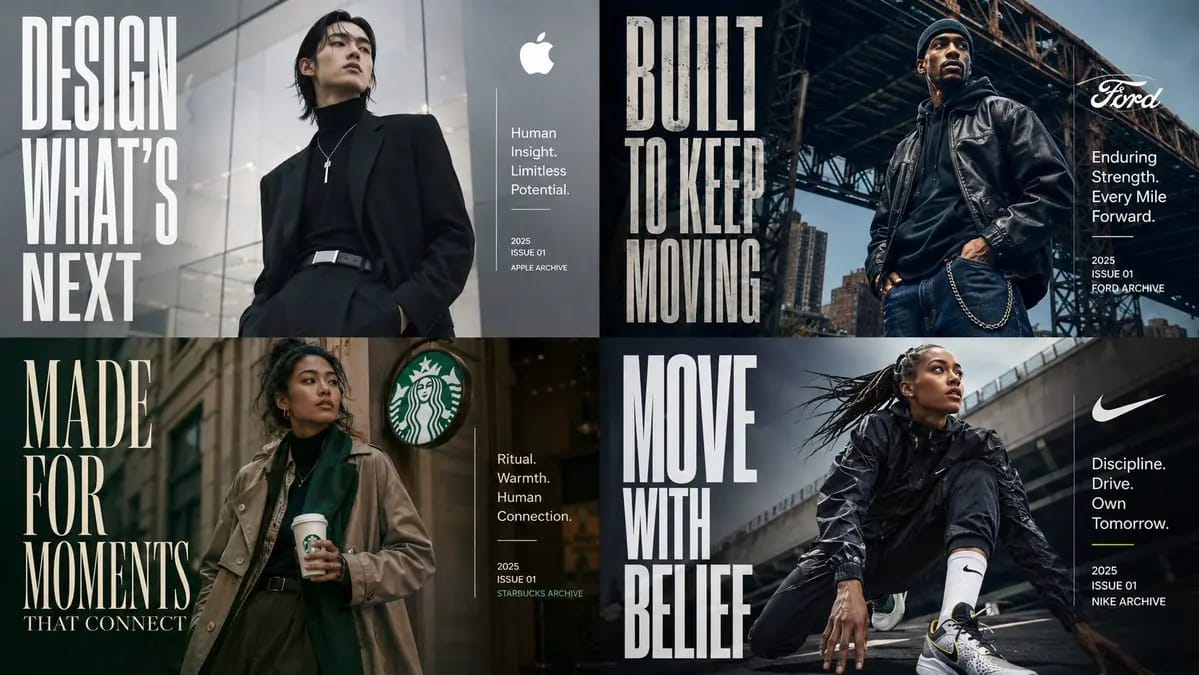
class EditorialManifestoPoster: def __init__(self, topic="[TOPIC]", subject="[SUBJECT]"): self.format = "affiche de campagne verticale / art de couverture / panneau d'affichage" self.camera = "photographie de mode en contre-plongée" self.environment = AI_INFER("un cadre urbain, un arrière-plan architectural ou un environnement contextuel qui correspond au TOPIC") self.mood = AI_INFER("cinématographique, aspirant, tourné vers l'avenir, premium, culturellement pertinent") def infer_brand_language(self): return { "headline_phrase": AI_INFER("phrase de manifeste de 2 à 5 mots dérivée du TOPIC"), "subheadline": AI_INFER("courte description de catégorie ou ligne de positionnement"), "microcopy": AI_INFER("petites descriptions de soutien, capacités, thèmes ou slogans"), "year_or_drop": AI_INFER("année de lancement, numéro d'édition, saison, édition ou marque d'archive") } def build_visual_hierarchy(self): return """ Placez un sujet héros confiant au centre ou légèrement décalé. Utilisez une typographie condensée géante comme élément visuel structurel, pas seulement comme étiquette. Le titre doit occuper un grand bloc vertical sur un côté de la composition. Ajoutez un petit bloc d'informations propre de l'autre côté pour le titre, la description, le micro-texte et la date. L'environnement doit soutenir le sujet et la typographie sans les submerger. """ # EXECUTE: # Rendre le TOPIC comme une affiche éditoriale premium où le sujet incarne physiquement le message de la marque. # Pas de texte, de style ou de détails de mode codés en dur à moins qu'ils ne soient fournis.Comment utiliser ce prompt
- 1Copiez le prompt tel quel, puis collez-le dans votre modèle préféré ou votre projet Ideart.
- 2Remplacez les détails de produit, sujet, audience et style par votre propre contexte.
- 3Générez d’abord un résultat de base, puis remixez la direction la plus forte en campagne, série d’images ou concept vidéo.
Explorer les chemins de prompts proches
Modèle
Catégories
Créer à partir de ce prompt
Transformez un prompt image en projet créatif terminé.
Enregistrez le prompt, ajoutez des images de référence ou des notes, et laissez Ideart façonner la prochaine étape de production dans le même fil créatif.