
ImageAI
Class ModernistExhibitionPoster: def init(self
class ModernistExhibitionPoster: def __init__(self, topic="[Topic]"): self .style = "Swiss modernist + Bauhaus editorial poster" self.canvas = "square or vertical poster" self.grid = "strict asymmetric grid with large negative space"...
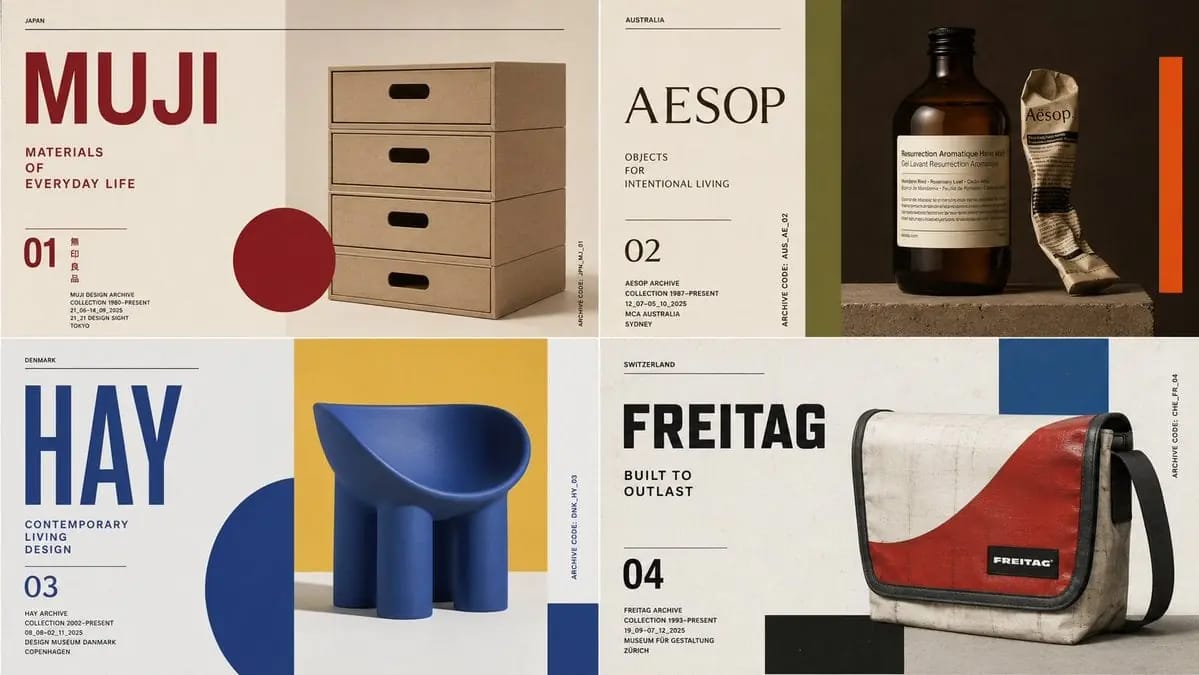
class ModernistExhibitionPoster: def __init__(self, topic="[Topic]"): self .style = "Swiss modernist + Bauhaus editorial poster" self.canvas = "square or vertical poster" self.grid = "strict asymmetric grid with large negative space" self.palette = AI_INFER("3-5 bold colors from topic mood and cultural context") self.typography = "oversized condensed sans or elegant modern serif" def infer_hero_image(self): return AI_INFER( "the most iconic visual representation of TOPIC: portrait, object, silhouette, artifact, architecture, animal, machine, landscape, symbol, or scene" ) def poster_system(self): return { "title": AI_INFER("one short powerful title derived from TOPIC"), "subtitle": AI_INFER("2-5 word exhibition phrase"), "index_number": AI_INFER("series number / chapter mark / archive code"), "microcopy": AI_INFER("small location/date/collection-style text"), "geometry": AI_INFER("rectangles, circles, bars, margins, rules, or blocks that echo TOPIC") } # EXECUTE: # Render TOPIC as a premium modernist exhibition poster. # One dominant hero image + strict grid + bold color geometry + museum-grade typography.Comment utiliser ce prompt
- 1Copiez le prompt tel quel, puis collez-le dans votre modèle préféré ou votre projet Ideart.
- 2Remplacez les détails de produit, sujet, audience et style par votre propre contexte.
- 3Générez d’abord un résultat de base, puis remixez la direction la plus forte en campagne, série d’images ou concept vidéo.
Explorer les chemins de prompts proches
Modèle
Créer à partir de ce prompt
Transformez un prompt image en projet créatif terminé.
Enregistrez le prompt, ajoutez des images de référence ou des notes, et laissez Ideart façonner la prochaine étape de production dans le même fil créatif.