
ImageAI
Sérigraphie quatre encres
Four-ink screen print. Four people still working after everyone left. CITY BEAT — night session 02 OPEN SIGNAL — channel 08 / all night HIVE MIND — rooftop batch 07 FULL TORQUE — shift 04 / open late Locked: – four inks total: bone...
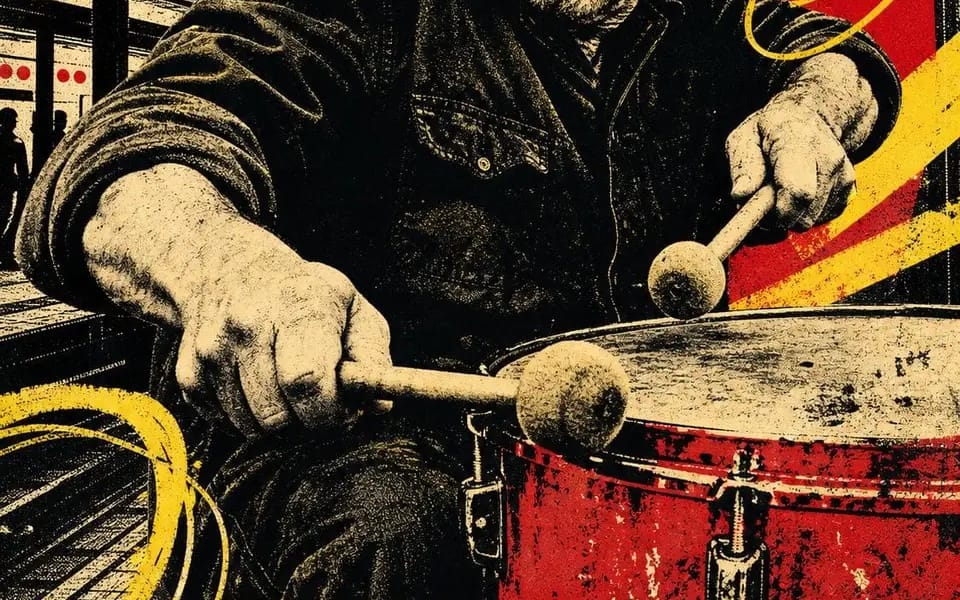
Sérigraphie quatre encres. Quatre personnes encore au travail après que tout le monde soit parti.

CITY BEAT — night session 02
OPEN SIGNAL — channel 08 / all night
HIVE MIND — rooftop batch 07
FULL TORQUE — shift 04 / open late

Verrouillé :
t– quatre encres au total : papier os, noir, écarlate, jaune chrome. Rien d'autre.
– le portrait est postérisé en demi-teinte noire — pas de gris, seulement des points
– une forme rouge plane derrière la tête, faisant office de projecteur
– barres diagonales jaunes plus des boucles dessinées à la main griffonées sur l'image
– silouettes de ville comblant les espaces : piliers, châteaux d'eau, grues, horizon
– une bande jaune pleine largeur en bas, deux mots en capitales noires condensées épaisses, rognés par les deux bords
– une ligne manuscrite en dessous — un shift, un channel, un batch, un numéro
– un petit glyphe dessiné à la main : spirale, cible, hexagone, éclair
– décalage, encre pauvre, grain du papier. Il doit avoir l'air tiré, pas rendu.

Échanges : [Trade] / [Two Word Title] / [Red Shape] / [Scrawl] / [Glyph] / [Shift Number]
Comment utiliser ce prompt
- 1Copiez le prompt tel quel, puis collez-le dans votre modèle préféré ou votre projet Ideart.
- 2Remplacez les détails de produit, sujet, audience et style par votre propre contexte.
- 3Générez d’abord un résultat de base, puis remixez la direction la plus forte en campagne, série d’images ou concept vidéo.
Explorer les chemins de prompts proches
Modèle
Créer à partir de ce prompt
Transformez un prompt image en projet créatif terminé.
Enregistrez le prompt, ajoutez des images de référence ou des notes, et laissez Ideart façonner la prochaine étape de production dans le même fil créatif.