
ImageGPT Image 2
Twitter Profile Doodle Art Transformation
Converts a Twitter profile screenshot into a beautiful hand-drawn colored pencil doodle with a cute anime-style avatar.
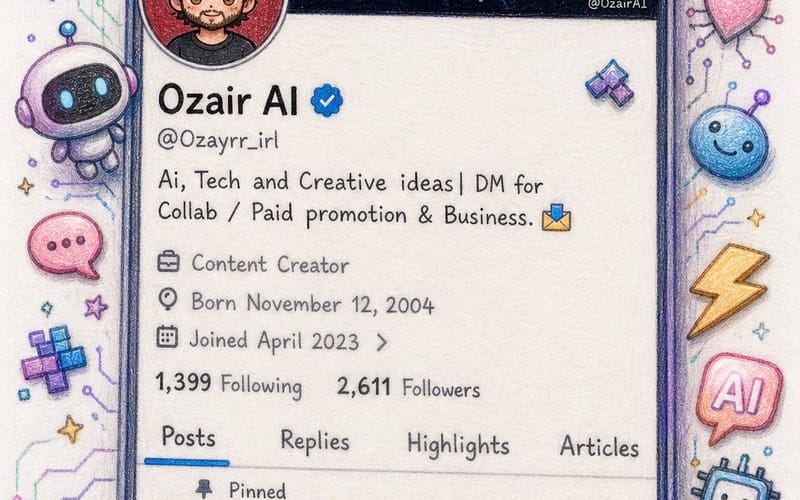
Create an image\nI'm sharing a screenshot of my real X (Twitter) profile. Recreate this as a beautiful hand-drawn colored pencil doodle illustration on white paper — same layout, same username {argument name="username" default="OzairAI"}, same follower counts, same pinned tweet content — but transform everything into cute doodle art style.\nStyle upgrades to add:\n— Profile picture: redraw as a chibi anime-style character with same face.\n— Banner: exactly same but drawn\n— Scatter cute AI-themed doodle stickers around the phone frame: tiny robots, circuit hearts, lightning bolts, pixel stars, glowing chat bubbles\n— Some stickers should break out of the phone border for a 3D pop-out illusion\n— Bio and tweets: keep same text but render in cute handwritten font style\n— Color palette: soft lavender, electric blue, warm gold, mint green\nVertical 9:13 format. Ultra photorealistic colored pencil texture, 8K, no extra text overlays, cinematic color grading.Comment utiliser ce prompt
- 1Copiez le prompt tel quel, puis collez-le dans votre modèle préféré ou votre projet Ideart.
- 2Remplacez les détails de produit, sujet, audience et style par votre propre contexte.
- 3Générez d’abord un résultat de base, puis remixez la direction la plus forte en campagne, série d’images ou concept vidéo.
Explorer les chemins de prompts proches
Modèle
Catégories
Créer à partir de ce prompt
Transformez un prompt image en projet créatif terminé.
Enregistrez le prompt, ajoutez des images de référence ou des notes, et laissez Ideart façonner la prochaine étape de production dans le même fil créatif.