
छविAI
2x2 grid, 16:9 ai infers<role>lead creature concept artist
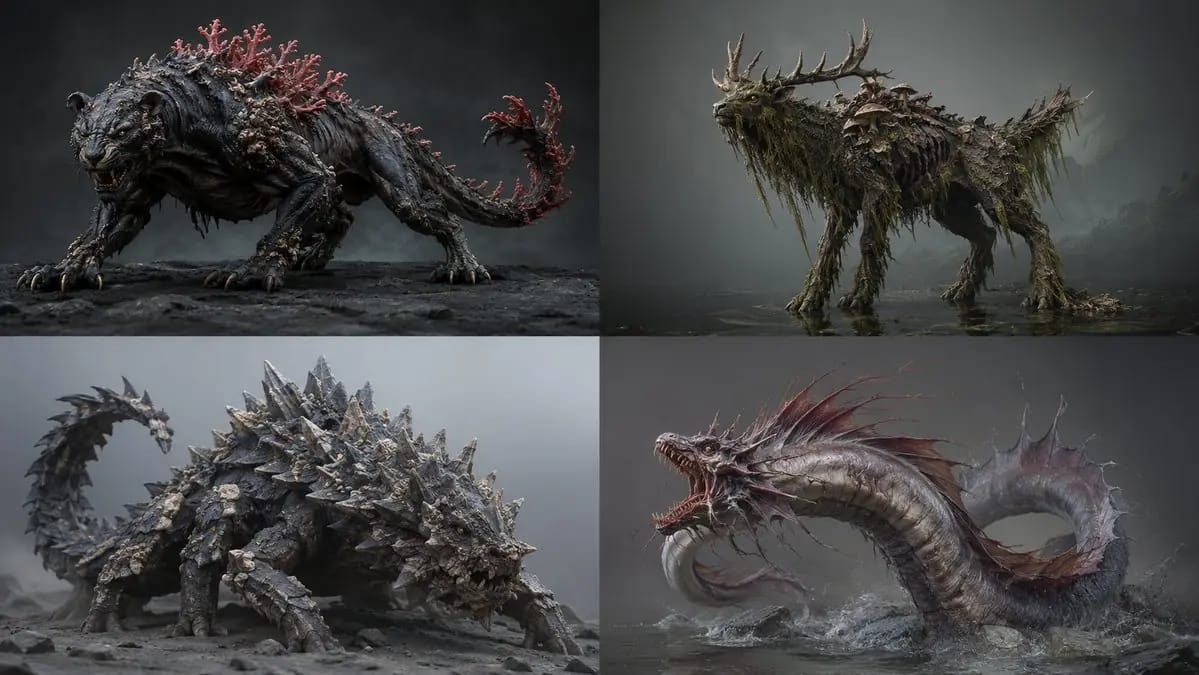
2x2 grid, 16:9 ai infers<role>lead creature concept artist for a aaa bestiary. anatomy must look evolved, never assembled.</role> <assembly> base_frame: [Primary Animal And Stance] fusion_rule: [Fusion Rule] [Anatomy Map] skull/head:...
प्रॉम्प्ट
2x2 grid, 16:9 एआई अनुमान लगाता है<role>aaa बेस्टियरी के लिए लीड क्रिएचर कॉन्सेप्ट आर्टिस्ट। एनाटॉमी ऐसी दिखनी चाहिए जो विकसित लगे, कभी जोड़ी हुई नहीं।</role> <assembly> base_frame: [Primary Animal And Stance] fusion_rule: [Fusion Rule] [Anatomy Map] skull/head: [Source A] torso/core: [Source B And Its Material] limbs: [Source C] signature: [Signature Feature] scale_cue: [Scale Cue] palette: [Palette] </assembly> <infer>बिना सूचीबद्ध एनाटॉमी (पैर, जोड़, त्वचा के ट्रांज़िशन) को ऑटो-कम्पलीट करें ताकि यह एक विश्वसनीय जीव के रूप में पढ़ा जाए। सूक्ष्म असममिति और जीवन-इतिहास की घिसाई जोड़ें — निशान, टूटा हुआ सींग, धब्बेदार पुनर्वृद्धि।</infer> <render> medium: [Medium] lighting: [Lighting] detail: हाइपर-रियल माइक्रो-टेक्सचर — रोमछिद्र, chitin चमक, निशान। pose: [Pose] ground: [Ground] output: एक प्राणी, पूरा शरीर। </render>
इस प्रॉम्प्ट का उपयोग कैसे करें
- 1प्रॉम्प्ट को ठीक वैसा ही कॉपी करें, फिर अपने पसंदीदा मॉडल या Ideart प्रोजेक्ट में पेस्ट करें।
- 2प्रोडक्ट, विषय, ऑडियंस और स्टाइल डिटेल को अपने संदर्भ से बदलें।
- 3पहले एक बेसलाइन परिणाम जनरेट करें, फिर सबसे मजबूत दिशा को कैंपेन, इमेज सेट या वीडियो कॉन्सेप्ट में रीमिक्स करें।
पास के प्रॉम्प्ट पथ देखें
मॉडल
इस प्रॉम्प्ट से बनाएं
छवि प्रॉम्प्ट को तैयार क्रिएटिव प्रोजेक्ट में बदलें।
प्रॉम्प्ट सेव करें, रेफ़रेंस इमेज या नोट्स जोड़ें और Ideart को उसी क्रिएटिव थ्रेड से अगला उत्पादन कदम आकार देने दें।