
छविAI
Class ModernistExhibitionPoster: def init(self
class ModernistExhibitionPoster: def __init__(self, topic="[Topic]"): self .style = "Swiss modernist + Bauhaus editorial poster" self.canvas = "square or vertical poster" self.grid = "strict asymmetric grid with large negative space"...
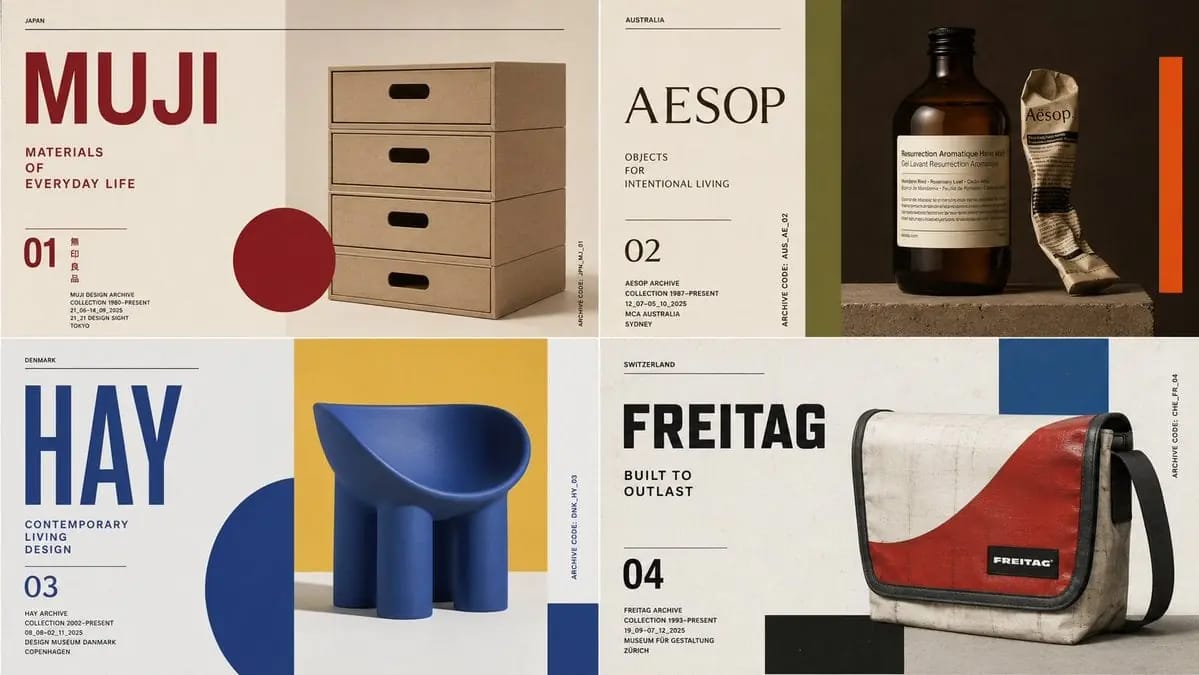
प्रॉम्प्ट
class ModernistExhibitionPoster: def __init__(self, topic="[Topic]"): self .style = "Swiss modernist + Bauhaus editorial poster" self.canvas = "square or vertical poster" self.grid = "strict asymmetric grid with large negative space" self.palette = AI_INFER("3-5 bold colors from topic mood and cultural context") self.typography = "oversized condensed sans or elegant modern serif" def infer_hero_image(self): return AI_INFER( "the most iconic visual representation of TOPIC: portrait, object, silhouette, artifact, architecture, animal, machine, landscape, symbol, or scene" ) def poster_system(self): return { "title": AI_INFER("one short powerful title derived from TOPIC"), "subtitle": AI_INFER("2-5 word exhibition phrase"), "index_number": AI_INFER("series number / chapter mark / archive code"), "microcopy": AI_INFER("small location/date/collection-style text"), "geometry": AI_INFER("rectangles, circles, bars, margins, rules, or blocks that echo TOPIC") } # EXECUTE: # Render TOPIC as a premium modernist exhibition poster. # One dominant hero image + strict grid + bold color geometry + museum-grade typography.इस प्रॉम्प्ट का उपयोग कैसे करें
- 1प्रॉम्प्ट को ठीक वैसा ही कॉपी करें, फिर अपने पसंदीदा मॉडल या Ideart प्रोजेक्ट में पेस्ट करें।
- 2प्रोडक्ट, विषय, ऑडियंस और स्टाइल डिटेल को अपने संदर्भ से बदलें।
- 3पहले एक बेसलाइन परिणाम जनरेट करें, फिर सबसे मजबूत दिशा को कैंपेन, इमेज सेट या वीडियो कॉन्सेप्ट में रीमिक्स करें।
पास के प्रॉम्प्ट पथ देखें
मॉडल
इस प्रॉम्प्ट से बनाएं
छवि प्रॉम्प्ट को तैयार क्रिएटिव प्रोजेक्ट में बदलें।
प्रॉम्प्ट सेव करें, रेफ़रेंस इमेज या नोट्स जोड़ें और Ideart को उसी क्रिएटिव थ्रेड से अगला उत्पादन कदम आकार देने दें।