
छविAI
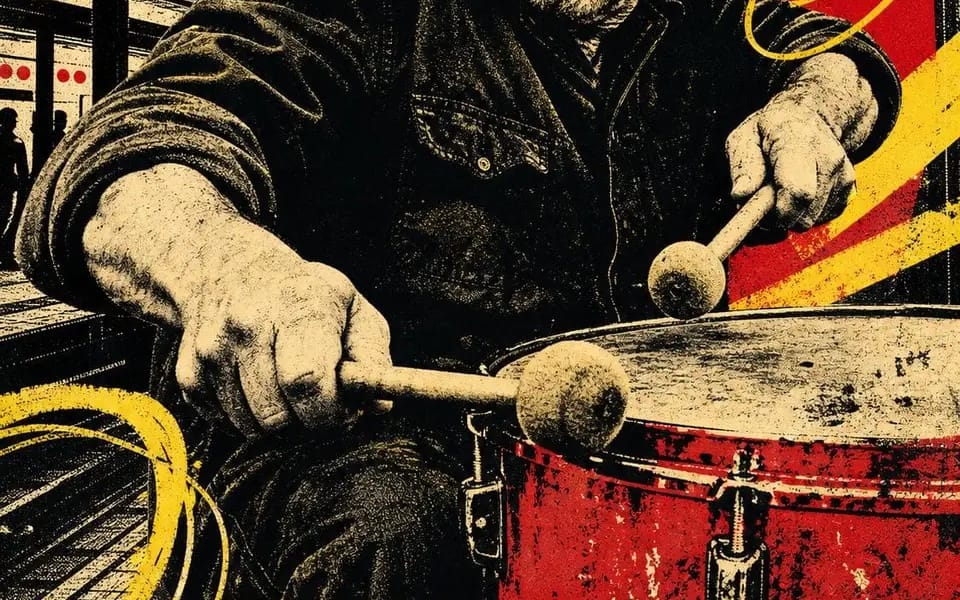
चार-स्याही स्क्रीन प्रिंट। चार लोग अभी भी काम कर रहे हैं जब
Four-ink screen print. Four people still working after everyone left. CITY BEAT — night session 02 OPEN SIGNAL — channel 08 / all night HIVE MIND — rooftop batch 07 FULL TORQUE — shift 04 / open late Locked: – four inks total: bone...
प्रॉम्प्ट
चार-स्याही स्क्रीन प्रिंट। चार लोग अभी भी काम कर रहे हैं जब बाकी सब चले गए।

CITY BEAT — night session 02
OPEN SIGNAL — channel 08 / all night
HIVE MIND — rooftop batch 07
FULL TORQUE — shift 04 / open late

लॉक किए गए:
– कुल चार स्याही: bone paper, black, scarlet, chrome yellow। कुछ और नहीं।
– पोर्ट्रेट को black halftone में posterized किया गया है — कहीं भी कोई ग्रे नहीं, केवल dots
– सिर के पीछे एक सपाट लाल आकृति, जो spotlight का काम कर रही है
– पीली विकर्ण पट्टियाँ और ढीले हाथ से बनाए गए loops छवि पर scrawled
– शहर की silhouettes अंतराल भर रही हैं: pillars, water towers, cranes, skyline
– पैर में एक पूर्ण-चौड़ाई वाली पीली पट्टी, दो शब्द heavy black condensed caps में, दोनों किनारों से क्रॉप किए गए
– नीचे एक हाथ से लिखी गई पंक्ति — एक shift, एक channel, एक batch, एक number
– एक छोटा हाथ से बनाया गया glyph: spiral, target, hexagon, bolt
– misregistration, starved ink, paper grain। इसे pulled दिखना चाहिए, rendered नहीं।

स्वैप: [Trade] / [Two Word Title] / [Red Shape] / [Scrawl] / [Glyph] / [Shift Number]
इस प्रॉम्प्ट का उपयोग कैसे करें
- 1प्रॉम्प्ट को ठीक वैसा ही कॉपी करें, फिर अपने पसंदीदा मॉडल या Ideart प्रोजेक्ट में पेस्ट करें।
- 2प्रोडक्ट, विषय, ऑडियंस और स्टाइल डिटेल को अपने संदर्भ से बदलें।
- 3पहले एक बेसलाइन परिणाम जनरेट करें, फिर सबसे मजबूत दिशा को कैंपेन, इमेज सेट या वीडियो कॉन्सेप्ट में रीमिक्स करें।
पास के प्रॉम्प्ट पथ देखें
मॉडल
इस प्रॉम्प्ट से बनाएं
छवि प्रॉम्प्ट को तैयार क्रिएटिव प्रोजेक्ट में बदलें।
प्रॉम्प्ट सेव करें, रेफ़रेंस इमेज या नोट्स जोड़ें और Ideart को उसी क्रिएटिव थ्रेड से अगला उत्पादन कदम आकार देने दें।