
छविGPT Image
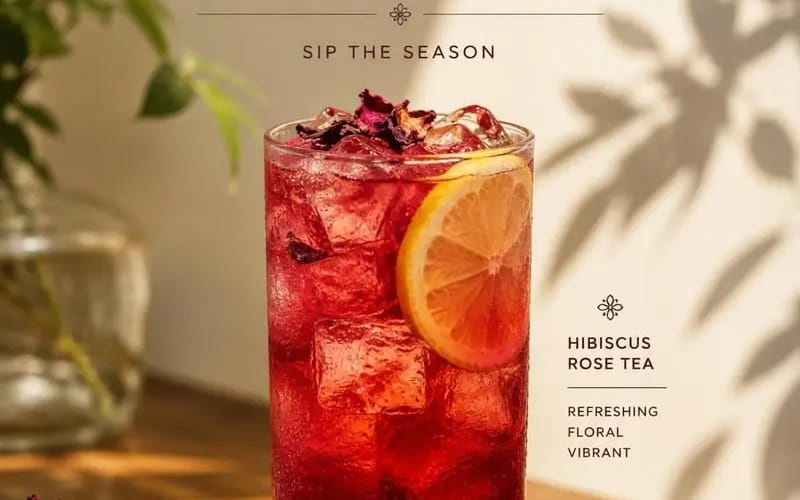
Create a premium cafe advertisement poster featuring Product
{ "PRODUCT_NAME": "", "SUBTITLE": "", "DESCRIPTION": "", "PRICE": "", "prompt": "Create a premium cafe advertisement poster featuring [Product Name] as the main subject. The composition should follow a clean, minimalist, editorial...
प्रॉम्प्ट
{
  "PRODUCT_NAME": "",
  "SUBTITLE": "",
  "DESCRIPTION": "",
  "PRICE": "",

  "prompt": "Create a premium cafe advertisement poster featuring [Product Name] as the main subject. The composition should follow a clean, minimalist, editorial style with warm natural sunlight, soft plant shadows, elegant typography, and a sophisticated luxury aesthetic.\n\nPlace a beautifully styled drink at the center of the composition inside a transparent glass with realistic textures, reflections, condensation, and garnish details appropriate for the beverage.\n\nThe scene should include a wooden table, subtle decorative elements, blurred greenery, and soft beige backgrounds to create a warm and inviting atmosphere.\n\nDisplay the text in the following structure:\n\nTop section:\n• 'NEW MENU' headline\n• [Subtitle]\n\nMiddle section:\n• [Product Name]\n\nBottom section:\n• [Description]\n• [Price]\n\nStyle requirements:\n• Editorial food photography\n• Soft natural lighting\n• Cinematic composition\n• Luxury cafe branding\n• Elegant serif typography\n• Realistic shadows and highlights\n• Minimalist layout\n• High-detail product photography\n\nAspect ratio: 4:5."
}इस प्रॉम्प्ट का उपयोग कैसे करें
- 1प्रॉम्प्ट को ठीक वैसा ही कॉपी करें, फिर अपने पसंदीदा मॉडल या Ideart प्रोजेक्ट में पेस्ट करें।
- 2प्रोडक्ट, विषय, ऑडियंस और स्टाइल डिटेल को अपने संदर्भ से बदलें।
- 3पहले एक बेसलाइन परिणाम जनरेट करें, फिर सबसे मजबूत दिशा को कैंपेन, इमेज सेट या वीडियो कॉन्सेप्ट में रीमिक्स करें।
पास के प्रॉम्प्ट पथ देखें
मॉडल
इस प्रॉम्प्ट से बनाएं
छवि प्रॉम्प्ट को तैयार क्रिएटिव प्रोजेक्ट में बदलें।
प्रॉम्प्ट सेव करें, रेफ़रेंस इमेज या नोट्स जोड़ें और Ideart को उसी क्रिएटिव थ्रेड से अगला उत्पादन कदम आकार देने दें।