
ImmagineAI
2x2 grid, 16:9, 4 AI inferred dystopian subjects,topics
2x2 grid, 16:9, 4 AI inferred dystopian subjects,topics: // Canvas grid 600x800 (vertical panel). Each cell encodes ink level + style ownership. // 1. Photo ink-ification: // - For each cell, compute luminance from [Location Plate]...
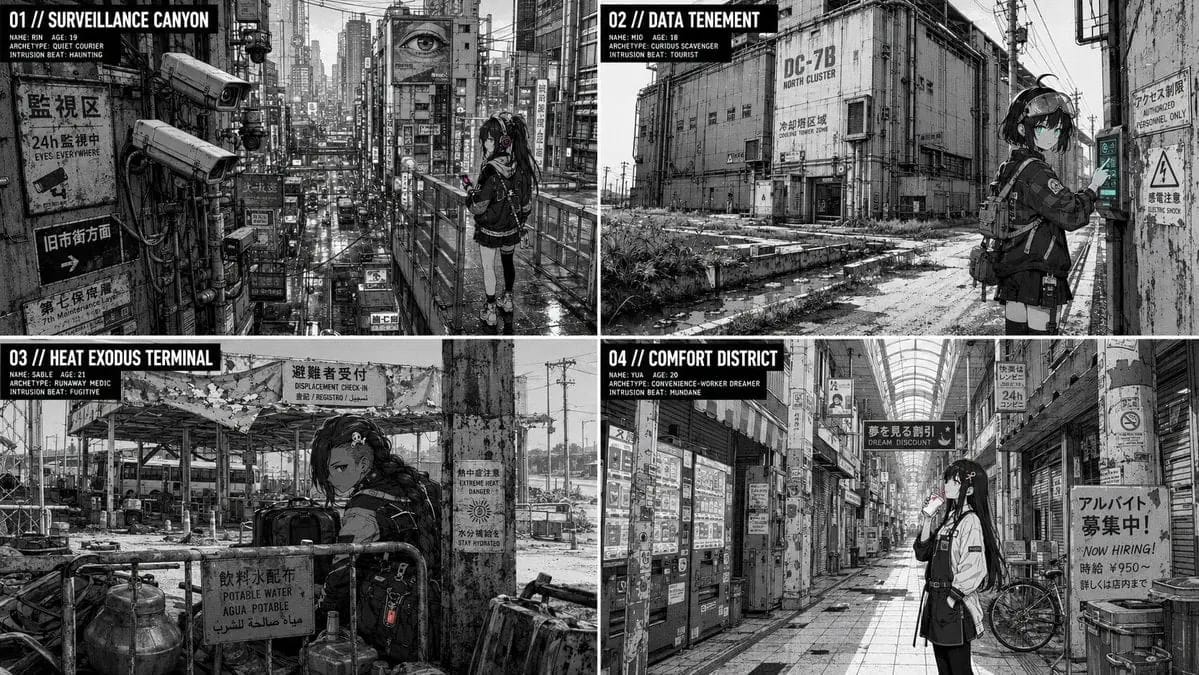
Prompt
2x2 grid, 16:9, 4 AI inferred dystopian subjects,topics: // Canvas grid 600x800 (vertical panel). Each cell encodes ink level + style ownership.
// 1. Photo ink-ification:
//    - For each cell, compute luminance from [Location Plate] photo.
//    - L > 200 -> paper-white (0). L < 80 -> solid black (1). Else -> mid-tone (2).
//    - Mid-tone cells are patterned with a halftone dot array at declared LPI.
//    - Edge detection: cells where luminance gradient exceeds threshold become mechanical line (3) — uniform thickness, no taper.
// 2. Character rendering:
//    - Using [Char Seed], place a small figure (under 25% cell area) in the scene.
//    - The figure cells are drawn in the dominant style: line owned by dominant, flats by dominant, light by dominant.
//    - Subordinate style may appear in background elements (props, textures) but never on character face cells (defined by a mask). If dissolved, subordinate elements are redrawn with dominant line. If declared, boundary cells between styles are explicitly a different color. If oscillating, subordinate only in depth planes behind the character (assigned by depth map).
//    - Silhouette anchor: hair shape + accessory preserved in pure black at any scale.
//    - Color key: accent color appears only in eye cells and one prop cell cluster.
// 3. Interaction:
//    - For tourist: character's contact cells have a shadow cluster offset according to sun vector (e.g., shadow cells 5 pixels down-right).
//    - For fugitive: mid-tone clutter cells from the photo are placed in front of the character partially (overlap).
//    - For haunting: no shadow, no interaction.
// 4. Grain-and-artifact: a layer of noise cells (JPEG artifacts, dust) is added only to photo-derived cells, not character.
// 5. Lens distortion: at edges of the canvas, character cells are slightly displaced to simulate barrel distortion matching the photo.
// Render final cell grid as high-res ink-ified image.
Come usare questo prompt
- 1Copia il prompt esattamente e incollalo nel modello preferito o in un progetto Ideart.
- 2Sostituisci prodotto, soggetto, pubblico e dettagli di stile con il tuo contesto.
- 3Genera prima un risultato base, poi remixa la direzione più forte in una campagna, una serie di immagini o un concept video.
Esplora percorsi prompt vicini
Modello
Costruisci da questo prompt
Trasforma un prompt immagine in un progetto creativo finito.
Salva il prompt, aggiungi immagini di riferimento o note e lascia che Ideart modelli il prossimo passo produttivo dallo stesso thread creativo.