
Black-and-White Storyboard Drafts
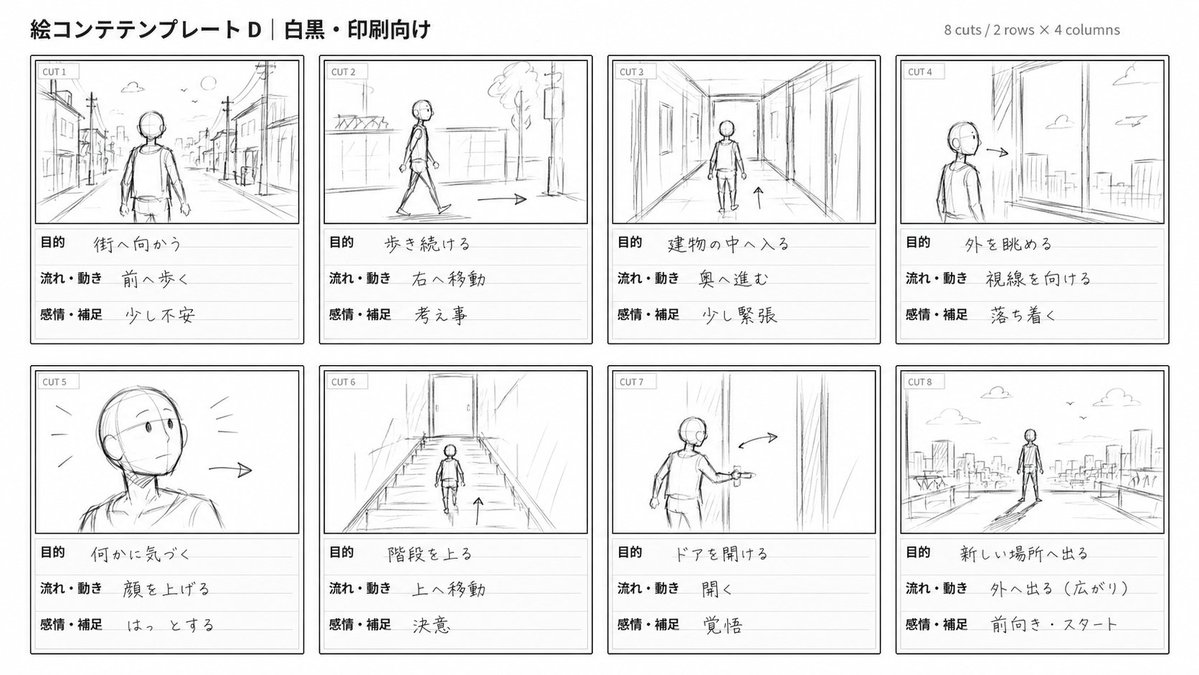
Generate minimal hand-drawn storyboard sketches in black and white, focusing on character poses, movement, and essential background details.
Richiesta
Render all storyboard panels in {argument name="color" default="black and white"}, with a hand-drawn aesthetic like {argument name="style" default="rough sketches or draft lines"}. Use only a few lines to show character poses, movement, and key background elements. No colors other than the specified monochrome set are allowed.Editorial guide
How this prompt works
This prompt produces rough line-art storyboard panels in strict black and white, ideal for early pre-visualization where composition and motion are primary concerns. By limiting the palette to black and white and encouraging sparse lines, it keeps the focus on structural clarity without distracting details.
Best for
- Quick storyboard drafts for AI-video shot planning
- Blocking out character positions and motion in a scene
Setup steps
- 1Open any image generation tool that accepts custom text prompts (e.g., GPT Image 2).
- 2Paste the entire runnablePrompt into the input field.
- 3Optionally replace the default values inside the placeholders—keeping the palette strictly black and white (e.g., 'black and white' or 'black ink on white') and the style line-based (e.g., 'pencil outlines' or 'ink drafts').
- 4Generate the image; if it includes any gray or color, regenerate with stronger palette enforcement.
Customization tips
- Set the 'color' argument to 'black on white' for high contrast.
- Change the 'style' argument to 'ink outlines' for cleaner, more defined lines.
- Prepend a brief scene description (e.g., 'two figures fighting on a rooftop') to anchor the composition.
- If lines become too detailed, add 'very minimal lines' after the placeholder.
Failure modes
- Generated image includes gray tones or chromatic colors.
- Fix: Set the color argument to 'black and white' and explicitly append 'no gray, no color tints' to the prompt.
- Too many lines create a cluttered sketch.
- Fix: Reinforce 'use very few lines' and consider changing the style to 'quick scribbles' to reduce detail.
Variations
Variation 1
Render all storyboard panels in {argument name="color" default="black on white"}, with a hand-drawn aesthetic like {argument name="style" default="pencil outlines"}. Use only a few lines to show character poses, movement, and key background elements. No colors other than the specified monochrome set are allowed.Variation 2
Render all storyboard panels in {argument name="color" default="black and white"}, with a hand-drawn aesthetic like {argument name="style" default="ink line art"}. Use only a few lines to show character poses, movement, and key background elements. No colors other than the specified monochrome set are allowed.Generated from a monitored source revision, passed deterministic originality checks, and was approved by an isolated Codex quality-control agent. Legal rights and attribution remain separate publication gates.
Come usare questo prompt
- 1Copia il prompt esattamente e incollalo nel modello preferito o in un progetto Ideart.
- 2Sostituisci prodotto, soggetto, pubblico e dettagli di stile con il tuo contesto.
- 3Genera prima un risultato base, poi remixa la direzione più forte in una campagna, una serie di immagini o un concept video.
Esplora percorsi prompt vicini
Modello
Costruisci da questo prompt
Trasforma un prompt immagine in un progetto creativo finito.
Salva il prompt, aggiungi immagini di riferimento o note e lascia che Ideart modelli il prossimo passo produttivo dallo stesso thread creativo.