
ImmagineAI
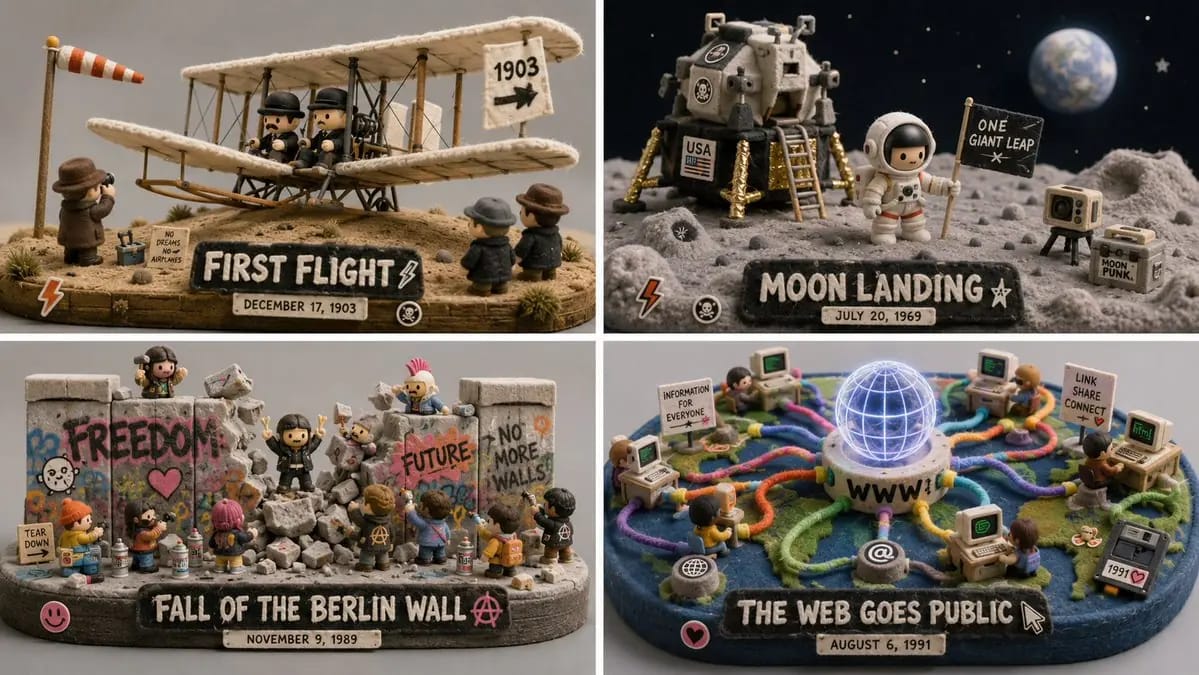
Do this for 4 unforgettable days in human history 16:9
do this for 4 unforgettable days in human history 16:9, 2x2 grid: CONCEPT ANCHOR 1: "Stylized 3D animated rebel character — expressive oversized eyes, strong attitude pose, streetwear details, colorful hair, soft cinematic toy-like...
Prompt
do this for 4 unforgettable days in human history 16:9, 2x2 grid: CONCEPT ANCHOR 1: "Stylized 3D animated rebel character — expressive oversized eyes, strong attitude pose, streetwear details, colorful hair, soft cinematic toy-like rendering" :: CONCEPT ANCHOR 2: "Fuzzy green minimalist toy-world — mossy texture, rounded trees, soft felt surfaces, tiny houses, gentle surreal creatures, quiet gray background" :: CONCEPT ANCHOR 3: "Isometric miniature scene — small props, tiny environmental storytelling, dollhouse-scale staging, clean studio lighting" INSTRUCTION: Find the exact visual center of these three concepts. Ignore the literal character, trash can, animals, and room references. Extract only the style and material logic. Render [Subject] as a soft but rebellious designer-toy diorama. STYLE RULES: - Convert the subject into a stylized 3D character, object, creature, or environment with clear attitude and expressive shape language. - Use soft felt, moss, knitted fiber, fuzzy flocking, matte clay, and vinyl-like surfaces. - Add small street or everyday details: stickers, scuffs, props, miniature objects, signs, containers, tools, or personal items inferred from the subject. - Keep the world minimal and gallery-like, with calm gray or muted pastel background. - Use bright accent colors only where they matter: hair-like forms, graffiti-like marks, symbols, accessories, tiny props. - Blend softness with rebellion: cute surface texture, but confident pose and graphic edge. - Use shallow studio lighting and clean product-shot presentation. OUTPUT: A collectible fuzzy designer-toy scene where [Subject] becomes soft, expressive, slightly punk, and highly tactile.
Come usare questo prompt
- 1Copia il prompt esattamente e incollalo nel modello preferito o in un progetto Ideart.
- 2Sostituisci prodotto, soggetto, pubblico e dettagli di stile con il tuo contesto.
- 3Genera prima un risultato base, poi remixa la direzione più forte in una campagna, una serie di immagini o un concept video.
Esplora percorsi prompt vicini
Modello
Costruisci da questo prompt
Trasforma un prompt immagine in un progetto creativo finito.
Salva il prompt, aggiungi immagini di riferimento o note e lascia che Ideart modelli il prossimo passo produttivo dallo stesso thread creativo.