
ImmagineAI
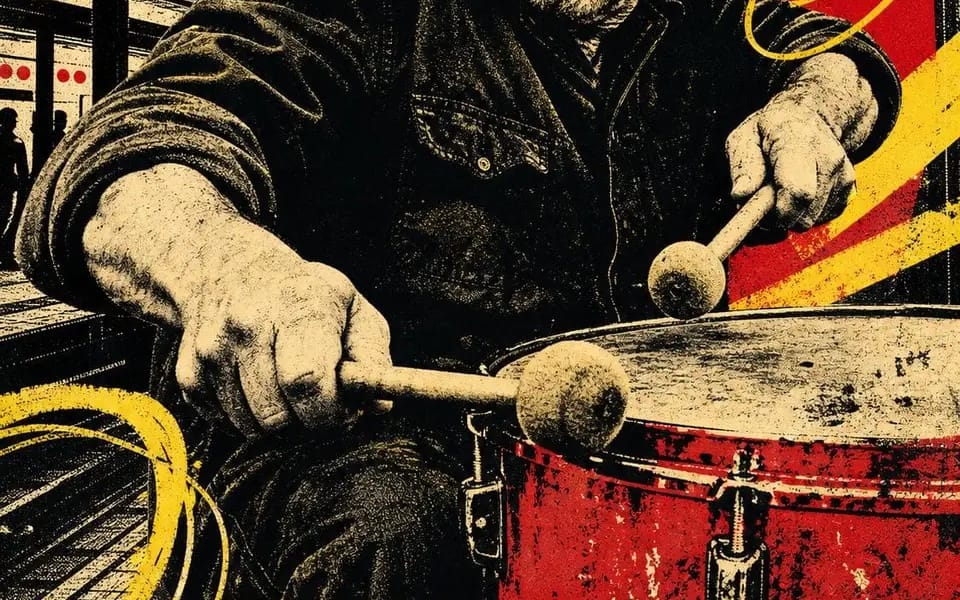
Four-ink screen print
Four-ink screen print. Four people still working after everyone left. CITY BEAT — night session 02 OPEN SIGNAL — channel 08 / all night HIVE MIND — rooftop batch 07 FULL TORQUE — shift 04 / open late Locked: – four inks total: bone...
Prompt
Serigrafia a quattro inchiostri. Quattro persone ancora al lavoro dopo che tutti se ne sono andate.

CITY BEAT — night session 02
OPEN SIGNAL — channel 08 / all night
HIVE MIND — rooftop batch 07
FULL TORQUE — shift 04 / open late

Bloccato:
– quattro inchiostri in totale: carta osso, nero, scarlatto, giallo cromo. Nient'altro.
– il ritratto è posterizzato a mezzitoni neri — niente grigi da nessuna parte, solo punti
– una forma rossa piatta dietro la testa, che svolge la funzione di un riflettore
– barre diagonali gialle più anelli sciolti disegnati a mano scarabocchiati sopra l'immagine
– silhouette cittadine che riempiono gli spazi: pilastri, torri d'acqua, gru, skyline
– una fascia gialla a tutta larghezza in basso, due parole in caratteri maiuscoli neri condensati e pesanti, tagliate da entrambi i bordi
– una riga scritta a mano sotto — un turno, un canale, un lotto, un numero
– un piccolo glifo disegnato a mano: spirale, bersaglio, esagono, fulmine
– disallineamento di registro, inchiostro carente, grana della carta. Dovrebbe sembrare tirato a mano, non renderizzato.

Sostituzioni: [Trade] / [Two Word Title] / [Red Shape] / [Scrawl] / [Glyph] / [Shift Number]
Come usare questo prompt
- 1Copia il prompt esattamente e incollalo nel modello preferito o in un progetto Ideart.
- 2Sostituisci prodotto, soggetto, pubblico e dettagli di stile con il tuo contesto.
- 3Genera prima un risultato base, poi remixa la direzione più forte in una campagna, una serie di immagini o un concept video.
Esplora percorsi prompt vicini
Modello
Costruisci da questo prompt
Trasforma un prompt immagine in un progetto creativo finito.
Salva il prompt, aggiungi immagini di riferimento o note e lascia che Ideart modelli il prossimo passo produttivo dallo stesso thread creativo.