
ImmagineGPT Image 2
Filtro LCD Tamagotchi Y2K
Converte un'immagine standard in uno schermo in pixel art a 8 bit in stile Tamagotchi rétro anni '90 con elementi dell'interfaccia autentici.
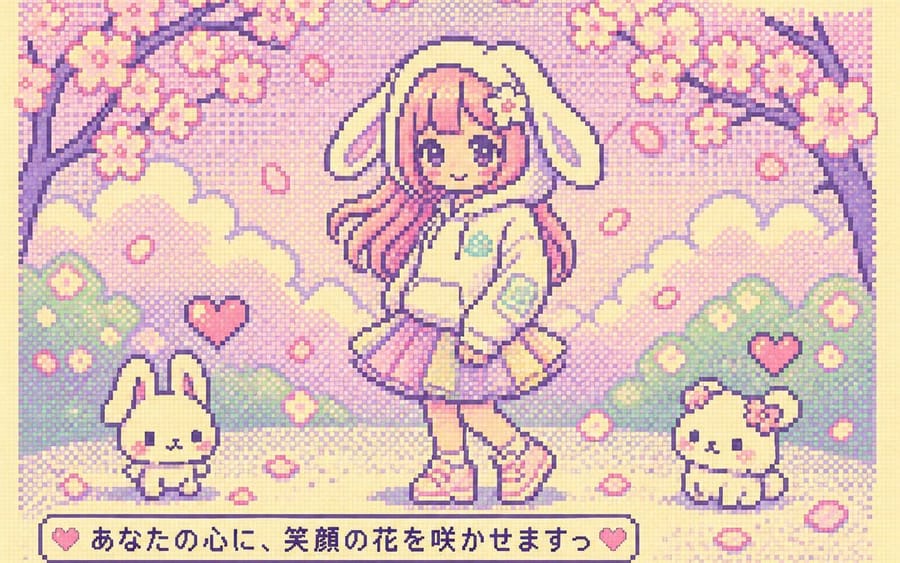
Prompt
Trasforma l'immagine nello stile di uno schermo LCD Tamagotchi {argument name="era" default="anni '90 Y2K"}. Mantieni i personaggi e la situazione originali, ma reinterpretali e semplificali in graziosi e semplici personaggi e sfondi in pixel art a 8 bit. Utilizza una palette LCD dai colori pastello vivaci e deliziosi ({argument name="colors" default="incentrata su crema, rosa, menta e lavanda"}), texture a matrice di punti, pixel grandi, limite di 4 colori e resa LCD piatta. Includi un'interfaccia rétro come icone della batteria, finestre di stato, icone di menu, cuori, livelli, data/ora e brevi testi in pixel. Non mostrare il corpo del dispositivo Tamagotchi, i pulsanti, la cornice o il bordo. Crea uno schermo Tamagotchi nostalgico e adorabile che riempia solo l'interno dell'LCD. Messa a fuoco nitida. 8k.Come usare questo prompt
- 1Copia il prompt esattamente e incollalo nel modello preferito o in un progetto Ideart.
- 2Sostituisci prodotto, soggetto, pubblico e dettagli di stile con il tuo contesto.
- 3Genera prima un risultato base, poi remixa la direzione più forte in una campagna, una serie di immagini o un concept video.
Esplora percorsi prompt vicini
Modello
Categorie
Costruisci da questo prompt
Trasforma un prompt immagine in un progetto creativo finito.
Salva il prompt, aggiungi immagini di riferimento o note e lascia che Ideart modelli il prossimo passo produttivo dallo stesso thread creativo.