
ImmagineGPT Image
Transform the uploaded selfie into a charming hand-painted
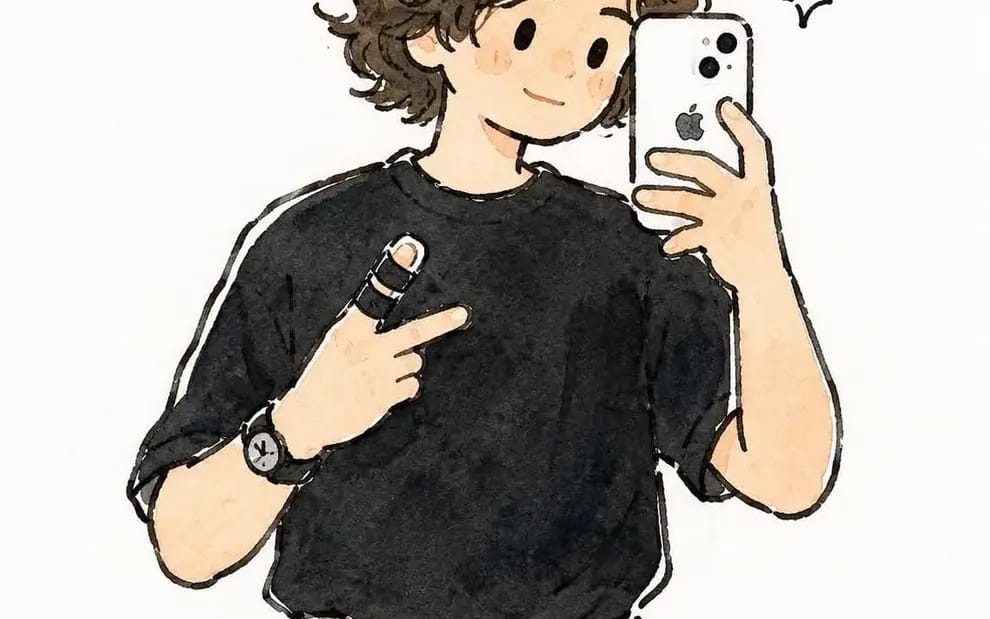
Transform the uploaded selfie into a charming hand-painted watercolor anime illustration while preserving the person's exact facial identity, hairstyle, pose, clothing, accessories, hand gesture, smartphone position, and overall...
Prompt
Transform the uploaded selfie into a charming hand-painted watercolor anime illustration while preserving the person's exact facial identity, hairstyle, pose, clothing, accessories, hand gesture, smartphone position, and overall composition. Keep the expression natural and friendly with a subtle smile. Simplify the face into cute rounded features with tiny black dot eyes, a tiny nose, rosy cheeks, and a soft, wholesome expression while remaining clearly recognizable.
Render using delicate hand-drawn black ink outlines with slightly wobbly sketch lines and transparent watercolor washes. Soft pastel colors with visible watercolor texture, subtle pigment granulation, gentle color bleeding, and natural cold-press paper grain. Use light, airy shading with no harsh contrast. Preserve the black oversized T-shirt, gray pleated trousers, black belt, wristwatch, finger bandage, and white smartphone exactly as in the reference.
Simplify unnecessary background details into a clean off-white watercolor backdrop with only faint hints of the mirror and room. Add a few tiny hand-drawn sparkle doodles and expressive ink marks around the character to enhance the playful aesthetic. Maintain loose brushwork, soft edges, warm neutral tones, and a cozy handmade sketchbook feel.
Style: modern Japanese watercolor illustration, slice-of-life anime, minimalist storybook art, cozy journal sketch, expressive ink line art, soft watercolor painting, clean composition, high detail, adorable, elegant, 2D illustration, 4:5 aspect ratio.
Come usare questo prompt
- 1Copia il prompt esattamente e incollalo nel modello preferito o in un progetto Ideart.
- 2Sostituisci prodotto, soggetto, pubblico e dettagli di stile con il tuo contesto.
- 3Genera prima un risultato base, poi remixa la direzione più forte in una campagna, una serie di immagini o un concept video.
Esplora percorsi prompt vicini
Modello
Costruisci da questo prompt
Trasforma un prompt immagine in un progetto creativo finito.
Salva il prompt, aggiungi immagini di riferimento o note e lascia che Ideart modelli il prossimo passo produttivo dallo stesso thread creativo.