
ImmagineGPT Image 2
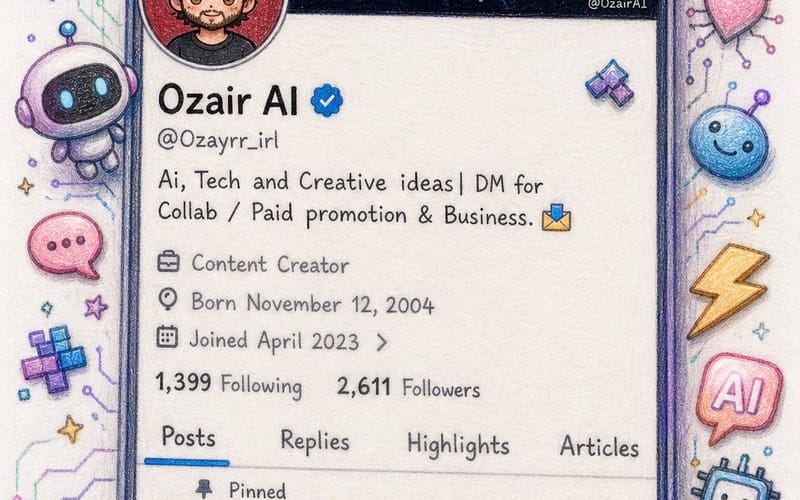
Twitter Profile Doodle Art Transformation
Converts a Twitter profile screenshot into a beautiful hand-drawn colored pencil doodle with a cute anime-style avatar.
Prompt
Create an image\nI'm sharing a screenshot of my real X (Twitter) profile. Recreate this as a beautiful hand-drawn colored pencil doodle illustration on white paper — same layout, same username {argument name="username" default="OzairAI"}, same follower counts, same pinned tweet content — but transform everything into cute doodle art style.\nStyle upgrades to add:\n— Profile picture: redraw as a chibi anime-style character with same face.\n— Banner: exactly same but drawn\n— Scatter cute AI-themed doodle stickers around the phone frame: tiny robots, circuit hearts, lightning bolts, pixel stars, glowing chat bubbles\n— Some stickers should break out of the phone border for a 3D pop-out illusion\n— Bio and tweets: keep same text but render in cute handwritten font style\n— Color palette: soft lavender, electric blue, warm gold, mint green\nVertical 9:13 format. Ultra photorealistic colored pencil texture, 8K, no extra text overlays, cinematic color grading.Come usare questo prompt
- 1Copia il prompt esattamente e incollalo nel modello preferito o in un progetto Ideart.
- 2Sostituisci prodotto, soggetto, pubblico e dettagli di stile con il tuo contesto.
- 3Genera prima un risultato base, poi remixa la direzione più forte in una campagna, una serie di immagini o un concept video.
Esplora percorsi prompt vicini
Modello
Categorie
Costruisci da questo prompt
Trasforma un prompt immagine in un progetto creativo finito.
Salva il prompt, aggiungi immagini di riferimento o note e lascia che Ideart modelli il prossimo passo produttivo dallo stesso thread creativo.