
ImmagineAI
Use the attached image as a strict visual and compositional
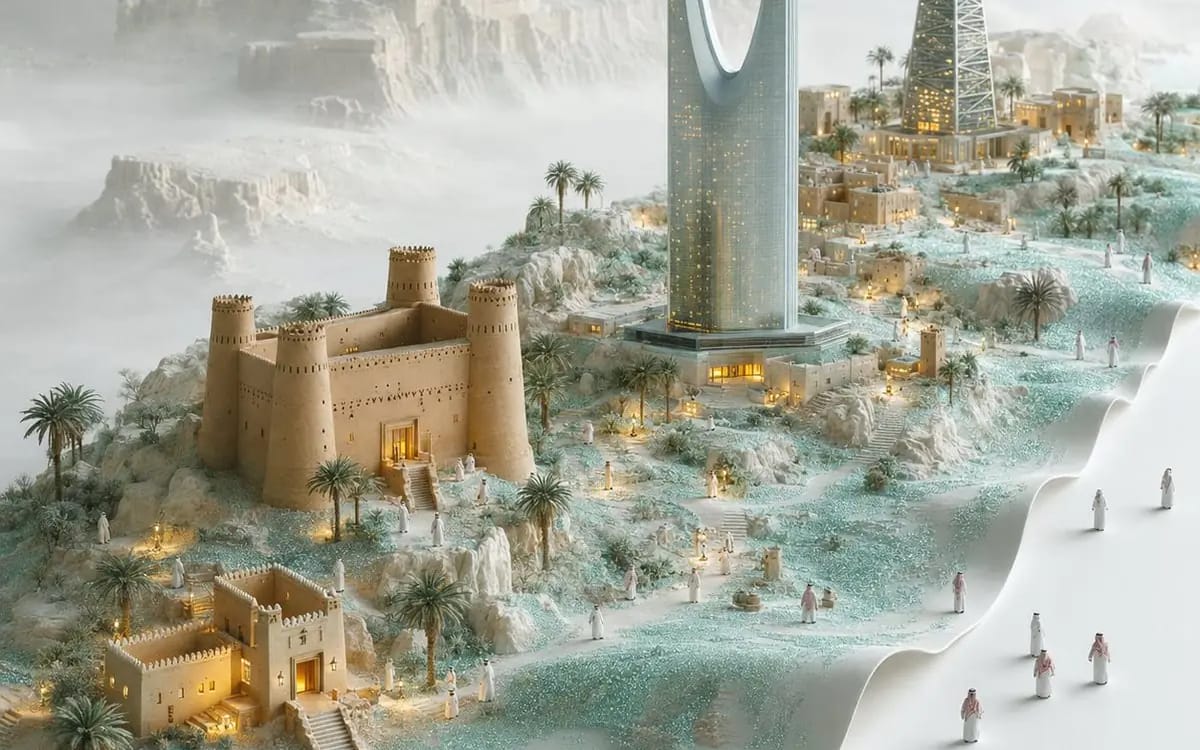
Use the attached image as a strict visual and compositional reference. Recreate the same scene structure, camera angle, spatial arrangement, materials, scale, depth, lighting behavior, color treatment, and artistic technique. Change...
Prompt
Use the attached image as a strict visual and compositional reference. Recreate the same scene structure, camera angle, spatial arrangement, materials, scale, depth, lighting behavior, color treatment, and artistic technique.

Change ONLY:
• Location: [City / Country]
• Architecture: replace the Asian temples with recognizable authentic landmarks and traditional architecture from [City / Country]
• Natural environment: [Local Terrain]
• Weather and atmosphere: [Weather]
• Tiny figures: culturally accurate people wearing [Local Clothing]

Preserve the reference image’s exact core concept: a highly detailed miniature city rising organically from a softly folded, flowing white landscape resembling delicate fabric, paper, snow, and topographic terrain. The sculpted city occupies the left and central areas, while a broad clean white surface flows along the right side and foreground. Keep the same diagonal progression from the lower-left foreground toward the upper-right background, the same elevated three-quarter bird’s-eye view, multiple architectural levels, winding miniature paths, tiny distant figures, soft mist, granular turquoise surface texture, and warm golden lights glowing from buildings and pathways.

The new city must appear embedded inside the flowing landscape—not placed on a platform, map, island, book, or separate paper sheet. Maintain the same dreamlike miniature-world appearance, delicate sculptural detail, pale white and muted turquoise palette, atmospheric depth, soft diffused light, and elegant empty space.

Do not redesign the composition or invent a different concept. Do not change the camera angle, visual hierarchy, landscape flow, miniature scale, material language, or distribution of empty space.

Square 1:1 composition, no text, no labels, no logos, no watermark, no borders, no duplicated landmarks, no generic buildings, no dominant human figures, no cartoon style, no papercut collage, no origami, no map shape, no open book, no floating island, no plastic CGI.
Come usare questo prompt
- 1Copia il prompt esattamente e incollalo nel modello preferito o in un progetto Ideart.
- 2Sostituisci prodotto, soggetto, pubblico e dettagli di stile con il tuo contesto.
- 3Genera prima un risultato base, poi remixa la direzione più forte in una campagna, una serie di immagini o un concept video.
Esplora percorsi prompt vicini
Modello
Costruisci da questo prompt
Trasforma un prompt immagine in un progetto creativo finito.
Salva il prompt, aggiungi immagini di riferimento o note e lascia che Ideart modelli il prossimo passo produttivo dallo stesso thread creativo.