
VideoSeedance 2.5
Webrunner Superhero Comic Edit - Seedance 2.5 AI Video Prompt for Cinematic Scene Showcase
A fast-paced hybrid of live-action and comic-book animation featuring a city run and web-slinging hero action.
Prompt
Create a fast-paced cinematic 15-second vertical 9:16 superhero edit blending photorealistic live action with an original comic-book animation aesthetic.

0–4 SEC — CITY RUN
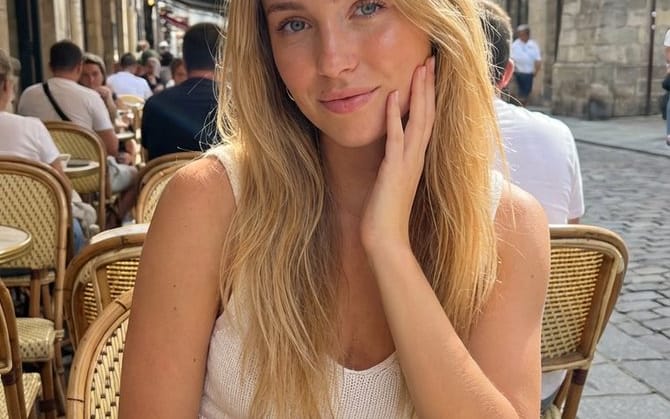
A young woman with long brown hair, oversized light-pink shirt, white tank top, light-blue jeans, and white sneakers runs through a modern European-inspired city. She films herself with a pink smartphone, smiling at the camera. Smooth tracking shot suddenly transitions into bold comic-book linework, halftone textures, vibrant colors, and speed lines.

4–8 SEC — HERO ACTION
She jumps between rooftops as two completely original masked web-slinging heroes appear. One wears a white, charcoal, and teal suit; the other wears crimson and midnight blue. No recognizable existing superhero designs. Energy webs shoot from their gloves as they swing between skyscrapers.

8–12 SEC — COMIC CHAOS
First-person web-swinging POV through a futuristic city at golden hour. Neon signs, floating debris, graphic panels, motion blur, and an original “WHOOSH!” graphic create explosive comic energy. She lands dramatically on a rooftop.

12–15 SEC — FINAL HERO SHOT
She crouches on a rooftop with her hair blowing in the wind as the camera pulls back to reveal a vast fictional city skyline glowing pink and orange.

Final text:

WEBRUNNER
RISE. SWING. RUN.

STYLE: Premium cinematic live action, original graphic-novel animation, bold outlines, halftone textures, vibrant colors, realistic hair and fabric physics, dynamic camera movement, dramatic lighting, seamless transitions, photorealistic detail, 4K, vertical 9:16.

AVOID: Existing superhero characters, recognizable costumes, logos, franchise imagery, real-world landmarks, copied animation styles, distorted faces, warped hands, inconsistent characters, random text, cheap CGI.
Come usare questo prompt
- 1Copia il prompt esattamente e incollalo nel modello preferito o in un progetto Ideart.
- 2Sostituisci prodotto, soggetto, pubblico e dettagli di stile con il tuo contesto.
- 3Genera prima un risultato base, poi remixa la direzione più forte in una campagna, una serie di immagini o un concept video.
Costruisci da questo prompt
Trasforma un prompt video in un progetto creativo finito.
Salva il prompt, aggiungi immagini di riferimento o note e lascia che Ideart modelli il prossimo passo produttivo dallo stesso thread creativo.