
이미지AI
2x2 grid, 16:9, 4 AI inferred dystopian subjects,topics
2x2 grid, 16:9, 4 AI inferred dystopian subjects,topics: // Canvas grid 600x800 (vertical panel). Each cell encodes ink level + style ownership. // 1. Photo ink-ification: // - For each cell, compute luminance from [Location Plate]...
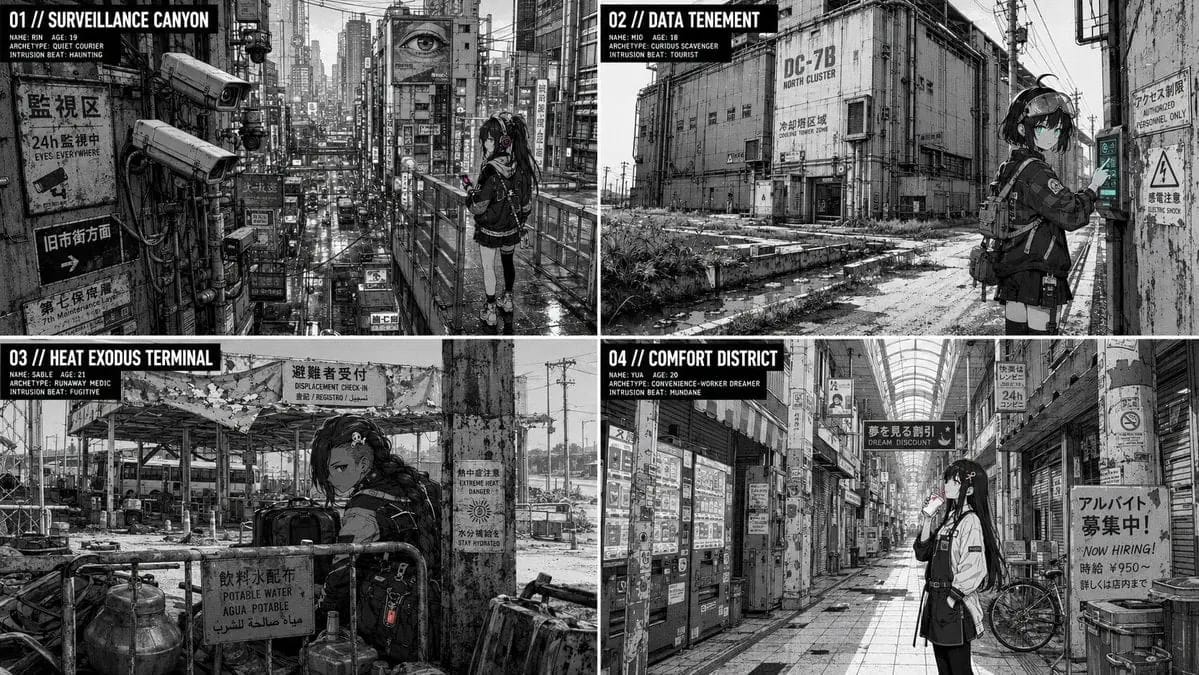
프롬프트
2x2 grid, 16:9, 4 AI inferred dystopian subjects,topics: // Canvas grid 600x800 (vertical panel). Each cell encodes ink level + style ownership.
// 1. Photo ink-ification:
//    - For each cell, compute luminance from [Location Plate] photo.
//    - L > 200 -> paper-white (0). L < 80 -> solid black (1). Else -> mid-tone (2).
//    - Mid-tone cells are patterned with a halftone dot array at declared LPI.
//    - Edge detection: cells where luminance gradient exceeds threshold become mechanical line (3) — uniform thickness, no taper.
// 2. Character rendering:
//    - Using [Char Seed], place a small figure (under 25% cell area) in the scene.
//    - The figure cells are drawn in the dominant style: line owned by dominant, flats by dominant, light by dominant.
//    - Subordinate style may appear in background elements (props, textures) but never on character face cells (defined by a mask). If dissolved, subordinate elements are redrawn with dominant line. If declared, boundary cells between styles are explicitly a different color. If oscillating, subordinate only in depth planes behind the character (assigned by depth map).
//    - Silhouette anchor: hair shape + accessory preserved in pure black at any scale.
//    - Color key: accent color appears only in eye cells and one prop cell cluster.
// 3. Interaction:
//    - For tourist: character's contact cells have a shadow cluster offset according to sun vector (e.g., shadow cells 5 pixels down-right).
//    - For fugitive: mid-tone clutter cells from the photo are placed in front of the character partially (overlap).
//    - For haunting: no shadow, no interaction.
// 4. Grain-and-artifact: a layer of noise cells (JPEG artifacts, dust) is added only to photo-derived cells, not character.
// 5. Lens distortion: at edges of the canvas, character cells are slightly displaced to simulate barrel distortion matching the photo.
// Render final cell grid as high-res ink-ified image.
이 프롬프트 사용 방법
- 1프롬프트를 그대로 복사한 뒤 원하는 모델이나 Ideart 프로젝트에 붙여넣으세요.
- 2제품, 주제, 대상, 스타일 세부사항을 자신의 컨텍스트로 교체하세요.
- 3먼저 기준 결과를 생성한 뒤 가장 강한 방향을 캠페인, 이미지 세트 또는 비디오 콘셉트로 리믹스하세요.
이 프롬프트로 제작
이미지 프롬프트를 완성된 크리에이티브 프로젝트로 바꾸세요.
프롬프트를 저장하고 참조 이미지나 노트를 추가한 뒤 Ideart가 같은 창작 스레드에서 다음 제작 단계를 만들게 하세요.