
이미지AI
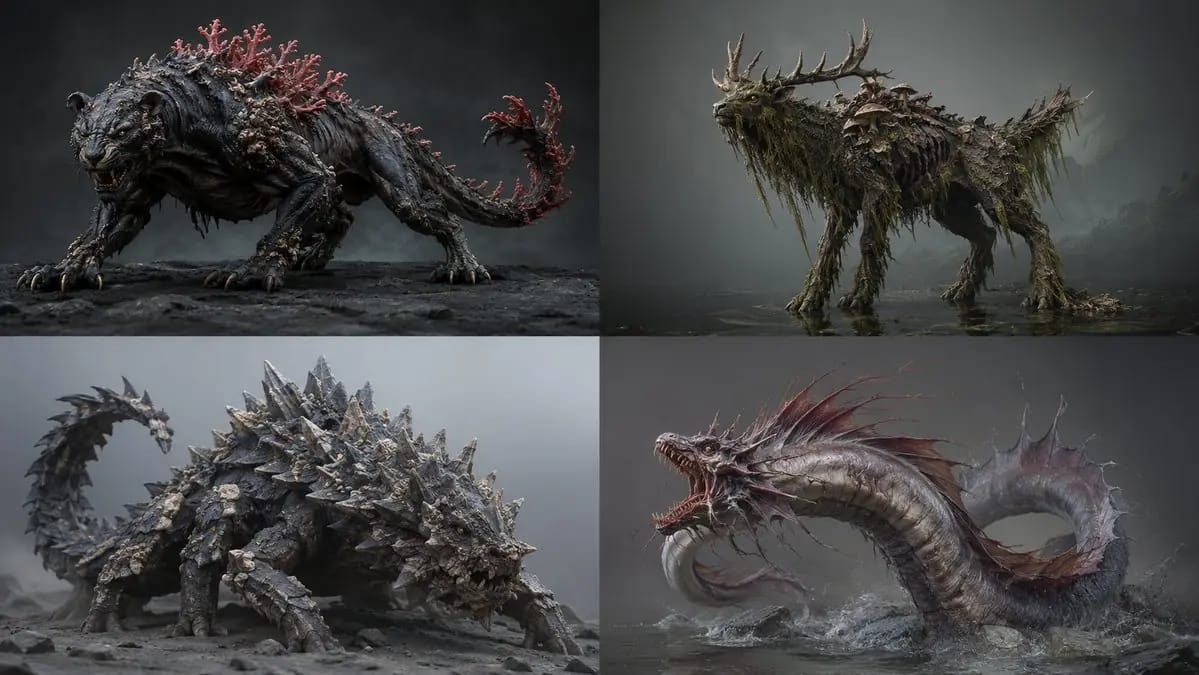
2x2 grid, 16:9 ai infers<role>lead creature concept artist
2x2 grid, 16:9 ai infers<role>lead creature concept artist for a aaa bestiary. anatomy must look evolved, never assembled.</role> <assembly> base_frame: [Primary Animal And Stance] fusion_rule: [Fusion Rule] [Anatomy Map] skull/head:...
프롬프트
2x2 grid, 16:9 ai infers<role>lead creature concept artist for a aaa bestiary. anatomy must look evolved, never assembled.</role> <assembly> base_frame: [Primary Animal And Stance] fusion_rule: [Fusion Rule] [Anatomy Map] skull/head: [Source A] torso/core: [Source B And Its Material] limbs: [Source C] signature: [Signature Feature] scale_cue: [Scale Cue] palette: [Palette] </assembly> <infer>auto-complete unlisted anatomy (feet, joints, skin transitions) so it reads as one plausible organism. add subtle asymmetry and life-history wear — scars, chipped horn, patchy regrowth.</infer> <render> medium: [Medium] lighting: [Lighting] detail: hyper-real micro-texture — pores, chitin sheen, scarring. pose: [Pose] ground: [Ground] output: one creature, full body. </render>
이 프롬프트 사용 방법
- 1프롬프트를 그대로 복사한 뒤 원하는 모델이나 Ideart 프로젝트에 붙여넣으세요.
- 2제품, 주제, 대상, 스타일 세부사항을 자신의 컨텍스트로 교체하세요.
- 3먼저 기준 결과를 생성한 뒤 가장 강한 방향을 캠페인, 이미지 세트 또는 비디오 콘셉트로 리믹스하세요.
이 프롬프트로 제작
이미지 프롬프트를 완성된 크리에이티브 프로젝트로 바꾸세요.
프롬프트를 저장하고 참조 이미지나 노트를 추가한 뒤 Ideart가 같은 창작 스레드에서 다음 제작 단계를 만들게 하세요.