
이미지AI
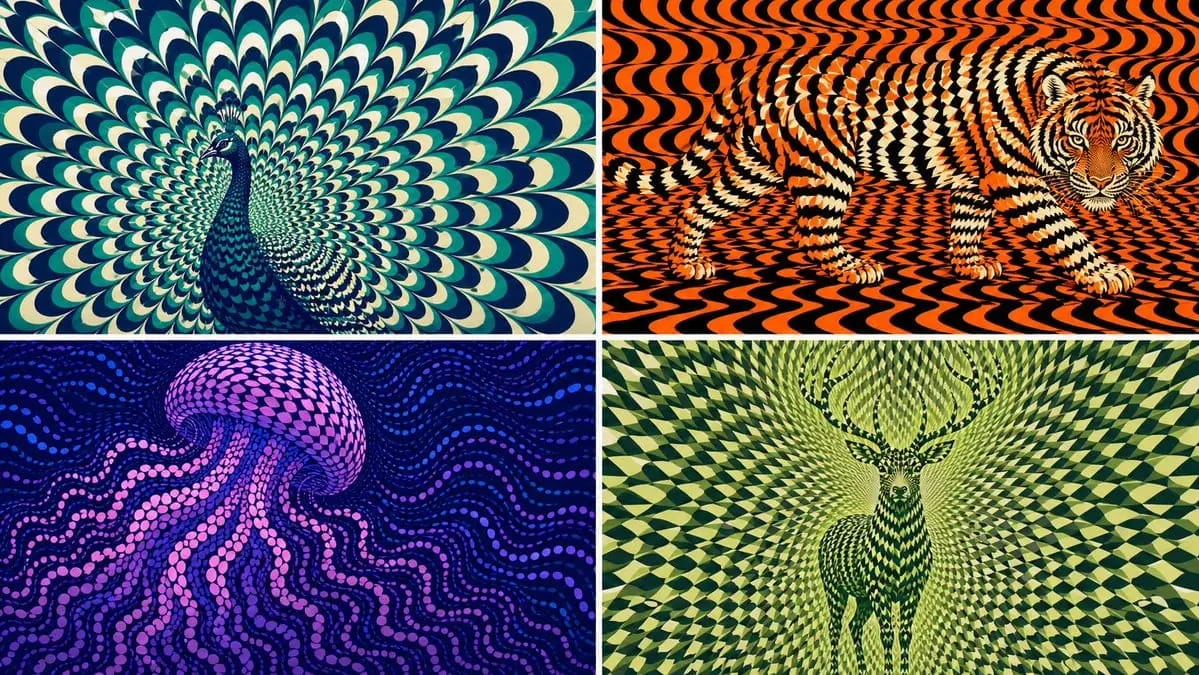
2x2 grid, 16:9 AI picks subjects class OpArtSubjectField
2x2 grid, 16:9 AI picks subjects class OpArtSubjectField: def __init__(self, subject="[Subject]", palette="[Palette]"): self. style = "high-contrast optical art, kinetic poster, graphic abstraction" self.canvas = "full-bleed pattern...
프롬프트
2x2 grid, 16:9 AI picks subjects class OpArtSubjectField: def __init__(self, subject="[Subject]", palette="[Palette]"): self. style = "high-contrast optical art, kinetic poster, graphic abstraction" self.canvas = "full-bleed pattern field" self.subject = subject self.palette = AI_INFER("3-5 colors that match SUBJECT mood, habitat, symbolism, or brand energy") def infer_subject_silhouette(self): return AI_INFER( "the most recognizable silhouette, posture, outline, or profile of SUBJECT" ) def build_pattern_field(self): return """ Fill the entire canvas with hundreds or thousands of repeated units. Units may be petals, scales, tiles, crescents, stripes, waves, discs, feathers, blades, shards, or glyph-like marks. The subject is not outlined directly. The subject emerges because the repeated units change scale, direction, spacing, brightness, and color inside the subject zone. Background units continue the same visual language but flow differently. """ def illusion_rules(self): return """ From far away: SUBJECT must be readable. From close up: only repeated abstract units are visible. No hard outline, no direct drawing, no pasted silhouette. The pattern itself carries the shape. """ # EXECUTE: # Render SUBJECT as a kinetic Op Art field where repeated units form the hidden figure.이 프롬프트 사용 방법
- 1프롬프트를 그대로 복사한 뒤 원하는 모델이나 Ideart 프로젝트에 붙여넣으세요.
- 2제품, 주제, 대상, 스타일 세부사항을 자신의 컨텍스트로 교체하세요.
- 3먼저 기준 결과를 생성한 뒤 가장 강한 방향을 캠페인, 이미지 세트 또는 비디오 콘셉트로 리믹스하세요.
이 프롬프트로 제작
이미지 프롬프트를 완성된 크리에이티브 프로젝트로 바꾸세요.
프롬프트를 저장하고 참조 이미지나 노트를 추가한 뒤 Ideart가 같은 창작 스레드에서 다음 제작 단계를 만들게 하세요.