
이미지AI
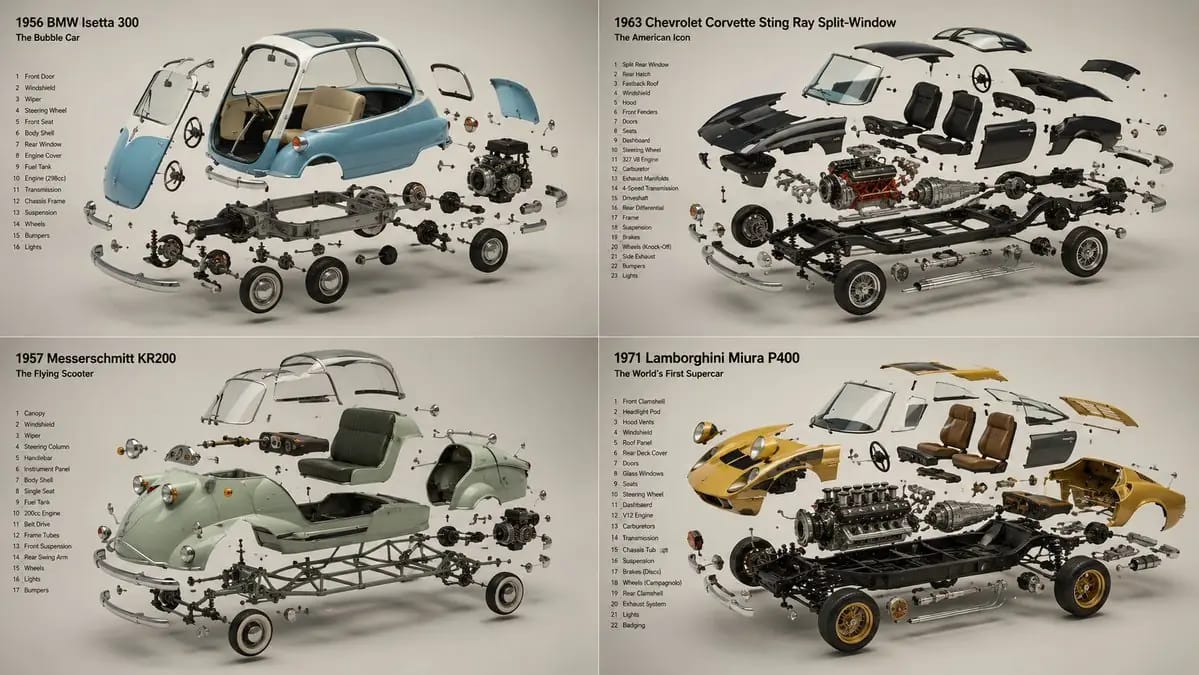
2x2 grid, 16:9, do this for 4 unusual classic cars that were
2x2 grid, 16:9, do this for 4 unusual classic cars that were real: INPUT ::= [Product] STEP_1 :: infer the components - every part or ingredient, separated and identified - the assembly order — components arrayed the way they combine -...
프롬프트
2x2 grid, 16:9, do this for 4 unusual classic cars that were real: INPUT ::= [Product] STEP_1 :: infer the components - every part or ingredient, separated and identified - the assembly order — components arrayed the way they combine - what is structural, what is active, what is the secret inside - the single element that reveals how it works STEP_2 :: infer the suspension - each component floating in its own plane, held in zero gravity - the constellation logic: exploded along one clean axis, or orbiting a centre - spacing that reads as deliberate, never scattered - the hero element largest and forward, the rest receding STEP_3 :: infer the reveal story - what's inside / how it's made / what it's made of - the cutaway or cross-sectioned component that proves the claim - raw ingredients rendered as beautifully as the finished product STEP_4 :: infer ground and air - seamless background, one hue, the components as the only subjects - soft directional light unifying every floating element - each piece casting an honest soft shadow despite hanging in air STEP_5 :: render spec - focus-stacked so every suspended element is sharp - studio product lighting, controlled reflections on each part - forbidden: visible wires, inconsistent scale, parts lit differently - material honesty on every component, raw and finished alike
이 프롬프트 사용 방법
- 1프롬프트를 그대로 복사한 뒤 원하는 모델이나 Ideart 프로젝트에 붙여넣으세요.
- 2제품, 주제, 대상, 스타일 세부사항을 자신의 컨텍스트로 교체하세요.
- 3먼저 기준 결과를 생성한 뒤 가장 강한 방향을 캠페인, 이미지 세트 또는 비디오 콘셉트로 리믹스하세요.
이 프롬프트로 제작
이미지 프롬프트를 완성된 크리에이티브 프로젝트로 바꾸세요.
프롬프트를 저장하고 참조 이미지나 노트를 추가한 뒤 Ideart가 같은 창작 스레드에서 다음 제작 단계를 만들게 하세요.