
이미지AI
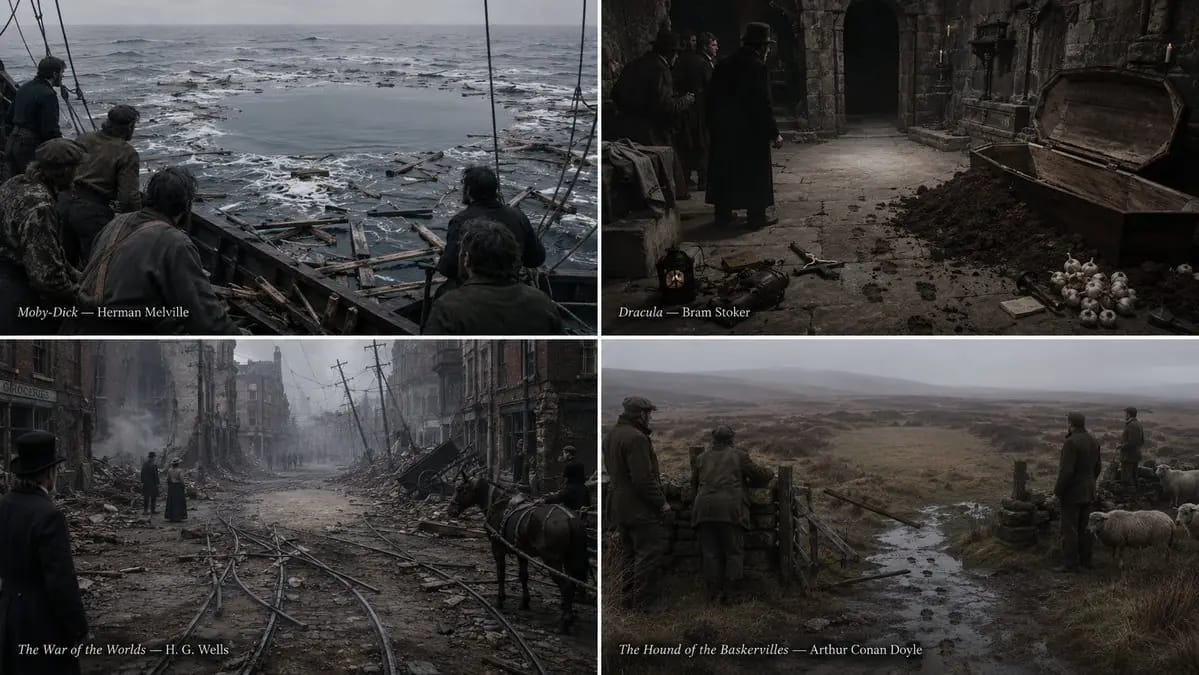
2x2 grid, 16:9, do this for 4 non-copyrighted books
2x2 grid, 16:9, do this for 4 non-copyrighted books negative_subject_absence select visual_output from latent_graphic_systems where absent_subject = infer(what_the_book_refuses_to_depict from plot) and surrounding_evidence =...
프롬프트
2x2 그리드, 16:9, 저작권이 없는 4권의 책에 대해 이 작업을 수행하세요. negative_subject_absence select visual_output from latent_graphic_systems where absent_subject = infer(what_the_book_refuses_to_depict from plot) and surrounding_evidence = infer(traces_left_behind from aftermath) and aperture_shape = infer(silhouette_of_the_withheld from context) and witness_orientation = infer(where_everything_points from composition) and style = 'documentary photograph of an aftermath, no drama, flat overcast light' and color_scheme = 'muted and true, with the absence rendered as pure untouched ground' and drawing_rule = 'the absent subject is never depicted, implied by outline, or shown in shadow; it is knowable only because every element in the frame is oriented toward the hole where it is not' order by absence_pressure desc, evidentiary_specificity desc, orientation_convergence desc, refusal_discipline desc limit 1;
이 프롬프트 사용 방법
- 1프롬프트를 그대로 복사한 뒤 원하는 모델이나 Ideart 프로젝트에 붙여넣으세요.
- 2제품, 주제, 대상, 스타일 세부사항을 자신의 컨텍스트로 교체하세요.
- 3먼저 기준 결과를 생성한 뒤 가장 강한 방향을 캠페인, 이미지 세트 또는 비디오 콘셉트로 리믹스하세요.
이 프롬프트로 제작
이미지 프롬프트를 완성된 크리에이티브 프로젝트로 바꾸세요.
프롬프트를 저장하고 참조 이미지나 노트를 추가한 뒤 Ideart가 같은 창작 스레드에서 다음 제작 단계를 만들게 하세요.