
이미지AI
2x2 grid, do this for 4 classic unusual cars that were real
2x2 grid, do this for 4 classic unusual cars that were real: class Commercial_Ad_Campaign: def __init__(self, subject="[Subject]"): self.canvas = "16:9 Landscape Magazine Spread, high-contrast, dynamic commercial aesthetic." def...
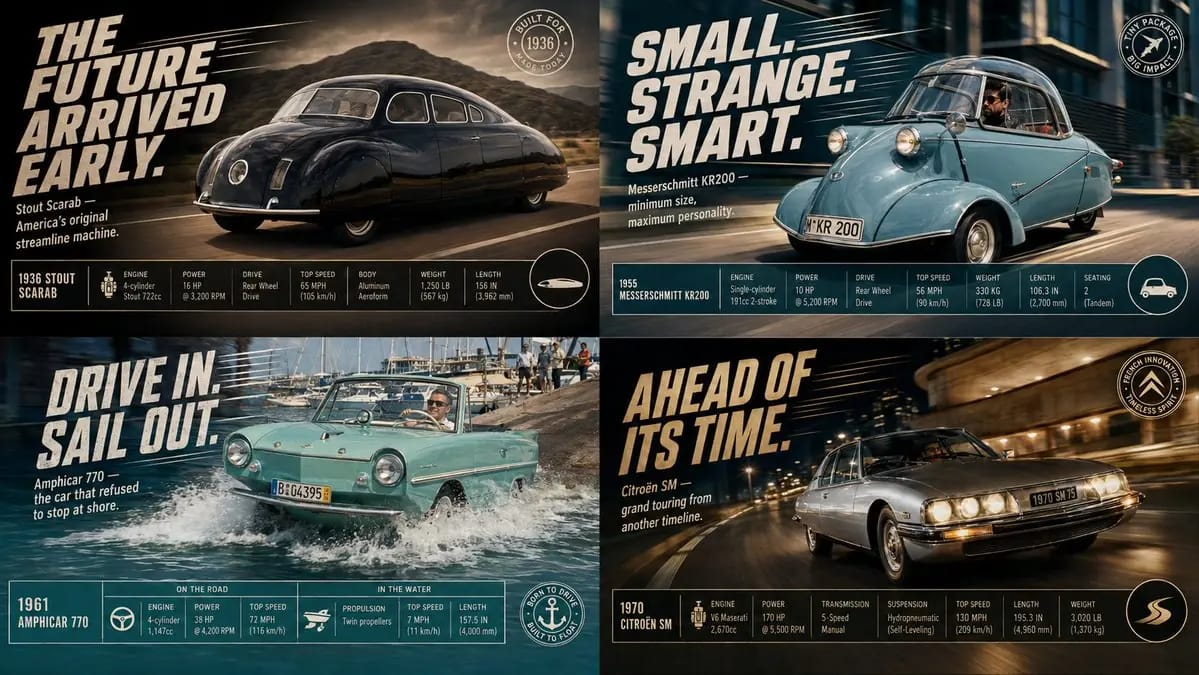
프롬프트
2x2 grid, do this for 4 classic unusual cars that were real: class Commercial_Ad_Campaign: def __init__(self, subject="[Subject]"): self.canvas = "16:9 Landscape Magazine Spread, high-contrast, dynamic commercial aesthetic." def shoot_action_plate(self): # AI AUTO-INFERENCE: Generate dynamic environment action = infer_dramatic_action(self.subject) # e.g., splashing water, kicking up dust, warping space return f"Background Plate: A photorealistic, high-speed action shot of {self.subject} engaged in {action}. Directional motion blur, dramatic lighting." def overlay_graphic_ui(self): # AI AUTO-INFERENCE: Generate marketing copy slogan = infer_catchphrase(self.subject) specs = infer_technical_stats(self.subject) # e.g., Speed, Power, Dimensions ui_top_left = f"Massive, slanted, italicized bold 2D typography reading '{slogan}' with dynamic speed lines behind it." ui_footer = f"A clean, rigid, multi-column data table at the bottom showing {specs} with sleek minimalist icons." ui_badge = f"A circular graphic badge in the bottom right corner." return [ui_top_left, ui_footer, ui_badge] render_advertisement(Commercial_Ad_Campaign())이 프롬프트 사용 방법
- 1프롬프트를 그대로 복사한 뒤 원하는 모델이나 Ideart 프로젝트에 붙여넣으세요.
- 2제품, 주제, 대상, 스타일 세부사항을 자신의 컨텍스트로 교체하세요.
- 3먼저 기준 결과를 생성한 뒤 가장 강한 방향을 캠페인, 이미지 세트 또는 비디오 콘셉트로 리믹스하세요.
이 프롬프트로 제작
이미지 프롬프트를 완성된 크리에이티브 프로젝트로 바꾸세요.
프롬프트를 저장하고 참조 이미지나 노트를 추가한 뒤 Ideart가 같은 창작 스레드에서 다음 제작 단계를 만들게 하세요.