
이미지GPT Image
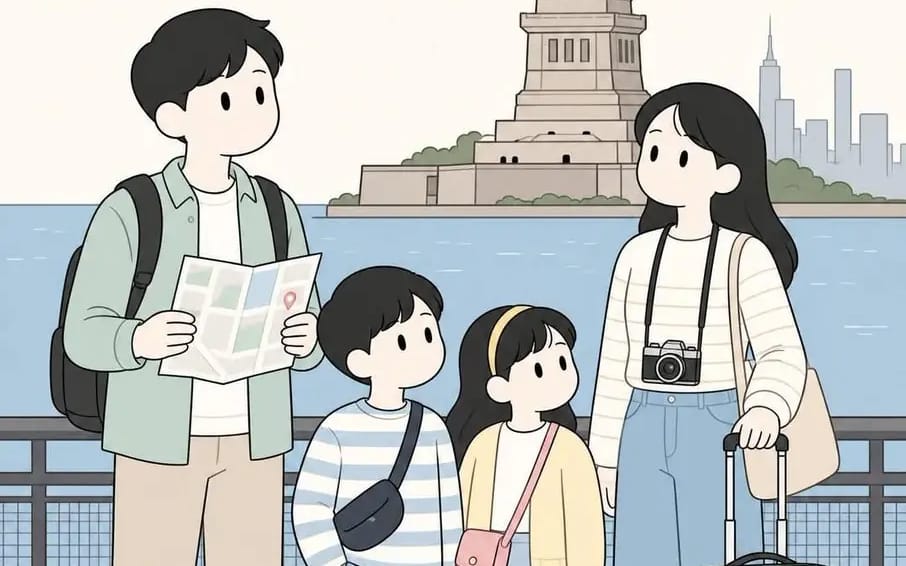
Create a soft, minimalist illustration in a clean Korean
{ "BACKGROUND": "[Location]", "prompt": "Create a soft, minimalist illustration in a clean Korean webtoon style featuring a traveling family consisting of two parents and two children. The family should be standing together naturally...
프롬프트
{
  "BACKGROUND": "[Location]",

  "prompt": "Create a soft, minimalist illustration in a clean Korean webtoon style featuring a traveling family consisting of two parents and two children. The family should be standing together naturally and interacting with one another while exploring the chosen BACKGROUND location. Leave the exact setting entirely dependent on the user's input.\n\nStyle requirements:\n- Cute, simplified facial features with dot eyes and minimal mouths\n- Thin, clean line art\n- Soft pastel color palette with muted beige, sage green, dusty blue, cream, and light pink tones\n- Flat shading with subtle depth\n- Rounded character proportions and gentle expressions\n- Cozy, wholesome atmosphere\n- Hand-drawn appearance inspired by modern travel journals and illustrated postcards\n\nCharacter details:\n- Father carrying a backpack and holding a folded map\n- Mother carrying a camera, shoulder bag, or suitcase\n- One boy and one girl wearing comfortable travel clothes\n- Casual walking shoes and small travel accessories\n\nComposition:\n- Full-body vertical composition (4:5 aspect ratio)\n- Family positioned prominently in the foreground\n- Environmental elements placed in the background according to the user's chosen location\n- Plenty of open space around the characters\n- Balanced and uncluttered arrangement\n\nOptional additions:\n- Location title text at the top of the illustration\n- Trees, pathways, water, buildings, mountains, benches, clouds, flowers, or famous landmarks depending on the selected destination\n\nMood: peaceful, nostalgic, family-friendly, warm, and travel-themed."
}이 프롬프트 사용 방법
- 1프롬프트를 그대로 복사한 뒤 원하는 모델이나 Ideart 프로젝트에 붙여넣으세요.
- 2제품, 주제, 대상, 스타일 세부사항을 자신의 컨텍스트로 교체하세요.
- 3먼저 기준 결과를 생성한 뒤 가장 강한 방향을 캠페인, 이미지 세트 또는 비디오 콘셉트로 리믹스하세요.
이 프롬프트로 제작
이미지 프롬프트를 완성된 크리에이티브 프로젝트로 바꾸세요.
프롬프트를 저장하고 참조 이미지나 노트를 추가한 뒤 Ideart가 같은 창작 스레드에서 다음 제작 단계를 만들게 하세요.