
이미지GPT Image
Create a 9:16 high-fashion editorial poster where one person
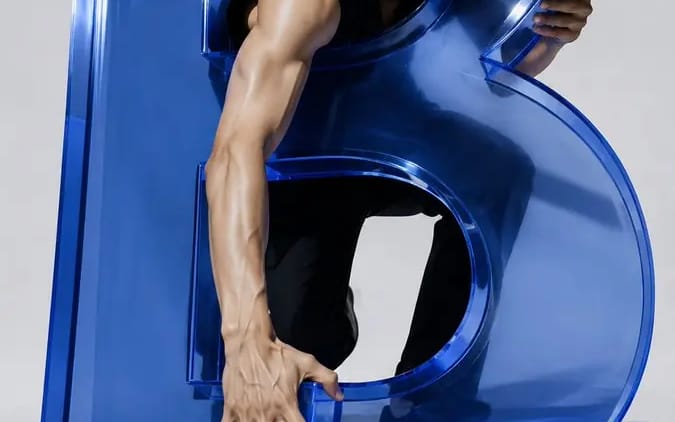
Create a 9:16 high-fashion editorial poster where one person physically interacts with a monumental 3D letter. The letter must function like a real sculptural structure—not flat typography. Show believable weight, contact, shadows,...
프롬프트
Create a 9:16 high-fashion editorial poster where one person physically interacts with a monumental 3D letter.

The letter must function like a real sculptural structure—not flat typography. Show believable weight, contact, shadows, depth, and clear front-to-back layering. The subject should grip an edge, step on a stroke, pass a limb through a counter, sit inside the letter, or emerge through an opening.

Subject: [Subject]
Letter: [Letter]
Interaction: [Interaction]
Title: [Title]
Series: TYPE CONTACT
Year: 2026

4 directions:

1. BREAK THE TYPE — a stylish male figure emerging through the two openings of a translucent cobalt-blue “B,” with his head and arms crossing from behind the letter to the foreground.

2. GRIP THE FORM — an athletic woman climbing a monumental stone “R,” gripping its top edge, stepping on its strokes, and threading one leg through the inner opening.

3. HOLD THE LINE — a contemporary male dancer supported by a massive matte-black “A,” with hands gripping both sides, one foot resting on the crossbar, and the body stretching through the triangular space.

4. FORM — an elegant woman seated inside the cavity of a dark green “G,” leaning against the inner curve while one leg remains inside and the other extends beyond the letter.

Use realistic anatomy, natural skin and fabric, controlled studio lighting, refined material textures, strong negative space, and a distinct color palette for each poster.

Keep the typography minimal: one main title, one short supporting line, “TYPE CONTACT,” and “2026.” Let part of the title pass behind the subject or sculpture, but keep it readable.
이 프롬프트 사용 방법
- 1프롬프트를 그대로 복사한 뒤 원하는 모델이나 Ideart 프로젝트에 붙여넣으세요.
- 2제품, 주제, 대상, 스타일 세부사항을 자신의 컨텍스트로 교체하세요.
- 3먼저 기준 결과를 생성한 뒤 가장 강한 방향을 캠페인, 이미지 세트 또는 비디오 콘셉트로 리믹스하세요.
이 프롬프트로 제작
이미지 프롬프트를 완성된 크리에이티브 프로젝트로 바꾸세요.
프롬프트를 저장하고 참조 이미지나 노트를 추가한 뒤 Ideart가 같은 창작 스레드에서 다음 제작 단계를 만들게 하세요.