
이미지AI
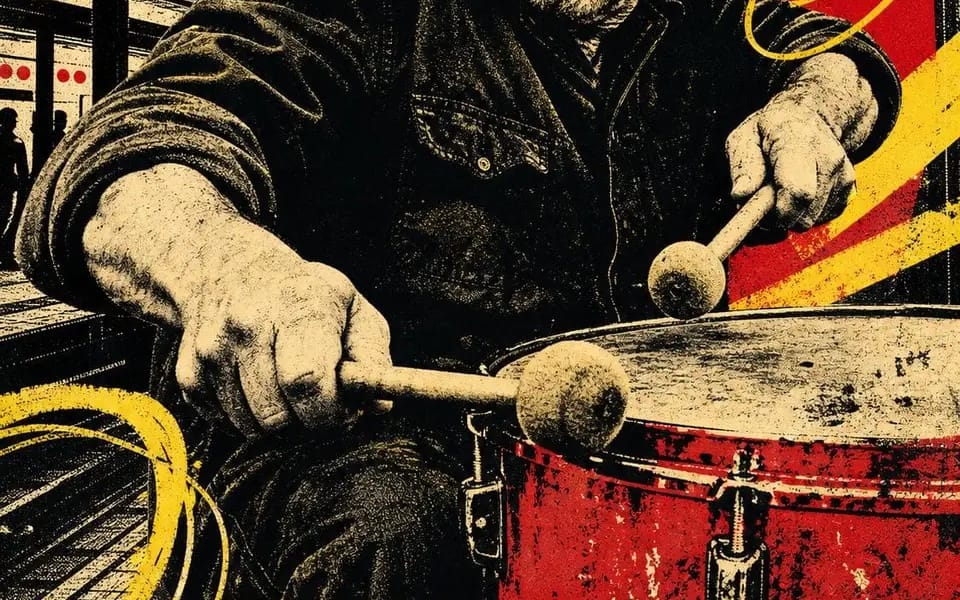
Four-ink screen print
Four-ink screen print. Four people still working after everyone left. CITY BEAT — night session 02 OPEN SIGNAL — channel 08 / all night HIVE MIND — rooftop batch 07 FULL TORQUE — shift 04 / open late Locked: – four inks total: bone...
프롬프트
네 가지 잉크 스크린 프린트. 모두 떠난 후에도 여전히 일하고 있는 네 사람.

CITY BEAT — 야간 세션 02
OPEN SIGNAL — 채널 08 / 밤새
HIVE MIND — 옥상 배치 07
FULL TORQUE — 교대 04 / 늦게까지 열림

잠금:
– 총 네 가지 잉크: 본 페이퍼, 블랙, 스칼렛, 크롬 옐로우. 그 외에는 없음.
– 초상화는 검은 하프톤으로 포스터화됨 — 회색은 없고 오직 점만 있음
– 머리 뒤에 평면적인 빨간 형태, 스포트라이트 역할
– 노란 대각선 바와 느슨하게 손으로 그린 루프가 이미지 위에 스케치됨
– 도시 실루엣이 빈 공간을 채움: 기둥, 물탑, 크레인, 스카이라인
– 하단에 전체 폭의 노란 밴드, 두 단어가 두꺼운 검은 압축 대문자로, 양쪽 가장자리에 잘림
– 그 아래에 손으로 쓴 한 줄 — 교대, 채널, 배치, 숫자
– 작은 손으로 그린 기호: 나선, 목표, 육각형, 볼트
– 잘못 정렬, 잉크 부족, 종이 결. 렌더링된 것이 아니라 당겨진 것처럼 보여야 함.

교환: [거래] / [두 단어 제목] / [빨간 형태] / [낙서] / [기호] / [교대 번호]
이 프롬프트 사용 방법
- 1프롬프트를 그대로 복사한 뒤 원하는 모델이나 Ideart 프로젝트에 붙여넣으세요.
- 2제품, 주제, 대상, 스타일 세부사항을 자신의 컨텍스트로 교체하세요.
- 3먼저 기준 결과를 생성한 뒤 가장 강한 방향을 캠페인, 이미지 세트 또는 비디오 콘셉트로 리믹스하세요.
이 프롬프트로 제작
이미지 프롬프트를 완성된 크리에이티브 프로젝트로 바꾸세요.
프롬프트를 저장하고 참조 이미지나 노트를 추가한 뒤 Ideart가 같은 창작 스레드에서 다음 제작 단계를 만들게 하세요.