
이미지GPT Image
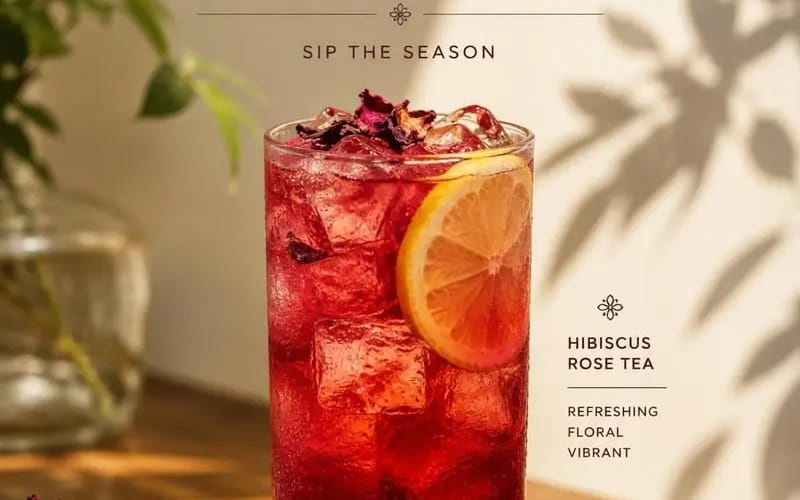
Create a premium cafe advertisement poster featuring Product
{ "PRODUCT_NAME": "", "SUBTITLE": "", "DESCRIPTION": "", "PRICE": "", "prompt": "Create a premium cafe advertisement poster featuring [Product Name] as the main subject. The composition should follow a clean, minimalist, editorial...
프롬프트
{
  "PRODUCT_NAME": "",
  "SUBTITLE": "",
  "DESCRIPTION": "",
  "PRICE": "",

  "prompt": "Create a premium cafe advertisement poster featuring [Product Name] as the main subject. The composition should follow a clean, minimalist, editorial style with warm natural sunlight, soft plant shadows, elegant typography, and a sophisticated luxury aesthetic.\n\nPlace a beautifully styled drink at the center of the composition inside a transparent glass with realistic textures, reflections, condensation, and garnish details appropriate for the beverage.\n\nThe scene should include a wooden table, subtle decorative elements, blurred greenery, and soft beige backgrounds to create a warm and inviting atmosphere.\n\nDisplay the text in the following structure:\n\nTop section:\n• 'NEW MENU' headline\n• [Subtitle]\n\nMiddle section:\n• [Product Name]\n\nBottom section:\n• [Description]\n• [Price]\n\nStyle requirements:\n• Editorial food photography\n• Soft natural lighting\n• Cinematic composition\n• Luxury cafe branding\n• Elegant serif typography\n• Realistic shadows and highlights\n• Minimalist layout\n• High-detail product photography\n\nAspect ratio: 4:5."
}이 프롬프트 사용 방법
- 1프롬프트를 그대로 복사한 뒤 원하는 모델이나 Ideart 프로젝트에 붙여넣으세요.
- 2제품, 주제, 대상, 스타일 세부사항을 자신의 컨텍스트로 교체하세요.
- 3먼저 기준 결과를 생성한 뒤 가장 강한 방향을 캠페인, 이미지 세트 또는 비디오 콘셉트로 리믹스하세요.
이 프롬프트로 제작
이미지 프롬프트를 완성된 크리에이티브 프로젝트로 바꾸세요.
프롬프트를 저장하고 참조 이미지나 노트를 추가한 뒤 Ideart가 같은 창작 스레드에서 다음 제작 단계를 만들게 하세요.