
이미지AI
Vermilion photocopy tension editorial
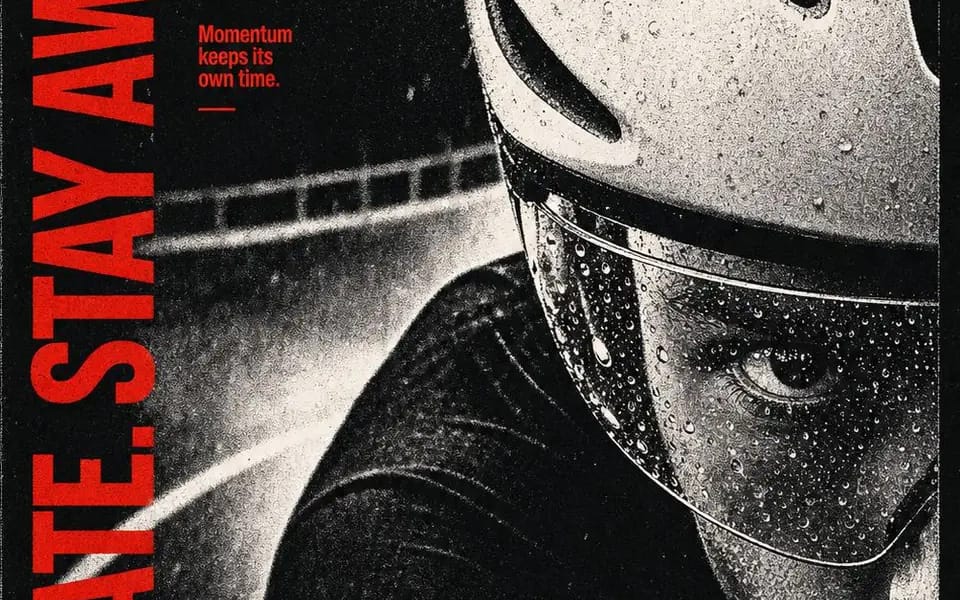
{ "style": "vermilion-photocopy-tension-editorial", "aspect_ratio": "4:5", "style_rules": [ "one monochrome subject fills the poster at monumental scale, aggressively cropped by multiple edges", "harsh near-binary black-and-white...
프롬프트
{
  "style": "vermilion-photocopy-tension-editorial",
  "aspect_ratio": "4:5",
  "style_rules": [
    "one monochrome subject fills the poster at monumental scale, aggressively cropped by multiple edges",
    "harsh near-binary black-and-white separation: crushed blacks #0B0B0B, chalky highlights #D8D6D1, almost no smooth midtones",
    "coarse photocopy dust, halftone speckling and toner breakup across the photo — analog wear, never digital glitch",
    "one vivid vermilion #F0160F reserved for every typographic and graphic intervention; no other color anywhere",
    "oversized heavy condensed uppercase headline runs as a vertical rail along one outer edge, cropped or compressed by the frame",
    "three compact annotation blocks in the opposite upper quadrant, tight leading, hard scale contrast against the headline",
    "type sits directly on the photograph — no boxes, cards, outlines or shadows",
    "one sharp diagonal vermilion shard crosses the photo; a second edge-born vermilion form branches organically like flooded screen-print ink",
    "asymmetric, edge-crowded, poster-flat — overlap creates tension, not depth; punk zine / independent music graphic mood",
    "render the vertical headline verbatim, letter by letter"
  ],
  "MAIN_TEXT": "BRAKE LATE. STAY AWAKE.",
  "SUBJECT": "an extreme close crop of a cyclist's rain-beaded helmet visor and one focused eye, guardrail blurred behind",
  "ANNOTATIONS": "Rain sharpens focus. / The corner arrives early. / Momentum keeps its own time.",
  "SHARD_DIRECTION": "a clean diagonal shard rising from the lower right",
  "EDGE_FORM": "a branching splatter form entering from the bottom edge"
}이 프롬프트 사용 방법
- 1프롬프트를 그대로 복사한 뒤 원하는 모델이나 Ideart 프로젝트에 붙여넣으세요.
- 2제품, 주제, 대상, 스타일 세부사항을 자신의 컨텍스트로 교체하세요.
- 3먼저 기준 결과를 생성한 뒤 가장 강한 방향을 캠페인, 이미지 세트 또는 비디오 콘셉트로 리믹스하세요.
이 프롬프트로 제작
이미지 프롬프트를 완성된 크리에이티브 프로젝트로 바꾸세요.
프롬프트를 저장하고 참조 이미지나 노트를 추가한 뒤 Ideart가 같은 창작 스레드에서 다음 제작 단계를 만들게 하세요.