
ImagemGPT Image 2
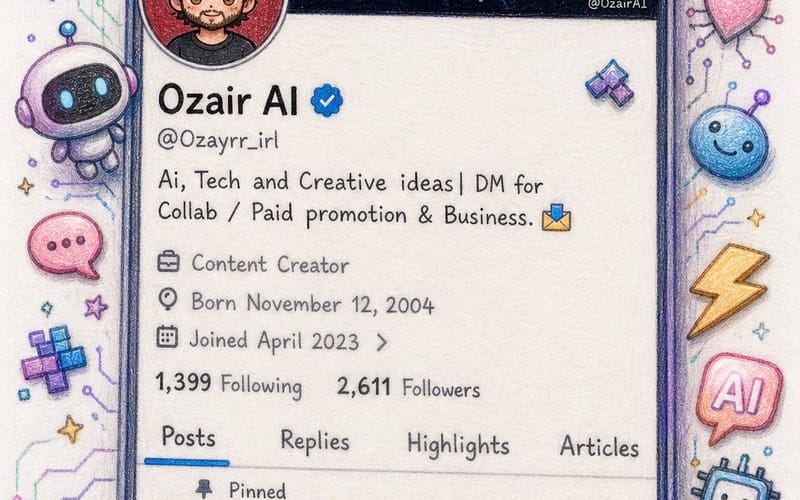
Twitter Profile Doodle Art Transformation
Converts a Twitter profile screenshot into a beautiful hand-drawn colored pencil doodle with a cute anime-style avatar.
Prompt
Create an image\nI'm sharing a screenshot of my real X (Twitter) profile. Recreate this as a beautiful hand-drawn colored pencil doodle illustration on white paper — same layout, same username {argument name="username" default="OzairAI"}, same follower counts, same pinned tweet content — but transform everything into cute doodle art style.\nStyle upgrades to add:\n— Profile picture: redraw as a chibi anime-style character with same face.\n— Banner: exactly same but drawn\n— Scatter cute AI-themed doodle stickers around the phone frame: tiny robots, circuit hearts, lightning bolts, pixel stars, glowing chat bubbles\n— Some stickers should break out of the phone border for a 3D pop-out illusion\n— Bio and tweets: keep same text but render in cute handwritten font style\n— Color palette: soft lavender, electric blue, warm gold, mint green\nVertical 9:13 format. Ultra photorealistic colored pencil texture, 8K, no extra text overlays, cinematic color grading.Como usar este prompt
- 1Copie o prompt exatamente e cole no seu modelo preferido ou projeto Ideart.
- 2Substitua detalhes de produto, sujeito, público e estilo pelo seu próprio contexto.
- 3Gere primeiro um resultado base e depois remixe a direção mais forte em campanha, série de imagens ou conceito de vídeo.
Explorar caminhos de prompts próximos
Modelo
Criar a partir deste prompt
Transforme um prompt de imagem em um projeto criativo finalizado.
Salve o prompt, adicione imagens de referência ou notas e deixe a Ideart moldar o próximo passo de produção no mesmo fio criativo.