
ImagemAI
2x2 grid, do this for 4 classic unusual cars that were real
2x2 grid, do this for 4 classic unusual cars that were real: class Commercial_Ad_Campaign: def __init__(self, subject="[Subject]"): self.canvas = "16:9 Landscape Magazine Spread, high-contrast, dynamic commercial aesthetic." def...
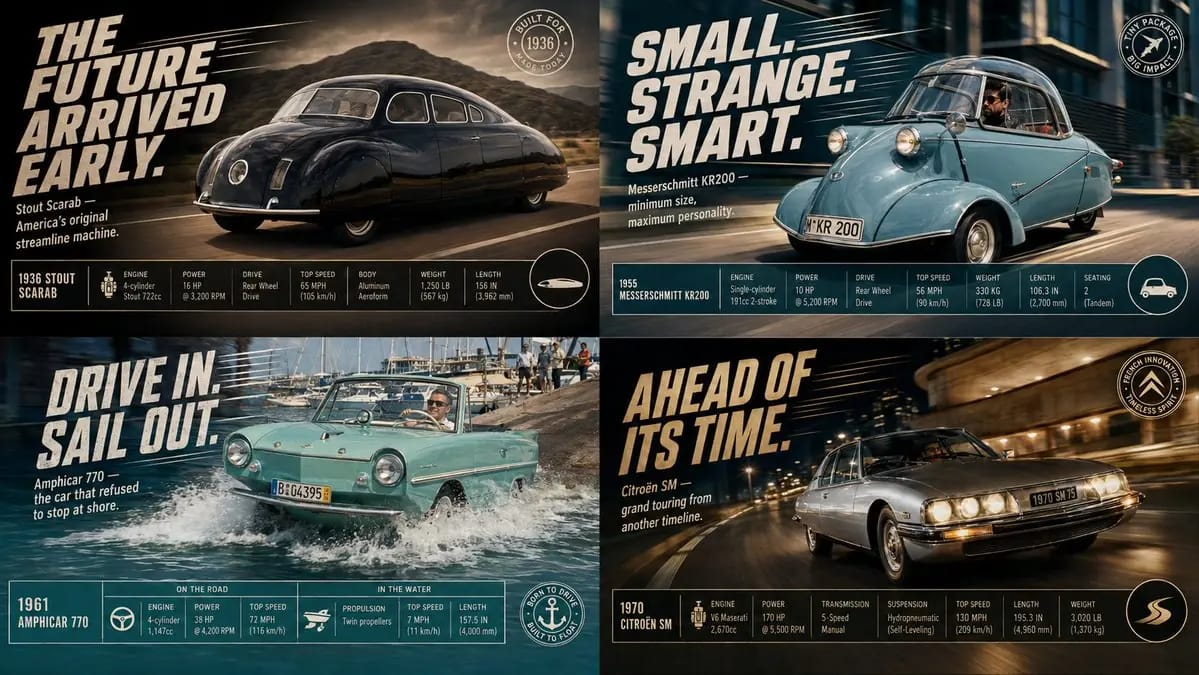
Prompt
2x2 grid, faça isto para 4 carros clássicos invulgares que eram reais: class Commercial_Ad_Campaign: def __init__(self, subject="[Subject]"): self.canvas = "16:9 Landscape Magazine Spread, alto contraste, estética comercial dinâmica." def shoot_action_plate(self): # AI AUTO-INFERENCE: Gerar ambiente dinâmico action = infer_dramatic_action(self.subject) # por exemplo, salpicos de água, levantando poeira, distorcendo o espaço return f"Background Plate: Uma fotografia de ação fotorrealista e de alta velocidade de {self.subject} envolvido em {action}. Desfoque de movimento direcional, iluminação dramática." def overlay_graphic_ui(self): # AI AUTO-INFERENCE: Gerar texto de marketing slogan = infer_catchphrase(self.subject) specs = infer_technical_stats(self.subject) # por exemplo, Velocidade, Potência, Dimensões ui_top_left = f"Tipografia 2D enorme, inclinada, em itálico e negrito com o texto '{slogan}' e linhas de velocidade dinâmicas por trás." ui_footer = f"Uma tabela de dados limpa, rígida e com várias colunas na parte inferior, mostrando {specs} com ícones minimalistas elegantes." ui_badge = f"Um emblema gráfico circular no canto inferior direito." return [ui_top_left, ui_footer, ui_badge] render_advertisement(Commercial_Ad_Campaign())Como usar este prompt
- 1Copie o prompt exatamente e cole no seu modelo preferido ou projeto Ideart.
- 2Substitua detalhes de produto, sujeito, público e estilo pelo seu próprio contexto.
- 3Gere primeiro um resultado base e depois remixe a direção mais forte em campanha, série de imagens ou conceito de vídeo.
Explorar caminhos de prompts próximos
Modelo
Categorias
Criar a partir deste prompt
Transforme um prompt de imagem em um projeto criativo finalizado.
Guarde o prompt, adicione imagens de referência ou notas e deixe a Ideart moldar o próximo passo de produção no mesmo fio criativo.