
ImagemAI
Do this for 4 unforgettable days in human history 16:9
do this for 4 unforgettable days in human history 16:9, 2x2 grid: CONCEPT ANCHOR 1: "Stylized 3D animated rebel character — expressive oversized eyes, strong attitude pose, streetwear details, colorful hair, soft cinematic toy-like...
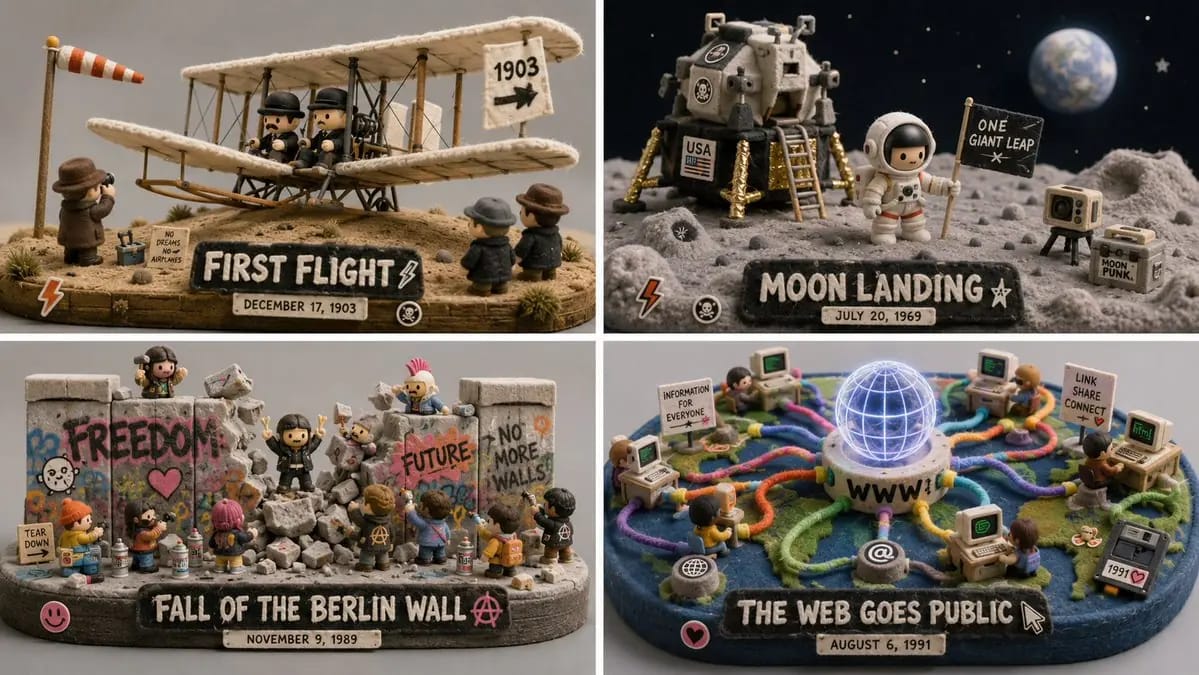
Prompt
faz isto durante 4 dias inesquecíveis na história da humanidade 16:9, grelha 2x2: CONCEPT ANCHOR 1: "Personagem rebelde animada em 3D estilizado — olhos expressivos de tamanho exagerado, pose de atitude forte, detalhes de streetwear, cabelo colorido, renderização suave, cinematográfica e com aspeto de brinquedo" :: CONCEPT ANCHOR 2: "Mundo de brinquedo minimalista, verde e felpudo — textura de musgo, árvores arredondadas, superfícies de feltro macio, casas minúsculas, criaturas surreais gentis, fundo cinzento tranquilo" :: CONCEPT ANCHOR 3: "Cena em miniatura isométrica — adereços pequenos, narrativa ambiental minúscula, encenação à escala de casa de bonecas, iluminação de estúdio limpa" INSTRUCTION: Encontra o centro visual exato destes três conceitos. Ignora a personagem literal, o caixote do lixo, os animais e as referências de sala. Extrai apenas a lógica de estilo e material. Renderiza [Subject] como um diorama de brinquedo de designer suave mas rebelde. STYLE RULES: - Converte o sujeito numa personagem, objeto, criatura ou ambiente em 3D estilizado, com atitude clara e linguagem de forma expressiva. - Usa feltro macio, musgo, fibra de malha, flocking felpudo, argila mate e superfícies semelhantes a vinil. - Adiciona pequenos detalhes de rua ou do quotidiano: autocolantes, marcas de desgaste, adereços, objetos em miniatura, placas, recipientes, ferramentas ou objetos pessoais inferidos a partir do sujeito. - Mantém o mundo minimalista e com aspeto de galeria, com fundo cinzento calmo ou pastel suave. - Usa cores de destaque vivas apenas onde importam: formas semelhantes a cabelo, marcas semelhantes a graffiti, símbolos, acessórios, adereços minúsculos. - Combina suavidade com rebeldia: textura de superfície fofa, mas pose confiante e traço gráfico. - Usa iluminação de estúdio pouco profunda e uma apresentação limpa de fotografia de produto. OUTPUT: Uma cena colecionável de brinquedo de designer felpudo onde [Subject] se torna suave, expressivo, ligeiramente punk e altamente tátil.
Como usar este prompt
- 1Copie o prompt exatamente e cole no seu modelo preferido ou projeto Ideart.
- 2Substitua detalhes de produto, sujeito, público e estilo pelo seu próprio contexto.
- 3Gere primeiro um resultado base e depois remixe a direção mais forte em campanha, série de imagens ou conceito de vídeo.
Explorar caminhos de prompts próximos
Modelo
Criar a partir deste prompt
Transforme um prompt de imagem em um projeto criativo finalizado.
Guarde o prompt, adicione imagens de referência ou notas e deixe a Ideart moldar o próximo passo de produção no mesmo fio criativo.