
圖片AI
2x2 網格,16:9 AI 挑選主題 class OpArtSubjectField: def init(self
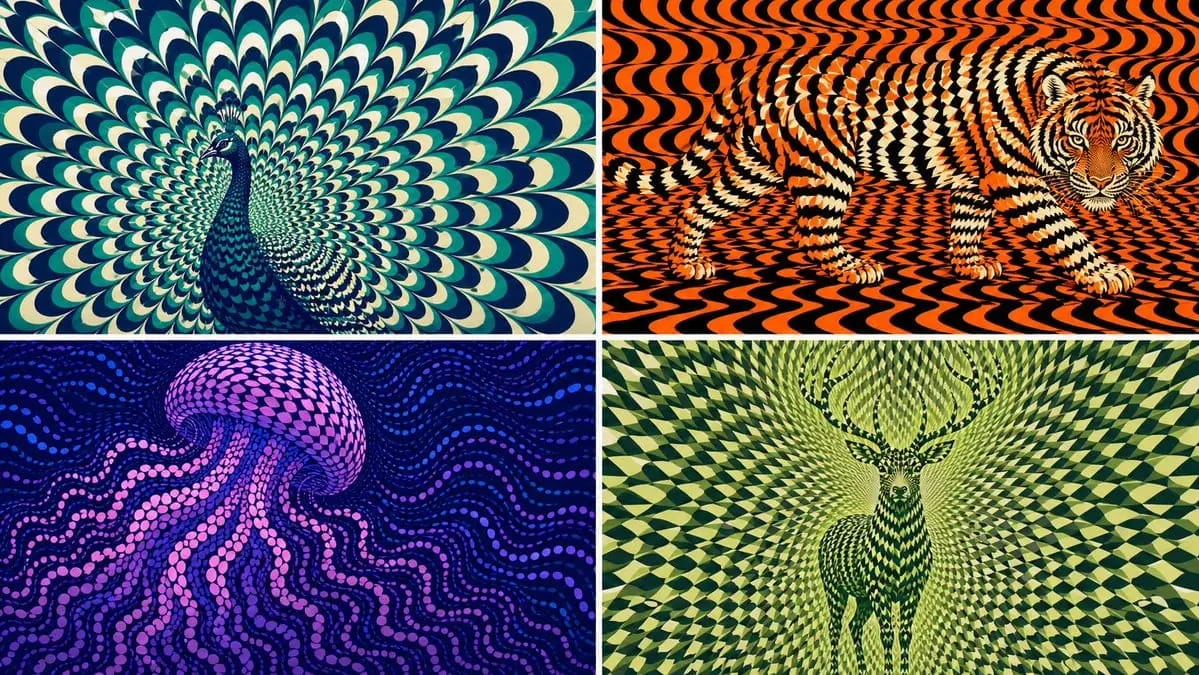
2x2 grid, 16:9 AI picks subjects class OpArtSubjectField: def __init__(self, subject="[Subject]", palette="[Palette]"): self. style = "high-contrast optical art, kinetic poster, graphic abstraction" self.canvas = "full-bleed pattern...
提示詞
2x2 網格,16:9 AI 挑選主題 class OpArtSubjectField: def __init__(self, subject="[Subject]", palette="[Palette]"): self. style = "高對比歐普藝術,動感海報,圖形抽象" self.canvas = "滿版圖案場域" self.subject = subject self.palette = AI_INFER("與 SUBJECT 情緒、棲息地、象徵意義或品牌能量相符的 3-5 種色彩") def infer_subject_silhouette(self): return AI_INFER( "SUBJECT 最易辨識的輪廓、姿態、外型或側影" ) def build_pattern_field(self): return """ 在整個畫布中填滿數百或數千個重複單元。 單元可為花瓣、鱗片、瓷磚、新月形、條紋、波浪、圓盤、羽毛、刀片、碎片或類似符號的標記。 主題不直接以輪廓呈現。 主題之所以浮現,是因為重複單元在主體區域內改變了尺寸、方向、間距、亮度和色彩。 背景單元沿用相同的視覺語言,但流動方式不同。 """ def illusion_rules(self): return """ 從遠處觀看:必須能讀出 SUBJECT。 從近處觀看:只能看到重複的抽象單元。 無硬邊輪廓,無直接繪製,無貼上剪影。 圖案本身承載形狀。 """ # 執行: # 將 SUBJECT 渲染成一個動態歐普藝術場域,其中重複單元構成隱藏圖形。如何使用這個 Prompt
- 1完整複製 Prompt,然後貼到你偏好的模型或 Ideart 專案。
- 2把產品、主體、受眾和風格細節替換成你自己的上下文。
- 3先生成一個基準結果,再把最強方向 remix 成 Campaign、圖片組或影片概念。
基於這個 Prompt 創作
把一條 圖片 Prompt 變成完整創意專案。
儲存 Prompt,加入參考圖片或備註,讓 Ideart 從同一條創意執行緒塑造下一個生產步驟。