
圖片AI
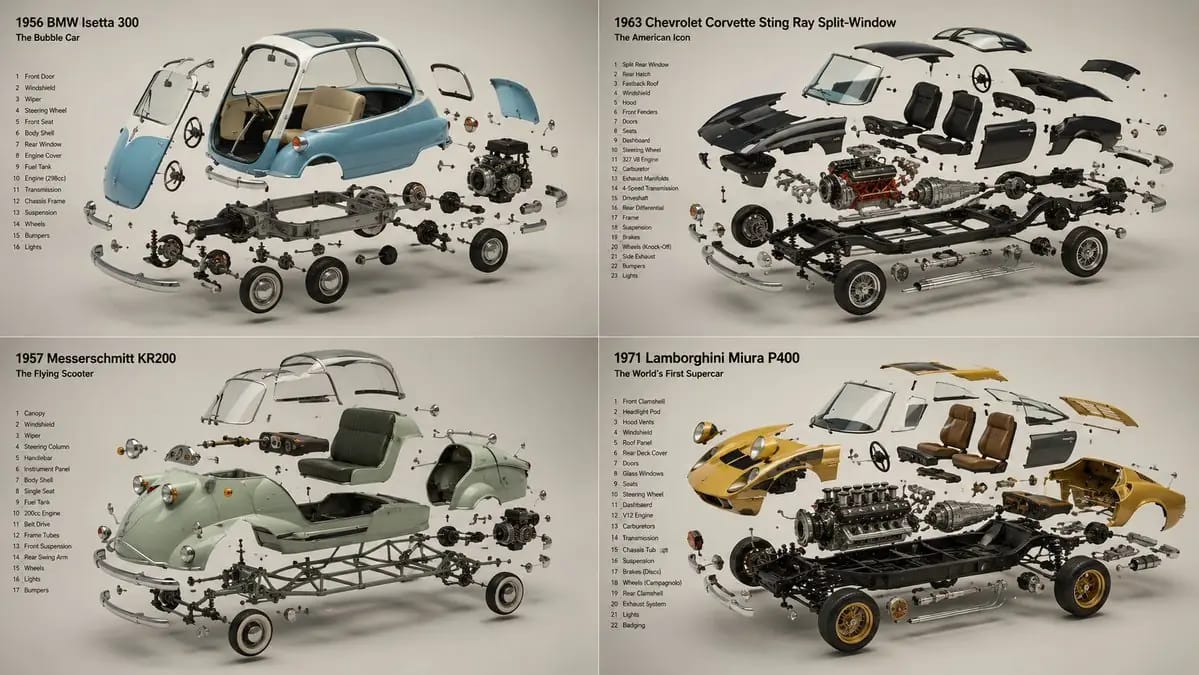
2x2 grid, 16:9, do this for 4 unusual classic cars that were
2x2 grid, 16:9, do this for 4 unusual classic cars that were real: INPUT ::= [Product] STEP_1 :: infer the components - every part or ingredient, separated and identified - the assembly order — components arrayed the way they combine -...
提示詞
2x2 grid, 16:9, do this for 4 unusual classic cars that were real: INPUT ::= [Product] STEP_1 :: infer the components - every part or ingredient, separated and identified - the assembly order — components arrayed the way they combine - what is structural, what is active, what is the secret inside - the single element that reveals how it works STEP_2 :: infer the suspension - each component floating in its own plane, held in zero gravity - the constellation logic: exploded along one clean axis, or orbiting a centre - spacing that reads as deliberate, never scattered - the hero element largest and forward, the rest receding STEP_3 :: infer the reveal story - what's inside / how it's made / what it's made of - the cutaway or cross-sectioned component that proves the claim - raw ingredients rendered as beautifully as the finished product STEP_4 :: infer ground and air - seamless background, one hue, the components as the only subjects - soft directional light unifying every floating element - each piece casting an honest soft shadow despite hanging in air STEP_5 :: render spec - focus-stacked so every suspended element is sharp - studio product lighting, controlled reflections on each part - forbidden: visible wires, inconsistent scale, parts lit differently - material honesty on every component, raw and finished alike
如何使用這個 Prompt
- 1完整複製 Prompt,然後貼到你偏好的模型或 Ideart 專案。
- 2把產品、主體、受眾和風格細節替換成你自己的上下文。
- 3先生成一個基準結果,再把最強方向 remix 成 Campaign、圖片組或影片概念。
基於這個 Prompt 創作
把一條 圖片 Prompt 變成完整創意專案。
儲存 Prompt,加入參考圖片或備註,讓 Ideart 從同一條創意執行緒塑造下一個生產步驟。