
圖片AI
Class ModernistExhibitionPoster: def init(self
class ModernistExhibitionPoster: def __init__(self, topic="[Topic]"): self .style = "Swiss modernist + Bauhaus editorial poster" self.canvas = "square or vertical poster" self.grid = "strict asymmetric grid with large negative space"...
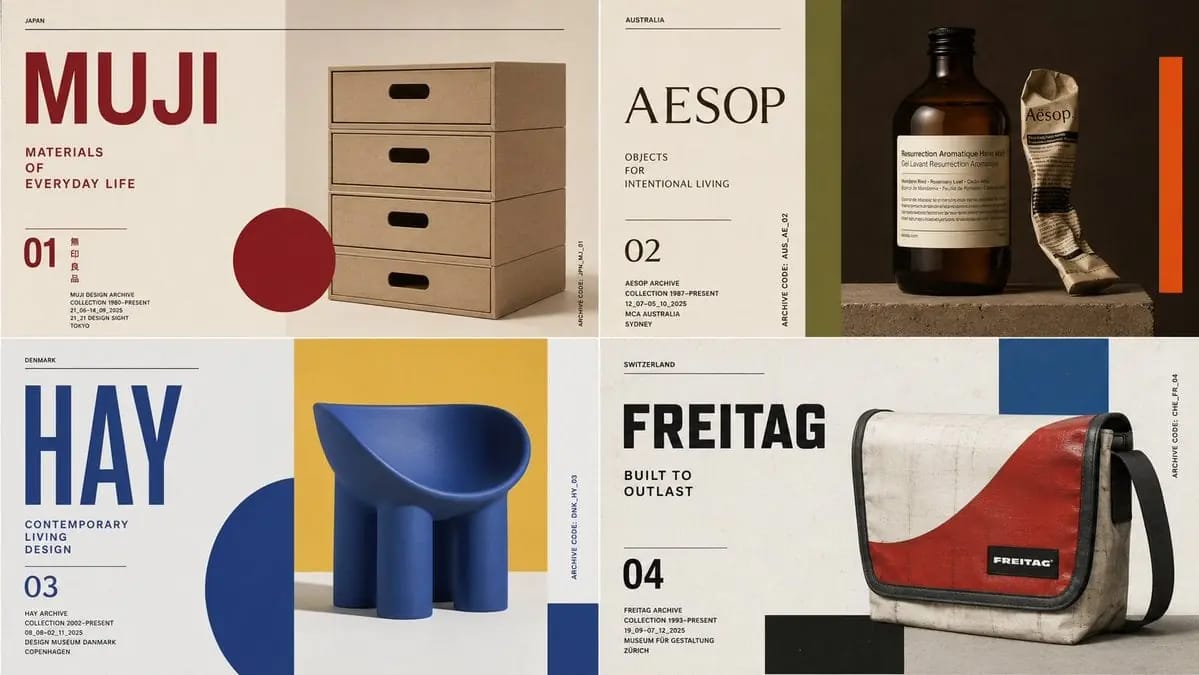
提示詞
class ModernistExhibitionPoster: def __init__(self, topic="[Topic]"): self .style = "Swiss modernist + Bauhaus editorial poster" self.canvas = "square or vertical poster" self.grid = "strict asymmetric grid with large negative space" self.palette = AI_INFER("3-5 bold colors from topic mood and cultural context") self.typography = "oversized condensed sans or elegant modern serif" def infer_hero_image(self): return AI_INFER( "the most iconic visual representation of TOPIC: portrait, object, silhouette, artifact, architecture, animal, machine, landscape, symbol, or scene" ) def poster_system(self): return { "title": AI_INFER("one short powerful title derived from TOPIC"), "subtitle": AI_INFER("2-5 word exhibition phrase"), "index_number": AI_INFER("series number / chapter mark / archive code"), "microcopy": AI_INFER("small location/date/collection-style text"), "geometry": AI_INFER("rectangles, circles, bars, margins, rules, or blocks that echo TOPIC") } # EXECUTE: # Render TOPIC as a premium modernist exhibition poster. # One dominant hero image + strict grid + bold color geometry + museum-grade typography.如何使用這個 Prompt
- 1完整複製 Prompt,然後貼到你偏好的模型或 Ideart 專案。
- 2把產品、主體、受眾和風格細節替換成你自己的上下文。
- 3先生成一個基準結果,再把最強方向 remix 成 Campaign、圖片組或影片概念。
基於這個 Prompt 創作
把一條 圖片 Prompt 變成完整創意專案。
儲存 Prompt,加入參考圖片或備註,讓 Ideart 從同一條創意執行緒塑造下一個生產步驟。