
Use the exact product reference
Use the exact product reference. Use the uploaded image as the sole and exact reference for the product. Preserve the product 1:1, including its official packaging, logo, typography, text, colors, proportions, shape, materials,...
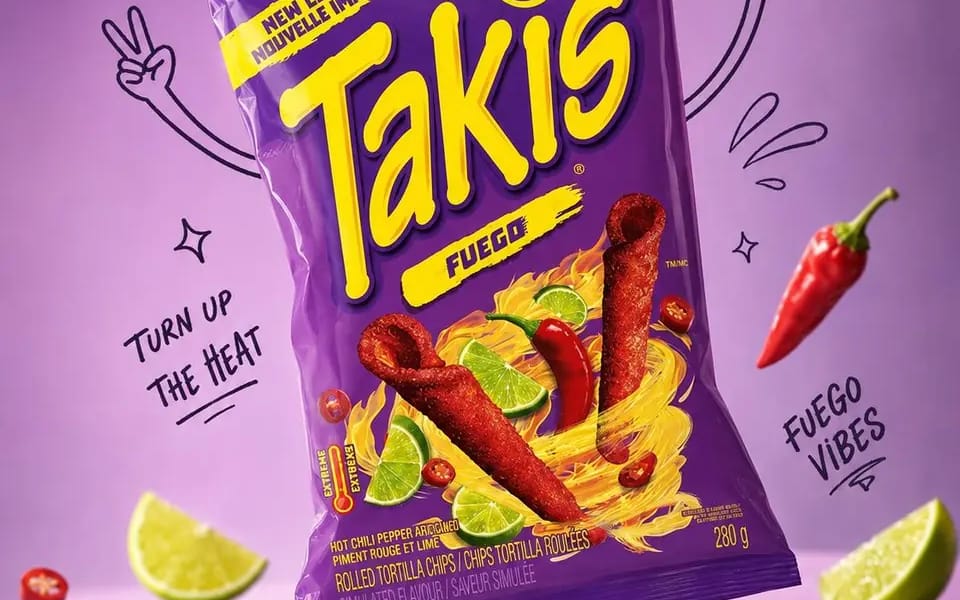
提示詞
Use the exact product reference. Use the uploaded image as the sole and exact reference for the product. Preserve the product 1:1, including its official packaging, logo, typography, text, colors, proportions, shape, materials, textures, reflections, label details, and complete brand identity. Do not redesign, recolor, replace, distort, or modify any part of the packaging.
Create an ultra-realistic premium commercial advertisement with the product as the hero. Analyze its category, flavor, purpose, ingredients, target audience, packaging style, and brand personality to develop a unique, award-worthy advertising concept. Position the product in a natural, dynamic tilted pose.
Place it in a premium pastel studio environment inspired by the packaging colors, leaving clean negative space for advertising copy. Surround the product with expressive black marker doodles, including arms, legs, shoes, motion lines, sparkles, stars, bubbles, splashes, leaves, ribbons, icons, and concept-related props. The doodles must enhance the composition without covering the packaging, logo, or text.
Luxury editorial product photography, three-quarter angle, shallow depth of field, razor-sharp focus, soft diffused studio lighting, realistic reflections, floating shadows, premium color grading, and ultra-realistic materials.
Mood: Premium, playful, modern, sophisticated, energetic, memorable, brand-forward, scroll-stopping.
Output: 4:5 portrait, 2160×2700 (or equivalent), 8K quality.
Negative Prompt: Low quality, blur, incorrect branding, altered packaging, modified logo, text errors, recolored product, distorted proportions, unrealistic materials, excessive doodles, clutter, noise, oversaturation, AI artifacts, poor lighting, cropped product.
如何使用這個 Prompt
- 1完整複製 Prompt,然後貼到你偏好的模型或 Ideart 專案。
- 2把產品、主體、受眾和風格細節替換成你自己的上下文。
- 3先生成一個基準結果,再把最強方向 remix 成 Campaign、圖片組或影片概念。
基於這個 Prompt 創作
把一條 圖片 Prompt 變成完整創意專案。
儲存 Prompt,加入參考圖片或備註,讓 Ideart 從同一條創意執行緒塑造下一個生產步驟。