
Create a 9:16 editorial portrait poster built around light
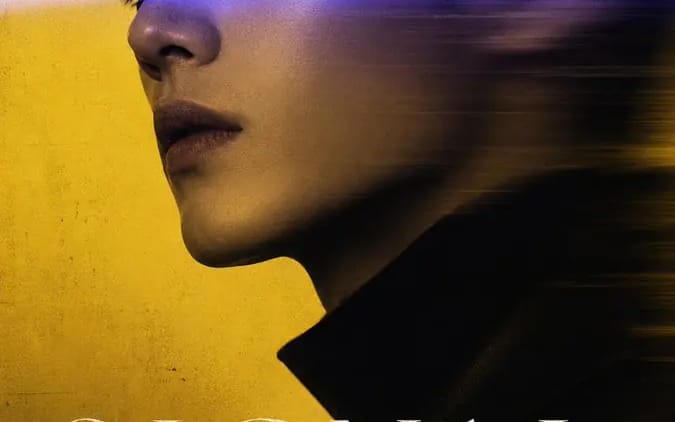
Create a 9:16 editorial portrait poster built around light, motion blur, and selective focus. Subject: [Subject Description] Title: [Custom Title] Blur method: [Blur Method] Color palette: [Color Palette] Series: LIGHT RESIDUE Year:...
提示词
Create a 9:16 editorial portrait poster built around light, motion blur, and selective focus.

Subject: [Subject Description]
Title: [Custom Title]
Blur method: [Blur Method]
Color palette: [Color Palette]
Series: LIGHT RESIDUE
Year: 2026

Keep one facial detail clearly recognizable—such as one eye, the glasses, or the nose bridge—while the rest of the portrait gradually shifts through blur, reflection, colored light, or motion. The blur must have a clear direction and visual cause, not look randomly out of focus.

4 directions:

1. SIGNAL CUT — a sharp eye crossed by a vivid light beam, while the hair and face stretch into horizontal motion trails.

2. FILTER STATE — a fashion portrait seen through translucent colored acrylic panels, with the glasses and eyes remaining crisp.

3. PASSING FRAME — a clear subject standing still while blurred figures move through the foreground and a soft reflection appears behind.

4. MINT STATIC — a quiet portrait dissolving into mint-colored haze, with one eye still visible inside the soft motion blur.

Use realistic skin, natural hair, believable fabric, cinematic lighting, subtle grain, strong negative space, and a restrained editorial layout.

Keep the typography minimal: one large title, “LIGHT RESIDUE,” one short supporting line, and “2026.” Let the title interact slightly with the light or blur, but keep it readable.
如何使用这个 Prompt
- 1完整复制 Prompt,然后粘贴到你常用的模型或 Ideart 项目中。
- 2把产品、主体、受众和风格细节替换成你的真实上下文。
- 3先生成一个基准版本,再把最强方向 remix 成 Campaign、图片组或视频概念。
从这个 Prompt 开始
把一个图片 Prompt 变成完整创作项目。
保存 Prompt,加入参考图片或笔记,让 Ideart 沿着同一条创作线程推进下一步生产。